

My 5 Favorite Grok Bot Templates and How to Import Them


Grok Bot templates let you skip the slowest week of any agent rollout. You don’t write the job or the guardrails from scratch, because someone who already runs the bot hands you the recipe.
I recently shared my favorite Grok Bots my team runs at Single Grain on X, then replied with import links for the ones I’d turned into templates. Import one, add your context, and run it. That’s all you have to do!
One quick note: My take is a template earns a spot in your lineup only when the approval stop comes built in, because the stop is the part I see teams skip when they build bots on their own.
Keep reading for my five favorite templates, the import link for each one, what to connect after you add it, where it waits for your yes, and the first prompt I’d send.
TL;DR
- A Grok Bot template is a shareable recipe for a bot. Import one and you get your own copy with the job, skills and routines, minus the creator’s logins and history.
- These five come straight from my own lineup. Pre-Call Intelligence, Outreach Agent, AEO/SEO Bot, Shortform Scaler and Trial Reels all have public import links.
- Each one stops for a person. The bots do the prep work, then wait for you to approve the send, the publish, the schedule or the promotion.
- Import one this week and connect only what it needs. Start with Pre-Call Intelligence if you sell, or the AEO/SEO Bot if you publish for search.
What Are Grok Bot Templates?
A Grok Bot template is a shareable copy of a bot’s setup. When I create one, the bot packages its identity, description, skills and routines into a public link on x.ai. You open the link, add the bot, and get your own version to run.
The official templates guide from Grok Bot compares it to a recipe. Your bot takes the recipe and cooks its own version of the meal, so a little setup is still on you.
So why import instead of building from zero? You can absolutely build your own, and I encourage you to do so! Grok Bot templates are great though because they come with the hard part already written. Each one has a narrow job and a clear point where it hands the work back to a person. This is the same rule behind all twenty-one Grok Bot use cases I run across my agency.
What AI Agent Templates Carry and What They Leave Behind
Check two lists before you import anything. One is what travels with the template, and the other is what stays with me.
- What comes with the import. The bot’s identity, description, skills and routines, plus selected memories and the first-party integrations it was built around. Routines are the triggers, like how often the bot runs on its own.
- What stays with the creator. My computer, my logins, my conversation history and my API keys. Custom MCP servers and scripts don’t come along either, so you connect your own accounts.
I like this split. Nobody inherits my CRM access by accident, and your copy works from your data on day one. Once you know what’s in the box, the import itself goes fast.
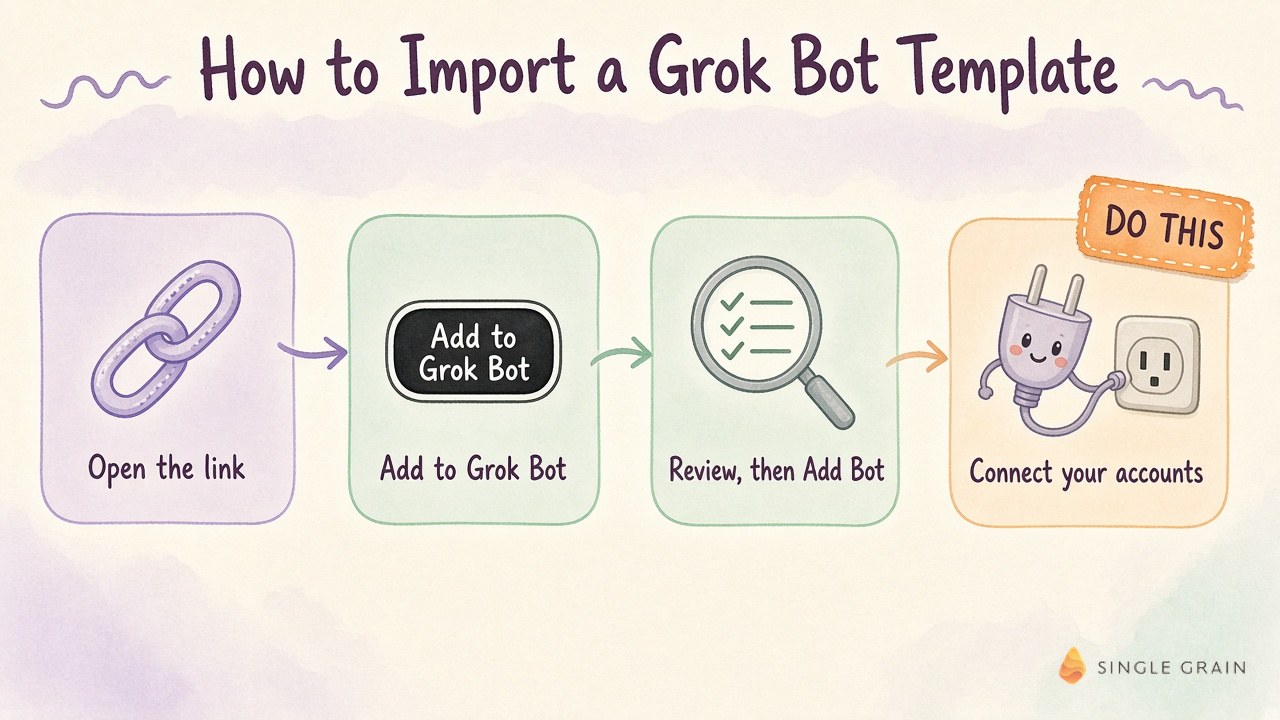
How to Import a Grok Bot Template in 4 Steps
The whole import is only four steps. You open the link, add the bot, review what it brings, then connect your own accounts.
- Open the template link. Each link below goes to a preview page on x.ai with the bot’s name, its creator and a short description. Read it before you click anything.
- Click Add to Grok Bot. You need the Grok Bot app to finish. When you add a bot made by another user, you also accept the third-party bot terms.
- Review the context and integrations, then click Add Bot. The app shows what the template includes before it creates your copy. The public preview stays brief, so this screen is where you see the full setup.
- Connect your accounts and add your context. Reinstall any plugins it asks for, connect the sources it reads, and tell it about your offer and your buyer.
| Pro-Tip |
|---|
| Right after import, put your lasting rules in the bot’s description. The Grok Bot docs recommend the description for rules that should always hold, such as never sending external messages without approval. |
My 5 Favorite Grok Bot Templates
All five of these Grok Bot templates have a public import link. These are the bots I’d miss most if they disappeared tomorrow. Take a look!
1. Pre-Call Intelligence
Pre-Call Intelligence is my sales-prep bot. Before an important meeting, it reads my calendar, CRM and call notes and hands me a short decision card, so I walk in knowing the other side’s priorities. After the call, it drafts the follow-up and leaves it for me.
- Import it. Pre-Call Intelligence on x.ai
- Connect after import. Your calendar, CRM, email and Slack, plus wherever your past call notes live. The template page names each of those sources.
- Comes preconfigured. A read-only prep job tied to your important meetings, with the decision card and post-call follow-up drafts built into the job.
- Where it stops. It never sends. Follow-ups sit as drafts until you send them yourself.
If you already record your calls, sales call analysis gives this bot richer notes to read, so the card points to real moments from past conversations.
| Starter prompt for Pre-Call Intelligence |
|---|
| “Before my call with [company] on [date], build a decision card. Pull our past conversations, any open deals in the CRM and recent emails. Tell me what they care about, what’s still unresolved and the one question I should ask. Don’t send anything.” |
Prep is the safest place to start, since this bot only reads. Outreach is where I add a harder stop.
2. Outreach Agent
Outreach Agent runs my warm outreach every day. AI outreach agents are used to find lookalikes of my warm contacts, write evidence-based email drafts and cap the daily list so quality holds up when the data runs thin. A short list I trust is the whole point, so I let the cap do its job.
- Import it. Outreach Agent on x.ai
- Connect after import. Your email account and the list or CRM where your warm contacts live. Those are the two inputs its job depends on.
- Comes preconfigured. A daily routine that builds a small, high-confidence batch of email drafts, with the daily cap and the evidence step already written.
- Where it stops. It holds every send. Nothing goes out until you approve an exact batch.
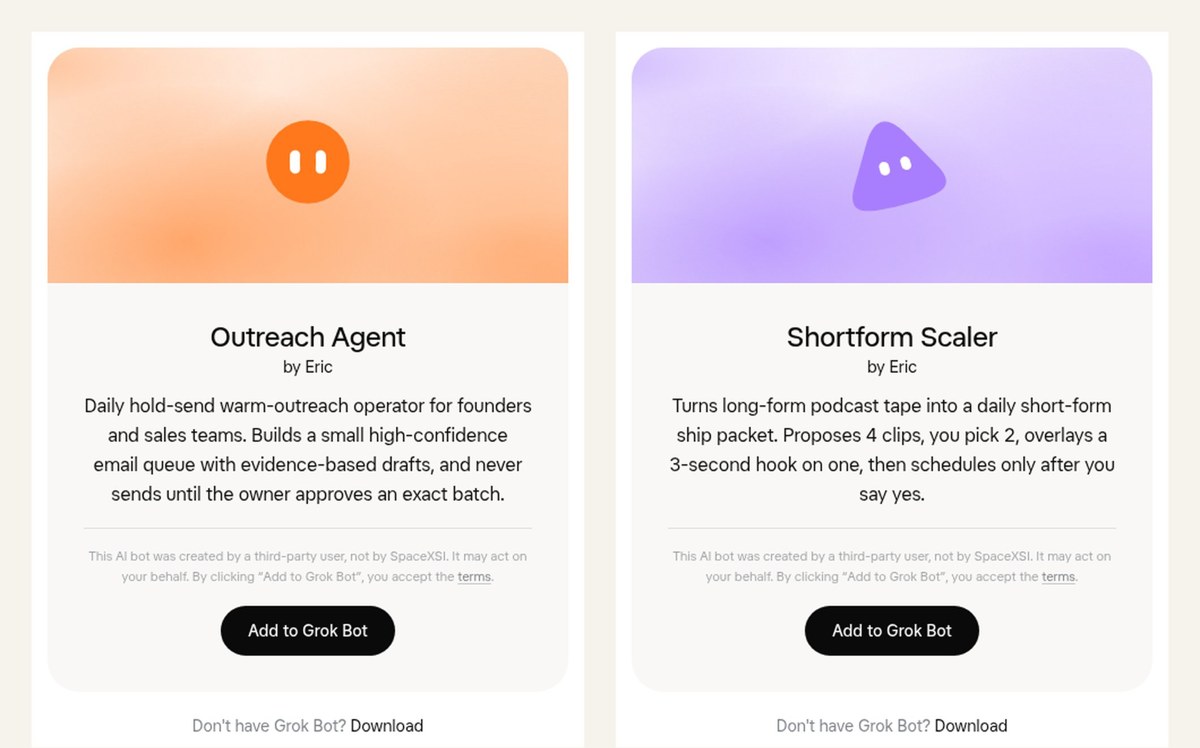
The phrase “hold-send” on its card is the whole idea. Research can be aggressive because the agent can’t press send, and if your list is huge, run AI lead qualification first so it only studies accounts you’d email.
| Starter prompt for Outreach Agent |
|---|
| “Build today’s batch from [warm contact list]. Find lookalike companies, show the evidence behind each pick, and draft one short email per contact in my voice. If the evidence is thin, leave the slot empty. Hold everything for my approval.” |
Sales prep and outreach work the pipeline. The next template feeds the top of the funnel.
3. AEO/SEO Bot
My AEO/SEO Bot is a weekday content operator for search and answer engine optimization pages. It mines forty real topic candidates from search data, sales calls and founder recordings, then scores each idea with a live judge before anyone writes. My team picks twenty, and a drafting tool writes them as unpublished pages.
- Import it. AEO/SEO Bot on x.ai
- Connect after import. Your search data and call transcripts, any founder videos or podcasts you want it to mine, and a place for drafts to wait.
- Comes preconfigured. A weekday routine that builds the topic slate and scores it before any writing starts.
- Where it stops. Drafts stay unpublished until you type an exact publish line. A vague “looks good” won’t push anything live.
Every draft in this slate starts from demand my team can see in search data and sales calls. This keeps the pages tied to relevant traffic and to the questions buyers ask on calls.
| Starter prompt for AEO/SEO Bot |
|---|
| “Mine this week’s slate for [your site]. Use our search queries, recent sales call transcripts and [founder podcast feed]. Give me forty candidates with the search intent, the buyer question and a score for each. Flag anything we already cover. Don’t draft until I pick.” |
Search pages are one half of my content engine. Video is the other half, and the last two templates work as a pair.
4. Shortform Scaler
Shortform Scaler turns long podcast episodes into a daily short-form ship packet. It proposes four clips, I keep two, and it adds a three-second hook overlay to one of them.
- Import it. Shortform Scaler on x.ai
- Connect after import. Your podcast or long-form video source, plus your scheduling tool for short clips.
- Comes preconfigured. A daily packet with four clip proposals and the hook overlay step.
- Where it stops. You pick the clips, and it schedules only after you say yes.
I keep the picking human on purpose. A bot can find the high-energy moment, but taste decides which two clips sound like your brand, and repurposing long-form video works best when a person makes that call. My own AI YouTube automation runs on the same split, where skills handle the editing and I add the taste.
| Starter prompt for Shortform Scaler |
|---|
| “Take [episode link] and propose four clips under sixty seconds. For each one, give me the timestamp, the hook line and why it would stop a scroll. When I pick two, add a three-second hook overlay to the stronger clip. Don’t schedule anything until I say yes.” |
Once clips exist, I want to know which ones deserve the main feed. Trial Reels answers that question.
5. Trial Reels
Trial Reels cuts long-form video into trial Reels, spins overlay variants and reports which ones beat that day’s median. Instagram shows trial Reels to people who don’t follow you, so you learn how a cut lands with strangers before it reaches your main grid. On one of my YouTube videos, it found nine Reel candidates.
- Import it. Trial Reels on x.ai
- Connect after import. Your long-form video source and the Instagram account you use for tests.
- Comes preconfigured. A daily cutting job with overlay variants and a report against the median.
- Where it stops. It reports the winners, and you decide which ones to promote.
Overlay variants are hook tests in disguise. Feed it the Instagram hooks from your past winners and the variants start from proof.
Which Grok Bot Template Should You Import First?
Pick the template closest to a task your team rebuilds by hand every week. A bot pays off fastest when it replaces work someone already does.
- You sell high-value deals. Start with Pre-Call Intelligence. It only reads, so the risk is low, and better prep shows up in your next meeting.
- You want more pipeline from warm contacts. Import Outreach Agent once your contact list is clean.
- You publish for search and AI answers. Go with the AEO/SEO Bot, which turns real demand into a draft slate.
- You have long-form video sitting idle. Run Shortform Scaler first, then add Trial Reels once clips are flowing.
Whichever one you choose, its stop keeps it safe to run every day. Each of the five waits for you at a different point.
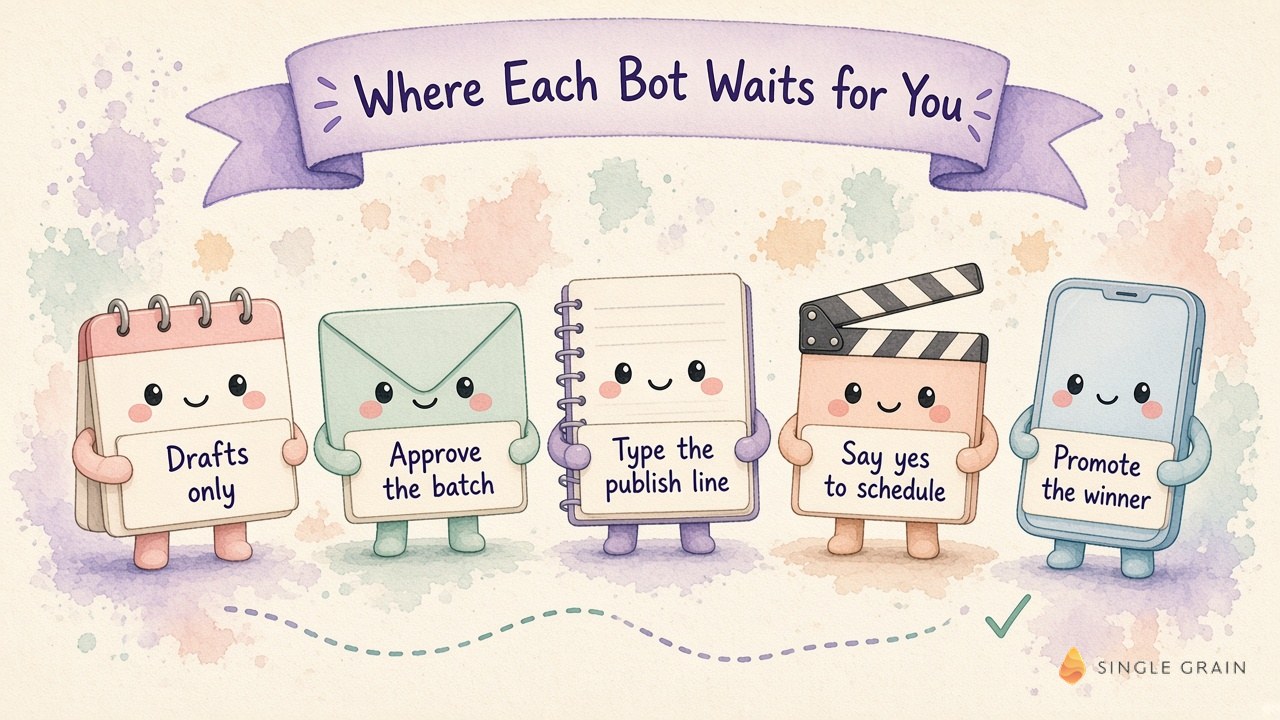
Each stop sits right before a step you can’t take back, like a send or a publish. When you build your own bots later, put the human step in your AI workflow in the same spot.
| Pay Attention |
|---|
| Templates made by other users are third-party bots, and adding one accepts their terms. Read the bot’s instructions in the app and connect only the accounts its job needs. |
Once your first template runs cleanly for a few weeks, add the next one. My full list of Grok Bot use cases shows where a lineup like this can go.
Import One Grok Bot Template This Week
Templates are the fastest way I know to get a working bot without a week of setup. Pick one, connect only what it needs, and leave the stop right where it is.
If more search traffic and qualified leads are the goal, see how my team runs AI-powered SEO and content marketing for brands ready to grow.
P.S. If you’re still choosing a platform for team agents, my comparison of OpenAI Dots, Grok Bot and Meta Muse walks through how they differ. Definitely check it out!
Frequently Asked Questions About Grok Bot Templates
-
What are Grok Bot templates?
Grok Bot templates are shareable copies of a bot’s setup. A public x.ai/bot link holds the bot’s identity, description, skills and routines, and anyone with the link can add their own copy to Grok Bot.
-
How do I import a Grok Bot template?
Open the template link, click Add to Grok Bot, review the context and integrations in the Grok Bot app, then click Add Bot. After that, connect your own accounts and give the bot your context.
-
Do AI agent templates include the creator's logins or data?
No. Importing a Grok Bot template creates a copy on your account without the creator’s computer, logins, conversation history or API keys. Custom MCP servers and scripts aren’t included either.
-
Can I change a Grok Bot template after I import it?
Yes. The import is your own copy, so you can rename it and update its description. The description is the right home for rules that should always hold, like never sending external messages without approval.
-
Which Grok Bot template is best to import first?
Start with the template closest to a task your team repeats every week. Pre-Call Intelligence is a low-risk first pick because it only reads, and my Grok Bot use cases list shows where to go next.


