

Still Rewatching Sales Calls? Use Sales Call Analysis to Build a Timestamped Brief


Sales call analysis should end in something a writer can use rather than a transcript nobody reads. I’ve seen content leads rewatch the same discovery call three times hunting for one line. So I built a pipeline where Grok Bot and Jev turn sales calls into article briefs, and I love how much time it gives back!
Don’t worry, I’m not going to gate-keep. I want to show you how to use sales call analysis to easily build a timestamped brief, so you can save time too.
Below, I’ll walk you through that four-step sales call analysis pipeline, the fields every brief needs, and the cheap screening trick that keeps it affordable.
TL;DR
- Sales call analysis turns recorded calls into verified evidence. The most useful output for a content team is a timestamped article brief a writer can check in minutes.
- Grok Bot retrieves the passage first. Jev then classifies the signal as a numeric result, customer pain, objection, workflow detail, or nothing.
- A person checks every number and its context. Only approved evidence moves into a brief with a working title and outline hooks.
- Pick two strong calls this week. Run them through the four steps into one brief your writers can trust.
TABLE OF CONTENTS:
- What Is Sales Call Analysis?
- What a Usable Article Brief Has to Carry
- The 4-Step Pipeline From Call to Brief
- Screen Cheap Before You Spend on Expensive Models
- How Deep to Review Each Signal Type
- Why the Timestamp Is the Trust Layer
- A Weekly Call-to-Brief Cadence
- 5 Mistakes That Break Call Mining
- Make Sales Call Analysis Feed Your Content Board
What Is Sales Call Analysis?
Sales call analysis is the process of reviewing recorded sales conversations to pull out evidence you can use, such as numeric results, customer pain, objections, and workflow details. For a content team, the goal is a timestamped article brief. You know, the one-page starting point a writer can verify in minutes?
Most teams already record their calls, so extraction is the hard part. In my pipeline, Grok Bot retrieves the exact passage, who said it, and when. Then, I use Jev to tag what kind of signal it is, and a person checks the number and context before anything reaches the brief (yep, we still need a human in the loop!).
Without that flow, a note that says “pain, tooling” reminds you a good moment existed but leaves you without a title, a claim, or a timestamp anyone else can check. Writers rewatch the hour, and evidence never reaches the content board.
A pinned moment on the call is what changes that.
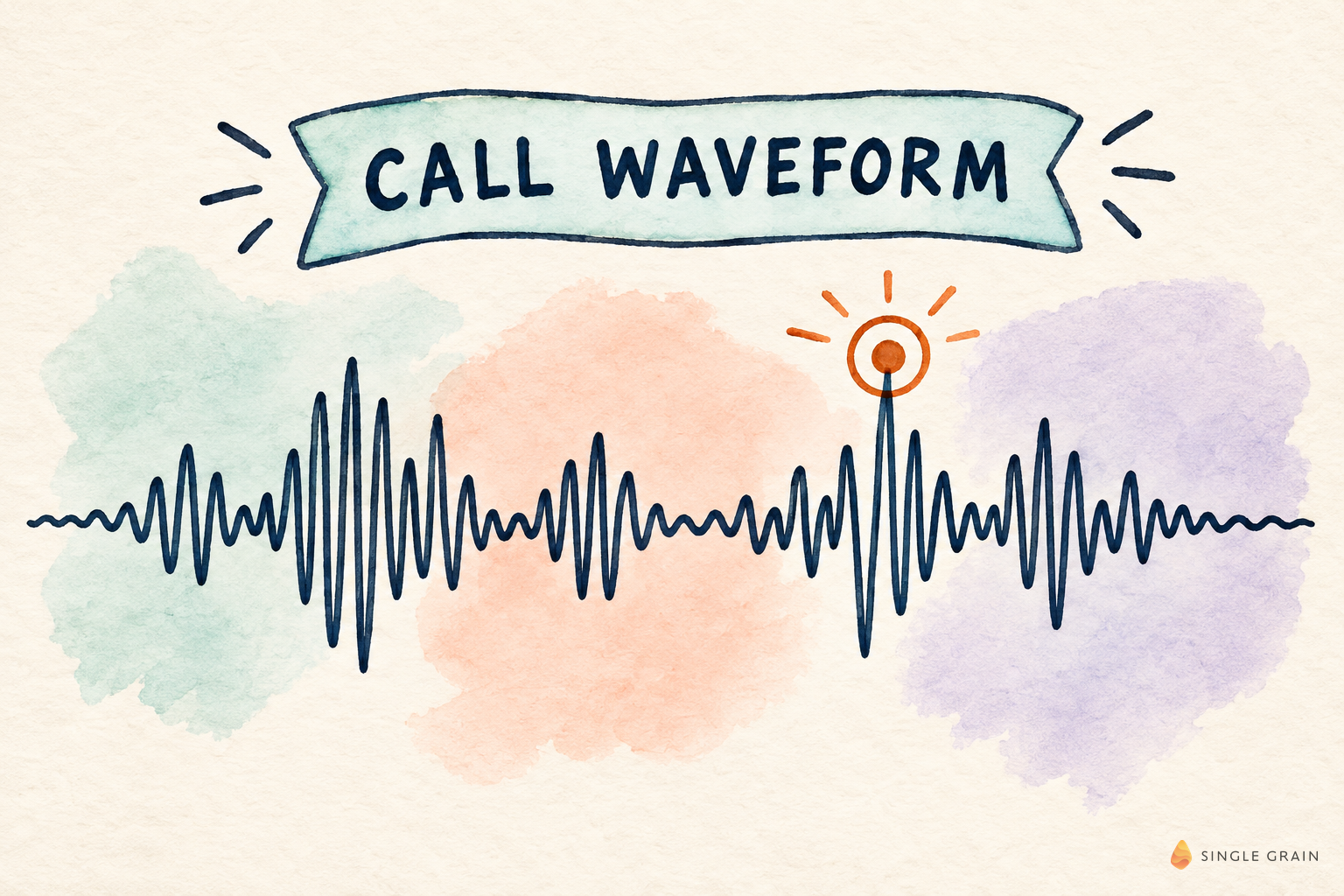
With that pin, a writer can focus their energy on the passage and structure, rather than wasting time on another rewatch.
What a Usable Article Brief Has to Carry
Full transcripts with highlights still leave you a reading problem. Vague “themes” paragraphs leave you a blank page. What you want is a brief with five fields:
- Timestamp and speaker. Anyone can jump to the moment without rewatching the hour.
- Signal type. Numeric result, pain, objection, workflow, or quote only.
- Claim under test. The sentence the article would have to defend.
- Verification note. What a person checked and what’s still blocked.
- Publish status. Approved, anonymize first, or don’t use.
These fields turn calls from inspiration into sourced raw material. They also keep you honest when a number sounds great in the room and soft under scrutiny.
| Pro-Tip |
|---|
| If a brief can’t point to a timestamp, send it back. A second writer should be able to verify the claim in under five minutes. |
The 4-Step Pipeline From Call to Brief
Order is the whole product here. Retrieval comes before classification, and a human check comes before any publishing language.
Let me quickly break down the steps for you.

1. Retrieve the Passage, Speaker, and Timestamp
Grok Bot pulls the shortest span that still holds the claim, with who said it and when. Starting from a passage beats summarizing a whole hour cold.
2. Classify the Signal With Jev
Jev labels what the passage is. A numeric result gets a different review path than a soft pain statement.
3. Have a Person Check the Number and Context
Someone confirms the figure, what surrounds it, and whether the speaker qualified it. Unclear passages go back to source review.
4. Move Approved Evidence Into the Brief
Only now does the writer get a working title and outline hooks. They start with a verified excerpt, its source, and a reason to investigate it.
| Starter prompt for a sales call brief |
|---|
| From this call passage, return the speaker role, timestamp, signal type (numeric result, customer pain, objection, workflow, or nothing), and the one claim an article would need to defend. Mark any number that was hedged or walked back. Don’t write a title yet. |
Classification is where most teams overspend, so let’s fix that next.
Screen Cheap Before You Spend on Expensive Models
I made a mistake early on. My team ran an expensive model across about ten QBRs and got a stamp instead of insight. In my Jev walkthrough, I showed the fix I wrote down afterward.

Jev works as the sieve first. Chunk the calls wide, cheap-tag each chunk as numeric_result, operator_pain, upsell_signal, aeo_spike, or nothing, then run the expensive model only on hits before a strict ship gate.
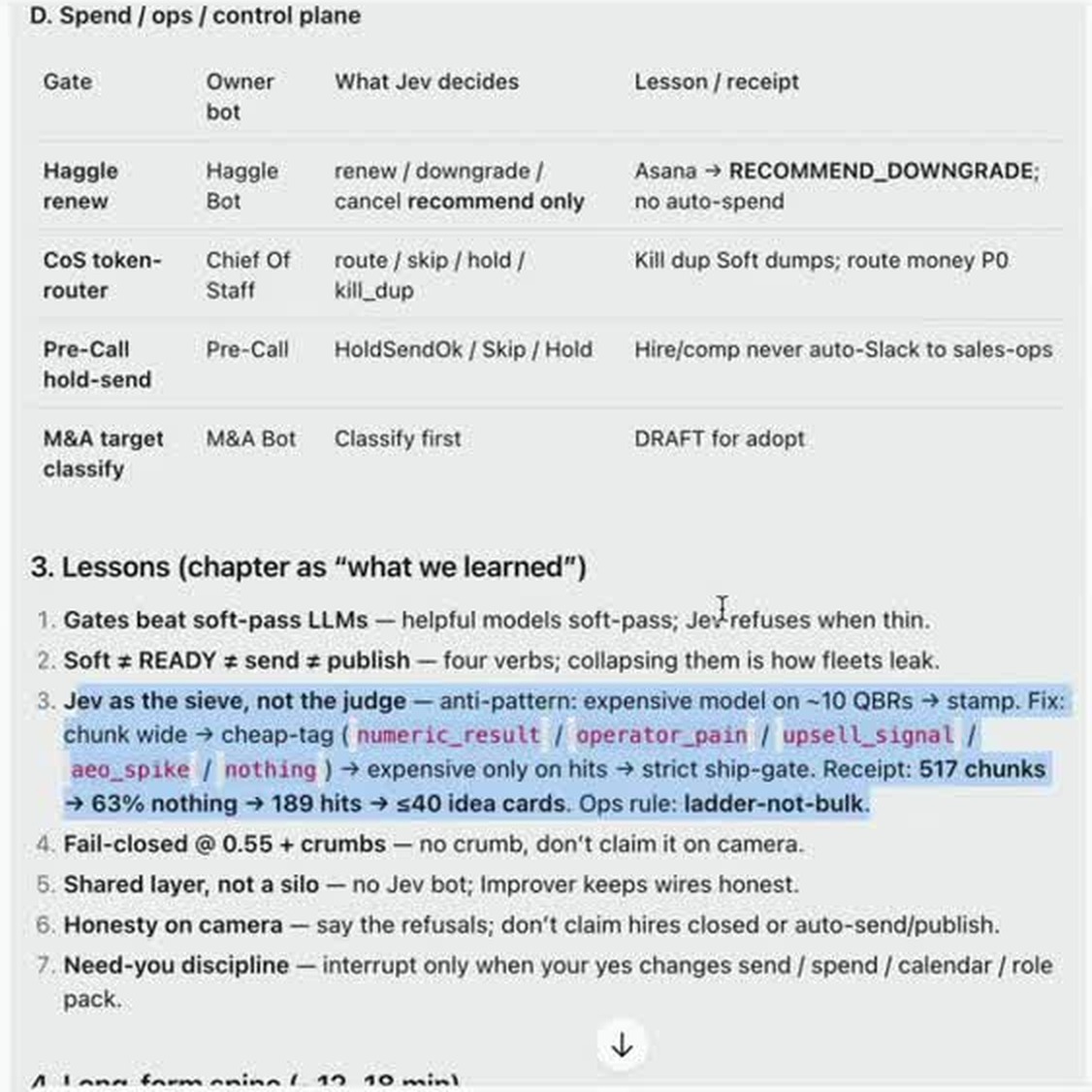
My receipt on that page shows how hard the sieve cuts. Of 517 chunks, 63% came back nothing, 189 were hits, and those became 40 or fewer idea cards. That’s the ladder. Bulk processing every chunk wastes the expensive model.
On my X post about this pipeline, one reader flagged the smart bit: rejected passages should become training data, and you should track which rejection reasons repeat so the next brief improves. That’s why I keep a learning log next to the prompt!
| What You Should Do |
|---|
| Add a nothing label to your classifier and expect most chunks to land there. A high nothing rate is the savings. |
How Deep to Review Each Signal Type
Different signals need different scrutiny. Match the review to the risk, and you’ll clear most passages in minutes while saving your deepest checks for numbers.
- Numeric result. Highest scrutiny. Confirm units, time window, and whether the number was qualified.
- Customer pain. Medium scrutiny. Make sure it’s more than a one-off rant and maps to a job.
- Objection. Useful for mid-funnel pages. Confirm it wasn’t resolved later in the call.
- Workflow detail. Great for how-to posts. Confirm tool names and steps before you diagram them.
Some things never reach a brief without a check, like a number the speaker walked back, a competitor claim you can’t verify, or a customer story nobody has cleared. Rejected passages still get sampled, so a strong story doesn’t vanish under “nothing.”
Why the Timestamp Is the Trust Layer
In my content working sessions, the difference between a usable call and a discarded one was rarely the story. It was whether someone could point to a timestamp when a second writer picked up the brief.
Retrieval jobs like this get easier with the right plumbing. When I called SingleBrain Gateway insane, it was because one question took four calls and $0.16 to check search volume, keyword difficulty, and page-one results, then write a memo on what to publish first.
Gateway also connects an agent to Google Analytics, Search Console, HubSpot, Slack, and Stripe. For call mining, that means a verified pain point from a call can sit right next to search demand for the same topic, so you pick briefs worth writing.
A Weekly Call-to-Brief Cadence
A steady rhythm keeps briefs flowing without burying your team in tape.
- Pick two to five calls with clear buying conversation instead of pure demos.
- Run retrieval and the Jev classify pass into a short candidate list.
- Have the reviewer clear numbers and publish status the same day.
- Move approved briefs to the content board with an owner and due date.
- Keep rejected signals in a learning log, so the classify prompt improves.
Success means every shipped article points to a timestamped source your team already verified, even if some calls never get processed.
Once these briefs ship, check whether readers take a next step with micro-conversions for LLM-discovered visitors, and watch whether the content moves revenue with content attention to pipeline conversion.
| Action Step |
|---|
| Block one hour Friday. Review five briefs that shipped and five that didn’t, then change one rule in the classify prompt. |
5 Mistakes That Break Call Mining
Most failures I see come from process gaps rather than the model. A brief that ships without a timestamp is a process miss. Writers who still rewatch calls are telling you the brief fields are incomplete.
- Summarizing before retrieving. A summary of the whole hour hides who said what and when.
- One review path for every signal. Numbers need more scrutiny than a quote about workflow.
- No learning log. Rejected signals disappear, and the classify prompt never improves.
- Rewriting every rule at once. Change one rule a week so you know what helped.
- Skipping the human check on busy weeks. Busy weeks are exactly when an unverified number slips through.
Keep the Friday notes in the same place as the prompt. A new owner should be able to read that runbook and run the same loop without a private briefing.
Watch one more number as you scale. Measure the time from Jev output to a person acting on it, because a slow handoff erases the value of fast classification. If the reviewer can’t keep up, process fewer calls until they can.
| Pro-Tip |
|---|
| Hold any passage when you’re unsure. Holding is cheaper than a confident wrong claim in a published post. |
Make Sales Call Analysis Feed Your Content Board
Sales call analysis pays off when retrieval comes first, Jev screens cheaply, and a person verifies every number. Your writers stop rewatching calls and start from evidence.
Want more content built from what your buyers actually say? My team at Single Grain runs content marketing programs for B2B brands. Let’s talk about your content plan.
Frequently Asked Questions About Sales Call Analysis
-
What is sales call analysis?
Sales call analysis is reviewing recorded calls to pull out evidence such as numeric results, customer pain, objections, and workflow details. For content teams, the most useful output is a timestamped brief a writer can verify quickly.
-
How do you turn a sales call into an article brief?
Retrieve the passage with its speaker and timestamp, classify the signal type, and have a person check the number and context. Only approved evidence moves into a brief with a working title and outline hooks.
-
What does Jev do in sales call analysis?
Jev classifies each passage or chunk as a numeric result, operator pain, upsell signal, AEO spike, or nothing. That cheap screen means the expensive model only runs on hits.
-
Why does a brief need a timestamp?
A timestamp lets a second writer or editor jump to the exact moment and verify the claim without rewatching the call. It turns a handoff from an hour of tape into a few minutes.
-
How many calls should you process each week?
Start with two to five calls that include a clear buying conversation. Clearing each one into a verified brief beats processing every call into a pile of unreviewed notes.


