How to Build a Creative Request Form to Simplify Ad Requests


Tell me if you’ve ever experienced this before, because I certainly have… First, sales asks for an ad in Slack. Then, product sends a request by email, all while leadership is mentioning one in a meeting at the same time. By the time your designers start, nobody agrees on the goal, the size, or the deadline! This often turns into a bunch of wasted time and duplicated work efforts. If this has happened to you more times than you’d like to admit, then you need a creative request form.
Take it from me… On sales calls, my team keeps hearing the same story from marketing leaders. Ad requests arrive from several internal teams, each through its own channel, and the creative team spends more time chasing details than making ads.
The fix is one intake for every team asking for ads. A single form gives every requester the same starting point and hands your creative team a complete request before any work starts. It truly is a simple solution, and you have no excuse not to have one!!
Keep reading to see which fields to include, how to route requests once they land, and how to roll the form out so people actually use it.
TL;DR
- Send every ad request through one form. A single creative request form replaces scattered Slack pings, emails, and hallway asks.
- Ask for five core fields. Goal, audience, channel and size, deadline, and approver cover what designers need to start.
- Route requests on a set schedule. Triage new submissions at a fixed time and score them against business goals.
- Redirect off-form requests. Reply to every side request with the form link until submitting becomes the habit.
What Is a Creative Request Form?
A creative request form is a short intake form anyone in your company fills out to ask for creative work, like ads, landing page visuals, or social graphics. It turns scattered asks into one structured request for your creative team to plan.
Think of it as the raw material for a creative brief. The requester supplies the facts, and your creative team shapes them into concepts and production specs. It’s the step right before production, and it sets the pace for how fast you can speed up creative work without sacrificing quality.
Creative Request Form vs. Creative Brief
People often mix up a request form and a brief, so here’s how they split:
- Creative request form. Filled out by the person asking for the work. It captures the goal, audience, channel, deadline, and approver in a few minutes.
- Creative brief. Written by your creative or marketing team. It turns the request into messaging, concepts, and specs for production.
A good form makes the brief faster to write, because the hard questions already have answers.
Signs Your Ad Request Process Needs a Form
You probably need a form if designers ask the same five questions on every project. Other signs include duplicate requests for the same campaign, ads launching with the wrong size or offer, and deadlines nobody remembers approving.
Another sign is political. If priority goes to whoever messages the loudest, your intake has no rules, and the work that drives the most revenue waits in line.
Each of those signs traces back to the same root cause, which is worth a closer look.
Why Scattered Ad Requests Cost Your Team Time
When requests come from every direction, the cost hides in small delays. Each one looks minor on its own. Added up across a quarter, they eat a real share of your creative team’s time.
1. Missing Details Create Back-and-Forth
A request like “can we get an ad for the webinar?” leaves out nearly everything a designer needs to know:
- Which platform will run the ad?
- What sizes does it need?
- Who’s the audience, and when does it launch?
Every missing answer means another message, another wait, and another chance for the request to stall.
2. Priorities Go to the Loudest Requester
Without a shared queue, the most persistent requester wins. A senior leader’s quick favor can bump a revenue campaign without anyone deciding it should. Your creative lead ends up negotiating priorities one private message at a time.
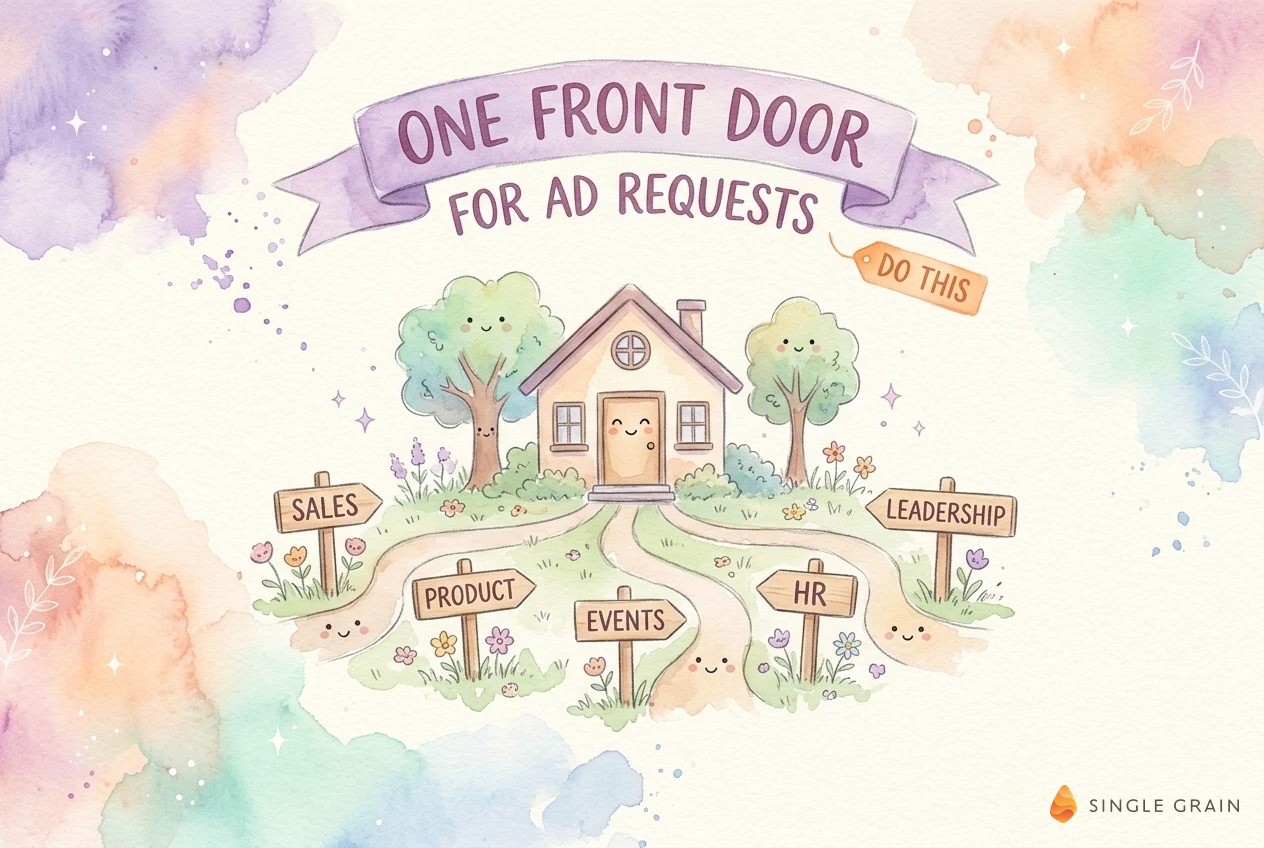
A single intake fixes the visibility problem first. Everyone can see what’s in line and why.
3. Nobody Can See What’s in the Queue
Requesters have no idea where their ask stands, so they send follow-up messages. Designers get interrupted, and managers can’t spot bottlenecks until a deadline slips. A single intake turns this guesswork into a list anyone can check.
Once you’ve felt these costs, the next question is what the form should actually ask.
What to Include in a Creative Request Form
Keep the form short enough to finish in a few minutes. Most requesters will abandon a form as long as a tax return, so focus on what designers need to start.
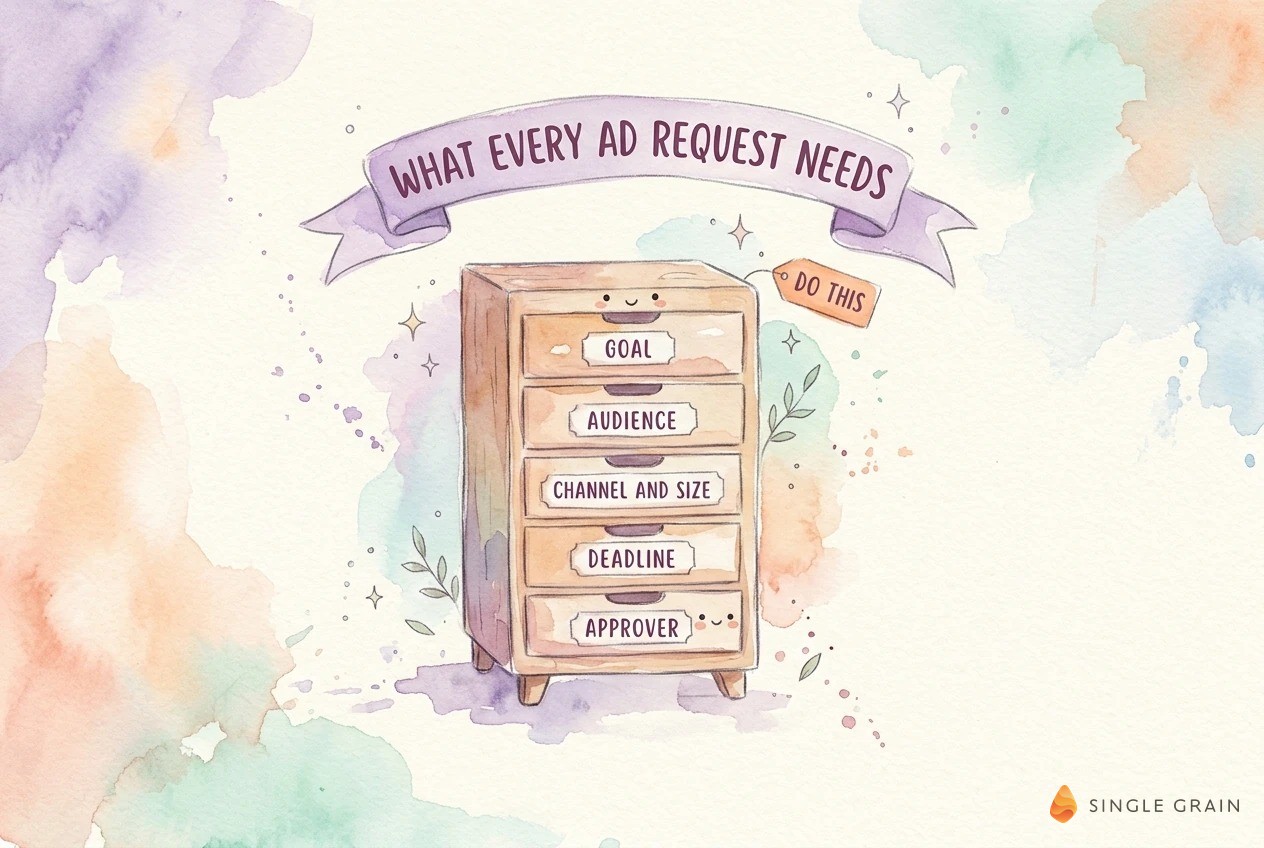
Every request needs these five core fields, in this order:
- Goal and success metric. What should the ad do, such as drive demo bookings or webinar signups, and how will you measure it?
- Audience. Who should see it, described in plain words, plus any targeting the requester already knows.
- Channel and size. Where the ad will run. A dropdown tied to each platform’s specs saves a round of questions.
- Deadline and launch date. When the ad must be live, plus any fixed dates like an event or product launch.
- Approver. The one person who signs off, so feedback doesn’t come from five directions.
These five fields answer the questions designers ask most often. Everything else is optional.
Optional fields can still help, as long as they stay optional.
Helpful Optional Fields
Add space for the offer or call to action, existing assets, required copy or legal lines, and links to past ads the requester liked. A field for budget or expected spend helps you size the effort, since a test ad and a flagship campaign deserve different levels of polish.
For paid social and display, link the platform specs right in the form. Meta lists sizes and formats for every ad placement, and Google Ads documents horizontal, square, and vertical image sizes for display ads.
Fields to Cut From the Form
Skip anything your creative team can fill in later, like concept direction or file naming. Leave out long free-text boxes asking for “background,” which invite essays nobody reads. If a question rarely changes the work, cut it.
| Pro-Tip |
|---|
| Turn channel and size into a dropdown pre-filled with the platforms you actually buy on. Requesters pick “Meta feed” or “Google display,” and the form fills in the specs automatically. This one change removes most of the sizing back-and-forth. |
With the right fields in place, the form becomes the start of a workflow, and routing decides what happens next.
How to Route Creative Requests After Intake
A form only helps if submissions move somewhere predictable. Decide who sees each request, how fast, and how the requester hears back.
Triage on a Set Schedule
Review new submissions at a fixed time, like every morning or twice a week. Batching triage protects your designers from constant interruptions. It also gives requesters a clear expectation for when they’ll hear back.
Score Requests Against Business Goals
Rank requests by expected impact, deadline, and effort. A simple scoring rule keeps the loudest requester from setting your priorities. Some teams go further and use artificial intelligence (AI) creative scoring to predict campaign return on investment (ROI) before launch, which helps when demand outruns capacity.
Send Status Back to the Requester
Every request should get an automatic confirmation and a status as it moves from queued to in production to in review. A shared board or a status field in your project tool works fine. When requesters can check status themselves, they stop chasing your team in Slack.
Routing works best once every team uses the same form, so rollout deserves as much care as design.
How to Roll Out One Ad Intake Across Teams
A new form fails if people keep using their old shortcuts. Plan the rollout like a small change project, with these steps:
- Audit where requests come from today. List every channel, from Slack threads to email to meetings, and note which teams use each.
- Build the form in a tool your company already uses. A form inside your project management tool or Google Forms beats a new app nobody opens.
- Pilot with one team. Start with the team that sends the most requests, then fix the fields that confuse them.
- Redirect off-form requests. When a request arrives outside the form, reply kindly with the link and ask the requester to submit it there.
- Review the form every month. Cut fields nobody uses and add the question designers keep asking.
The redirect step is the hardest and the most important. Consistency is what turns a form into a habit.
| Starter prompt for triaging creative requests |
|---|
| “Here are this week’s creative request form submissions. Group them by goal, flag any with missing fields, and rank them by deadline and expected impact. List the questions I should send back to each requester before work starts.” |
A prompt like this saves your creative lead an hour of sorting each week, and it pairs well with a fixed triage time.
Connect Intake to Faster Creative Testing
Clean intake pays off downstream. When every request includes a goal and a success metric, you can test variations against the right number.
Strong requests also feed a steady pipeline of ad creatives for testing. Pair your form with a paid media creative testing framework, and you’ll know which requests produced winners. Over time, those results help you beat ad fatigue with creative strategy before performance drops.
Reuse Existing Creative Assets
Add a checkbox asking if an existing asset could work. Many requests can be met by repurposing creative assets across platforms, which saves your designers a full build.
Plan for AI-Generated Creative
If your team uses AI to scale creative into the thousands, your form should say so. Add a field asking if AI-generated visuals are acceptable for the request, and check who owns AI-generated images before those ads run.
Send Every Ad Request Through One Form
A creative request form gives every team the same simple way to ask for ads. Your designers get complete requests, your leaders get a visible queue, and your best campaigns stop waiting behind whoever asked loudest.
If you want help building a creative process that ships more winning ads, Single Grain’s creative strategy services, Facebook advertising services, and Google Ads services can help you plan, produce, and test creative that drives results.
Frequently Asked Questions About Creative Request Forms
-
What should a creative request form include?
Start with five core fields: the goal and success metric, the audience, the channel and ad size, the deadline, and the approver. Optional fields like the offer, existing assets, required copy, and reference examples help, as long as they stay optional.
-
What is the difference between a creative request form and a creative brief?
The requester fills out a creative request form in a few minutes to ask for work. The creative or marketing team writes the creative brief afterward, turning the request into messaging, concepts, and production specs.
-
How do you get every team to use a creative request form?
Keep the form short, build it in a tool people already use, and pilot it with your busiest requesting team. When someone asks for an ad in Slack or email, reply with the form link every time. Consistency builds the habit within a few weeks.
-
What tool should I use for a creative request form?
Use whatever your company already works in, such as your project management tool or Google Forms. The best tool is the one requesters already open every day, so submissions flow straight into your creative team’s queue.
-
How long should a creative request form be?
Short enough to finish in about five minutes. Every extra field lowers completion, so cut any question your creative team can answer later. Review the form monthly and remove fields nobody fills in. For ideas on testing the ads that come out of it, see this guide to creative testing.