

I Fired My YouTube Team. Here’s What AI YouTube Automation Did to My Views


AI YouTube automation took one of our Marketing School videos from the usual few hundred views to nearly 8,000, and Neil Patel, co-founder of NP Digital and my co-host, asked me on air, “What happened?”
Before I get into the answer, I need to point out that our long-form Marketing School videos had been stuck at around 100 to 300 views. It literally SUCKED. Then everything changed that morning when one of our videos started climbing past 6,000 toward 8,000.
So, what happened? The short answer is a new AI skill stack, plus a hard call about my team.
Truthfully, I had to let some people go. I built skills that did the work of three or four people, offered them to the team, and not everyone picked them up.
Keep reading to see what changed on both of our channels, the AI YouTube automation skill stack I use, and the three fixes that got a stuck podcast channel moving.
TL;DR
- AI can handle the work that used to need a YouTube team. Skills now cover packaging, editing and posting, while you add the taste.
- Views jumped once I built my own skills. On Leveling Up, my average went from around 500 views a video to 15,000 to 25,000 after I made thumbnail, editing and posting skills in ChatGPT.
- Packaging metrics moved too. Click-through rose from about 4% to 6 to 8%, and 30-second retention climbed to around 65%.
- Work in a set order. Package first, then edit, then gate what gets repurposed, and give the skill to one owner on your team.
TABLE OF CONTENTS:
- What Changed on My YouTube Channels
- Why I Let Part of the YouTube Team Go
- The AI YouTube Automation Skill Stack I Use
- 1. Packaging Comes First: Thumbnails and Titles
- 2. The Edit: Winning the First 30 Seconds
- 3. A Gate for What Gets Repurposed
- 4. Posting and Scheduling in YouTube Studio
- 3 Fixes That Got a Stuck Podcast Channel Moving
- Mistakes to Avoid With AI YouTube Automation
- Start Your Own AI YouTube Automation
What Changed on My YouTube Channels
Neil and I talked through the whole story on the episode, including the part I’m not proud of. But don’t worry, the story has a happy ending.

Leveling Up moved first. I took over the channel, and videos that averaged around 500 views now go up to 15,000, 20,000 or 25,000, all from skills I made in ChatGPT.
Even the packaging numbers moved! My click-through rate used to sit around 4%, and now it’s 6 to 8% per video. Thirty-second audience retention used to hover around 50 to 55%, and recent videos hit 62 to 65%.
Why I Let Part of the YouTube Team Go
I told the team, “Look, just use these skills. Take it. I’m not gatekeeping anything. Here’s the repo for it.” Some of those people, a few of them offshore, just stared at the screen.
Unfortunately, I had to move on from them. At the same time, the person handling our Marketing School channel stepped up, took the skills, and started applying them.
Neil’s take on the episode was blunt. If the people had been exceptional, they would have outperformed the AI or used AI to get even better results, and in his view AI optimizes for average, which in many cases beats the people you have.
Is AI YouTube Automation a Team Replacement?
So is AI YouTube automation a team replacement? This is the fear most people have when they hear this story. For my team, it replaced the parts of the work nobody was improving, and it rewarded the people who embraced it. The person running Marketing School kept their seat by using the skills, which is the outcome I wanted for everyone.
The AI YouTube Automation Skill Stack I Use
A skill is a saved set of instructions an AI tool follows every time you run it, and you can build skills like these in any AI tool you like. I asked ChatGPT for a thumbnail skill, an editing skill and a posting skill, and told it I just wanted it to do it all.
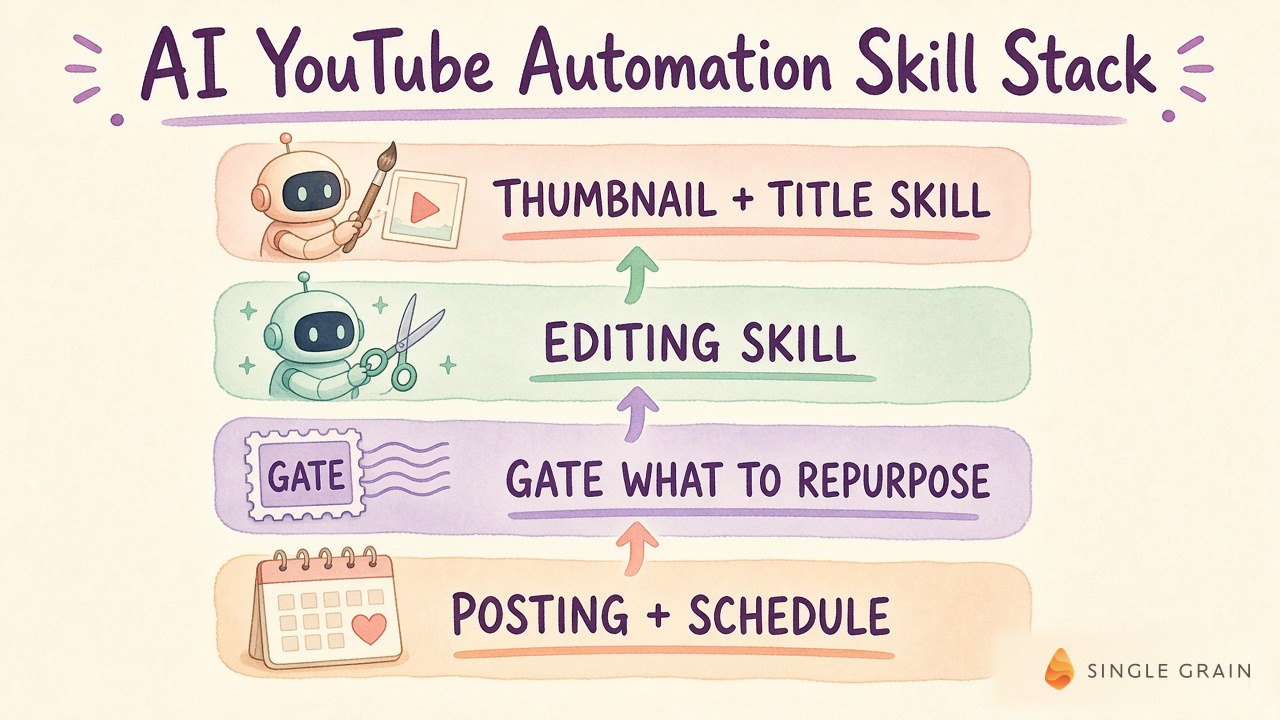
The stack runs in this order on purpose. Packaging comes first, the edit second, then a judgment step decides where each piece goes, and only after that does anything get scheduled.
P.S. You can access a ton of these skills for free at our Skills Dojo. Check it out!
1. Packaging Comes First: Thumbnails and Titles
Packaging is the thumbnail and title, the two things that decide whether someone clicks. I start there, then dictate changes until they’re right.
I stay involved every time the skill runs, because taste is the piece I add. This step moved my click-through rate from about 4% to 6 to 8% per video.
Quality matters here. Sometimes it’s worth spending more tokens to get a sharper thumbnail.
2. The Edit: Winning the First 30 Seconds
The editing skill finds the moments and the B-roll (supporting footage cut over the main shot) that hold the first 30 seconds, which is where 30-second retention, the share of viewers still watching at that mark, gets decided. I’d rate the edits about 7.5 out of 10 right now, and I review them in a simple comment tool the skill built for me, similar to Frame.io.
3. A Gate for What Gets Repurposed
I ask Jev, a classifier my team uses, to judge what deserves to go elsewhere. Sometimes a clip goes to X and LinkedIn, sometimes it’s short-form only, and sometimes it goes nowhere. Saying no to weak clips keeps the other channels from filling up with filler.
4. Posting and Scheduling in YouTube Studio
The posting skill uses computer use, where the AI controls a browser the way a person would, in YouTube Studio to upload, set up A/B/C tests for thumbnails and titles, and schedule the video. You can watch me run the AI skill behind my YouTube views end to end.
| Starter prompt for a YouTube packaging skill |
|---|
| “Here’s the transcript of my new video: [transcript]. Give me 5 title options and 3 thumbnail concepts aimed at [audience] who want [outcome]. Each title must match one thumbnail and stay under 60 characters. Then list the 3 strongest moments for the first 30 seconds with timestamps. Don’t upload or schedule anything.” |
3 Fixes That Got a Stuck Podcast Channel Moving
For two or three years, my team posted Marketing School episodes just to keep the lights on. You don’t get better by doing that.
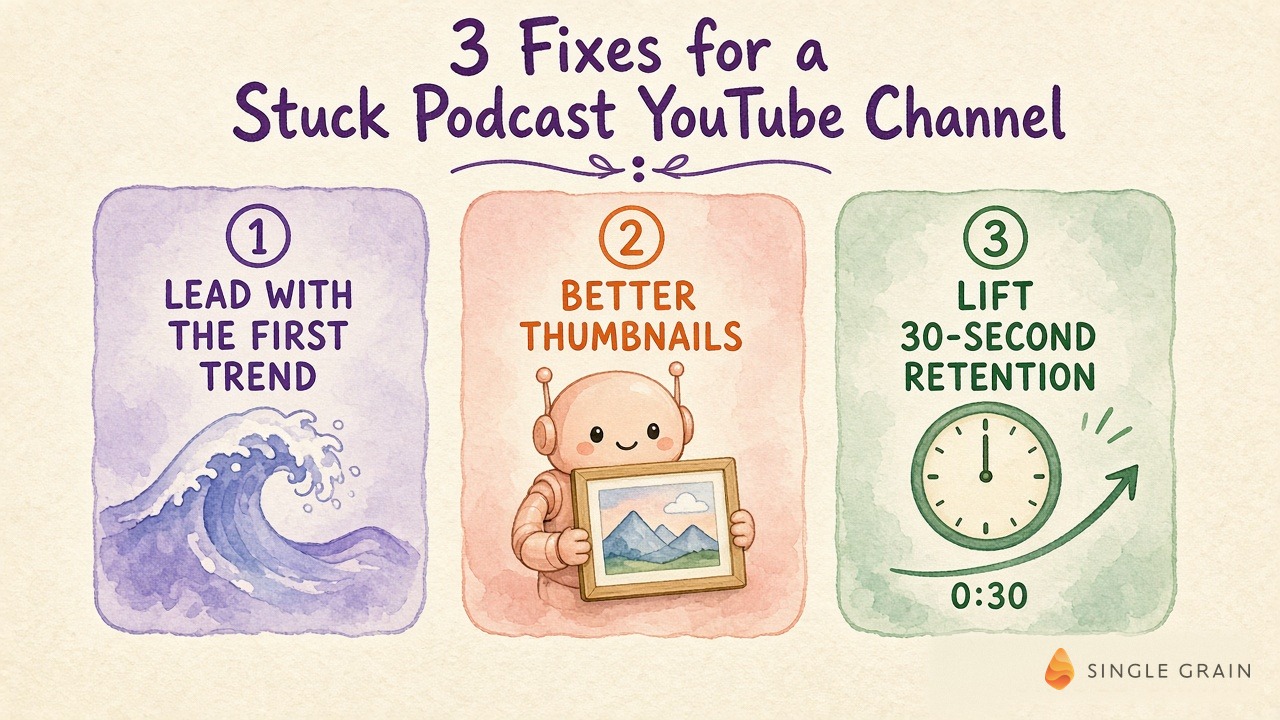
Our episodes run about 80 minutes, so where you start matters. The three changes were simple.
- Lead with the first trend. Open on the strongest topic instead of warming up, so viewers get a reason to stay.
- Make better thumbnails. Run the packaging skill on every episode and add your own taste before it goes live.
- Lift 30-second retention. Use the editing skill to tighten the opening, the stretch where most viewers decide to leave.
All three came from the same size team, with someone willing to use the skills and keep testing.
Mistakes to Avoid With AI YouTube Automation
A few things will hold you back even with good skills.
- Letting AI run without your taste. The packaging is where your judgment matters most.
- Chasing views instead of leads. Big numbers from the wrong audience won’t grow the business.
- Gatekeeping the skills. Share them with your team, because the people who embrace them will step up.
- Expecting perfect edits on day one. Treat a 7.5 out of 10 as a starting point and keep refining.
Avoid those four, and you’re ready to build your first skill.
Start Your Own AI YouTube Automation
Pick the step that slows you down the most, whether that’s thumbnails, edits or posting, and build a skill for it first. Once it works, hand it to one owner who will keep improving it.
If you want the skills I use, you can find them at Skills Dojo. This is how AI YouTube automation took us from a channel stuck in the hundreds to one that’s finally climbing.
Want more reach on YouTube? My team at Single Grain offers YouTube advertising services to help your videos find the right audience.
Frequently Asked Questions About AI YouTube Automation
-
What is AI YouTube automation?
It’s using AI skills to handle YouTube packaging, editing, repurposing decisions and posting, the work that used to need several people, while a person adds taste and approves the output.
-
Can AI replace a YouTube team?
For Single Grain, AI skills took over thumbnail, editing and posting work that had taken three or four people. A person who embraced the skills still owns the channel and keeps improving it.
-
How much did AI improve Eric Siu's YouTube views?
On Leveling Up, average views went from around 500 per video to 15,000 to 25,000. Marketing School long-form videos went from about 100 to 300 views to one video passing 6,000 toward 8,000.
-
What should you automate first on YouTube?
Start with packaging. Thumbnails and titles drive click-through, and Eric’s click-through rate rose from about 4% to 6 to 8% after AI-assisted packaging.
-
Is AI video editing good enough to publish?
Eric rates his AI edits about 7.5 out of 10 today. He reviews them with comments, checks every edit before it goes live, and keeps refining the skill.


