OpenAI Dots vs Grok Bot vs Meta Muse: How to Choose the Best Team AI Agent


Several marketing leaders I’ve talked to this quarter asked me the same question about OpenAI Dots vs Grok Bot vs Meta Muse: “Which team AI agent should my team buy?”
My answer surprises them, because my team at Single Grain runs all three. Grok Bot handles our SEO and AEO routines, Dots helps me with product and website decisions, and Meta Muse works on our Instagram creative.
All three are pitched as agents that take work off your plate. But, all three also change fast enough that a feature grid built today can be stale by the time you sign a contract.
So, how do you choose the best agent for the task? The work decides which agent got which job.
In this guide, I’ll show you how to start with your work, then test, score, build, and pilot. By the end of it, you’ll have a much better idea of how to pick the best team AI agents for your business.
TL;DR
- A team AI agent is a shared AI assistant that handles recurring work for a whole team, remembers requests from different people, and works inside the apps you connect. OpenAI Dots, Grok Bot, and Meta Muse are three popular examples.
- Start with the recurring jobs that eat the most hours each week instead of vendor demos. Then sort the agents by who directs them, how they handle Slack handoffs, and where a person signs off.
- Score each agent in one working session by rating it from 0 to 2 on six criteria. Only count what you saw live.
- Pilot the winner on one job for two weeks and log every fix along the way. That’s how you avoid common mistakes like buying for the demo.
TABLE OF CONTENTS:
- Start With the Jobs You Want a Team AI Agent to Take On
- Ask These 3 Questions to Choose the Best Team AI Agent
- OpenAI Dots vs Grok Bot vs Meta Muse: How My Team Uses Each One
- Score OpenAI Dots, Grok Bot, and Meta Muse in 1 Working Session
- Build Your First Team AI Agent Workflow Yourself, Then Hand It Off
- Run a 2-Week Team AI Agent Pilot
- 6 Team AI Agent Mistakes I See Teams Make
- Ready to Choose the Best Team AI Agent for Your Business?
Start With the Jobs You Want a Team AI Agent to Take On
Teams that buy the best demo usually end up hunting for work to give the agent. Flip the order and write down the recurring jobs your team does every week, then ask which agent handles those jobs with the least friction.
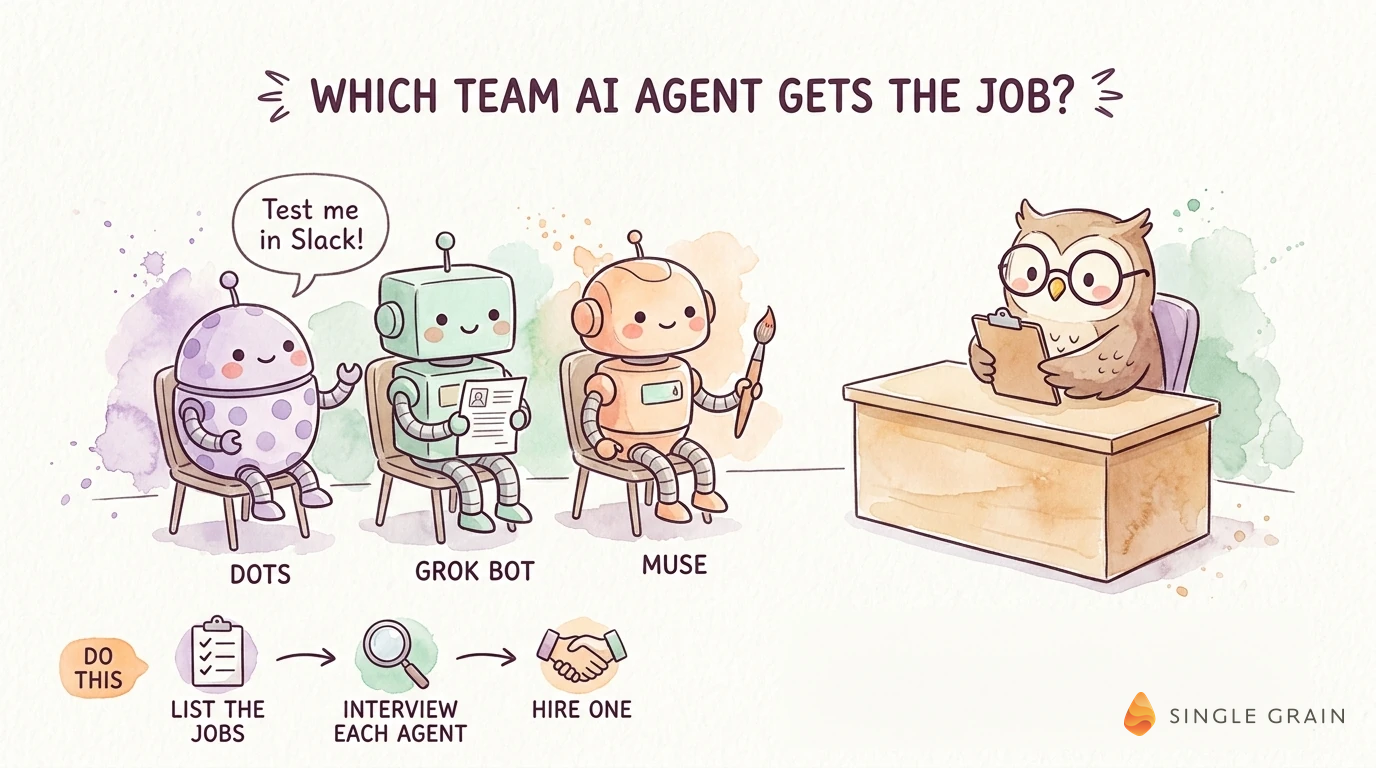
This is what I’ve done, and it has worked really well. Each of my forward deployed marketers identified recurring jobs on their team and chose the best agents to handle them.
How to Identify Recurring Jobs for Agents to Handle
For most marketing and sales teams, the candidate list looks something like this:
- Content review: Drafts get checked against brand rules, title rules, and claims policy.
- Paid media prep: The agent pulls account data, summarizes changes, and drafts the weekly brief.
- Sales handoffs: Call notes become follow-ups, CRM updates, and next steps, which is where agentic AI marketing automates B2B growth fastest.
- Creative ideation: Hooks, angles, and ad variations all fit here.
- Reporting: An agent assembles the same weekly numbers from the same systems.
Circle the two or three jobs that take up the most hours. Those jobs become the test for every agent you evaluate.
Ask These 3 Questions to Choose the Best Team AI Agent
Once your jobs are written down, you’re probably wondering, “How do I narrow the field without sitting through ten demos?” Three questions do most of the sorting. Let’s jump into it.
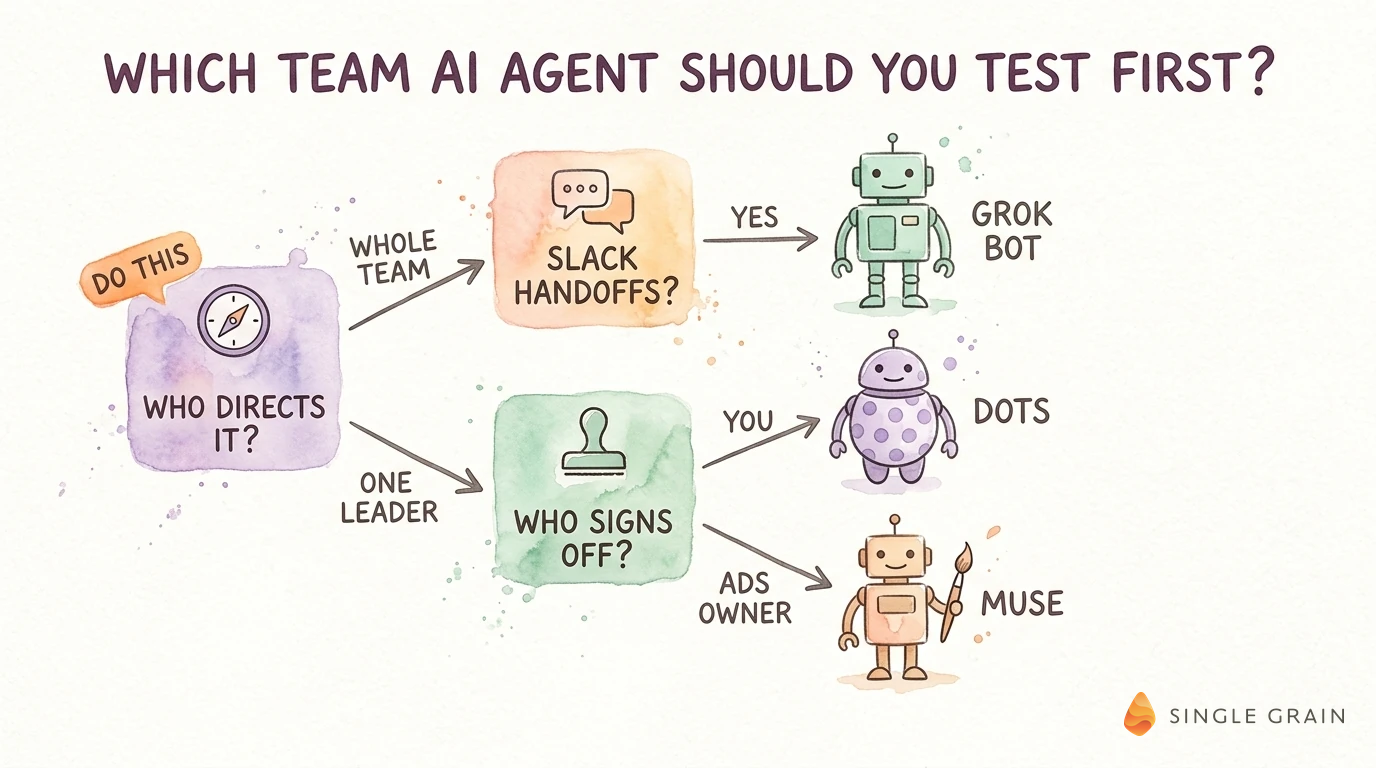
Who Directs the Agent?
Some agents are built around one person. They learn that person’s preferences and act on that person’s behalf. Others serve a team, so anyone can ask the same agent for help and it works from a shared setup.
For instance, a personal agent suits an executive who wants follow-through on their own tasks, while a shared agent suits a pod that needs every request handled with one playbook.
Ask each vendor whether teammates can direct the agent or only its owner can. Next, see how the agent behaves where your team actually works.
How Does It Handle Slack Handoffs?
Most of my clients hand off work in Slack, so run the handoff test there:
- Can someone mention the agent in a channel and get a useful response?
- Does it post as itself, so people can tell which replies came from the agent?
- Does it keep context across a thread, or does every message start from zero?
Where Does a Person Sign Off?
Any agent that can send, spend, or publish needs a review point before it acts. Ask how each product sets approval gates, who can see what the agent did, and how you shut off its access.
OpenAI Dots vs Grok Bot vs Meta Muse: How My Team Uses Each One
With those answers in hand, here’s the job each agent fits.

I use all three, so here’s how they compare side by side.
| OpenAI Dots | Grok Bot | Meta Muse | |
|---|---|---|---|
| Who it’s for | One person (often a leader) who works in ChatGPT | The whole team, through shared agents | One person; in our case, a social lead focused on Instagram |
| Who directs it | Its owner; each dot learns its owner’s goals and standards | Anyone on the team; one owner sets the context, tools, and rules | One person; it’s a personal agent |
| Best job for it | Product and website decisions, like our site prototype | Repeatable, scheduled routines, like our SEO and AEO work | Instagram creative: picking clips, writing hooks, suggesting targeting |
OpenAI Dots
OpenAI Dots are always-on agents you can reach in ChatGPT, Slack, or Teams. Each dot learns its owner’s goals and standards, and OpenAI is previewing specialist dots for defined roles inside an organization.
Evaluate Dots when the main buyer is a leader who works in ChatGPT and wants progress on work across several parts of the business.
How My Team Uses OpenAI Dots
My biggest Dots project is a prototype of the new Single Grain website. The homepage came first, and once it felt right, Dots carried the design into the service pages and articles so I could judge the whole visitor path. The prototype exists only for design review and never touches the live site.
I also bring Dots into product reviews, business reviews, and recruiting, where it gathers the material and I make the calls.
| Starter prompt for OpenAI Dots |
|---|
| You’re reviewing [product or page] as [target customer], who needs to [job]. Flag the first spot where that customer would get stuck, recommend one small fix, and build a revised version I can test. |
In the demo, ask whether teammates can direct a dot and what admins can control.
Grok Bot
Grok Bot gives you AI teammates, called Bots, that take projects from start to finish inside your apps and tools. Look at Grok Bot when you want shared agents the whole team uses, with one owner who sets the context, tools, and rules.
How My Team Uses Grok Bot
Of the three, Grok Bot has handled repeatable, scheduled routines best for me lately, so my team builds its shared department bots there. One works as a YouTube demand radar that suggests topics from channels in our space and warns me when interest is cooling.
Our AEO and SEO bot searches for article ideas before anyone requests one. It reviews our published content, recurring themes from internal calls, competitor topics we haven’t covered, and pages losing traffic.
Measurement and GEO audit bots show it pages missing citations, and every one of these Bots sits in a shared Slack channel the whole team can use.
| Starter prompt for Grok Bot |
|---|
| Use the attached call transcript (approved for use) and our content inventory. Pick one recurring buyer question our articles answer poorly or skip. Give me the quote from the call, our nearest published article, a one-page brief in our style guide, and two sentences on why it belongs on the calendar. |
In the demo, ask how the shared setup works, how private individual conversations stay, and how it handles Slack mentions and threads.
Meta Muse
Meta Muse is Meta’s personal AI agent for everyday tasks across email, calendars, files, and connected apps like Instagram. It asks permission before actions like sending messages and keeps an audit trail. Test Meta Muse when most of your demand comes from Instagram.
How My Team Uses Meta Muse
My team starts Muse on footage we already own. It reviews our Instagram clips, picks the ones that fit our ideal customers, writes hooks and a call to action, suggests who to target, and packages it all for the person running our ads, who still decides what goes live.
I also use Muse to research the account itself, like followers who could make good partners or creative I should study. My team’s walkthrough on finding Instagram hooks with Jev and Meta Muse shows the creative side in practice.
| Starter prompt for Meta Muse |
|---|
| Act as our paid social strategist. Inputs: [approved clips], [offer], [ideal customer profile]. As a draft only, give me (1) the one clip you’d run as an ad and why, (2) a hook and CTA, (3) one audience to target, (4) claims that need proof, and (5) a five-line summary for our ads owner. |
In the demo, ask how Muse connects to your stack beyond Meta and whether it supports a team or mainly one user.
Several agents can share agentic workflows as long as each has a clear job. My team is still testing coordination across the three, so I wouldn’t call our setup one connected system yet. A scoring session settles which agent gets which job.
P.S. For even more context on these team AI agents, I shared the longer story of how my team uses Dots, Grok Bot, and Muse on X. Definitely check it out!
Score OpenAI Dots, Grok Bot, and Meta Muse in 1 Working Session
You’re probably wondering, “How do I know an agent fits while I’m still testing it?” Gather the people who’ll use it for an hour and score each agent 0-2 on 6 criteria, based only on what you saw live.
- Ownership fit: Does the ownership model match how your team hands off work today? Give a zero if you’d have to reorganize around the tool.
- Slack handoff: Can people hand it work in their usual channels, and does it keep the thread’s context?
- Context reuse: Score a two if you load your brand guide, offer details, and past winners once and the agent reuses them for everyone.
- System access: Award a two only if you confirmed each connection to your CRM, ad accounts, analytics, and CMS in a hands-on test.
- Human review: Clear approval points before it sends, spends, or publishes, plus an audit trail, earn a two.
- Budget fit: Score a two if the pricing still works as the number of users grows.
If one agent leads by a clear margin, pilot it. If two finish close, pilot both on the same job.
Build Your First Team AI Agent Workflow Yourself, Then Hand It Off
The person with the strongest taste for the work should build the first version before the pilot, and on my team that’s often me. I feed the agent examples I’d sign off on, explain why I reject a draft, and keep correcting until the output sounds like us.
Turn those instructions and fixes into reusable skills. My team has saved skills covering X articles, video thumbnails, and both short- and long-form edits, so the next person starts from a tested setup. If you give the same correction twice, add it to the skill.
Then hand the workflow to the person who owns the work, review their first run, and fix the step where they get stuck. A bot locked to one person speeds up that person. A bot the whole team can pick up changes how the department operates.
Run a 2-Week Team AI Agent Pilot
Only your own work proves the fit, a step most AI marketing implementation plans skip. The pilot tests whether one agent handles one recurring job well enough that your team keeps using it afterward. Let’s dig a little deeper into the six steps.
- Pick one job and define success. Weekly content review or the Monday paid media brief (a natural fit for PPC automation) both work. Define a good output and the business result it should improve. On a content workflow, measure relevant traffic and qualified leads next to hours saved.
- Set up only what that job needs. Connect the systems for that job and leave the rest disconnected.
- Route the job through the agent every time. Include tight-deadline weeks, because they teach you the most.
- Review every output before it goes out. A named person approves each output.
- Log every fix. Note light edits versus heavy rewrites, and each time someone re-explained context.
- Decide at the end. Expand, change the setup, or stop, based on the output and business result you defined in step one.
Watch the re-explaining log. When people keep repeating context, the ownership model or the setup is wrong for your team.
6 Team AI Agent Mistakes I See Teams Make
A few traps catch teams again and again.
- Shopping by demo. Demos show the best case, so test on your own messy recurring job.
- A one-owner agent in a team channel. If only one person can direct it, everyone else gets frustrated fast.
- Every system connected on day one. Start with the access one job needs and expand as trust builds.
- No gate before spend or publish. Give the agent the limits you’d give a new hire with a company card.
- Every clip or idea forced into every channel. Ask the agent to recommend one home for each asset. A strong organic post doesn’t automatically make a good paid ad, and a moment that performs well on X can perform poorly as a Reel.
- An agent with no owner. Every agent needs one person accountable for its setup, its rules, and its mistakes.
Most of these mistakes happen when a team skips the scorecard or the pilot, so run both before you sign a contract.
Ready to Choose the Best Team AI Agent for Your Business?
You don’t have to settle for one team AI agent. OpenAI Dots, Grok Bot, and Meta Muse each fit a different kind of job, so list your recurring jobs with your team and test the agents against them.
If you’d rather skip the guesswork, Single Grain can help. My team will map your recurring jobs, run the scorecard with you, and wire the winning agent into your workflows with the right review gates. Book a team agent workflow review with Single Grain and start your pilot this month.
Frequently Asked Questions About Team AI Agents
-
What is a team AI agent?
A team AI agent is an AI assistant that a whole team shares, rather than one person. It takes requests from different people, remembers earlier context, works inside connected apps like Slack, and logs its actions so an admin can audit them. OpenAI Dots, Grok Bot, and Meta Muse are all examples of AI agents teams use, though Dots are directed by their owner and Muse is a personal agent.
-
Is OpenAI Dots only for individual users?
Not entirely. Dots are rolling out on ChatGPT Pro and Business Premium plans, with an Enterprise beta that a workspace admin turns on. Your first dot is included in those plans, and Custom Rules let you require approval for specific actions.
-
Is Grok Bot or Meta Muse better for a marketing team?
Grok Bot is in beta, with Team Bots in public beta for Teams and Enterprise plans, and its routines can run on a schedule. Muse has a free tier with a usage cap and runs on iOS, Android, the web, and WhatsApp, which suits a social lead who works from a phone.
-
Can you use OpenAI Dots, Grok Bot, and Meta Muse together?
Yes. Cross-vendor handoffs are still early, so use a shared doc or Slack thread as the meeting point and keep a person between the tools for anything that gets published or spends money.
-
How long does it take to choose the best team AI agent?
Plan on about a month from the first demo to a signed decision. Start any security review of app connections on day one, because pending approvals can stall the trial.

