

TikTok Search Ads Just Got Smart+. Here’s How to Keep Control


Confession time… I’ve never loved running TikTok search ads. You have to build your keyword list, set a budget, and hope somebody types the right thing between dance videos. Now TikTok wants to run the whole thing for you! They just announced Search Ads Campaign powered by Smart+ at Advertising Week New York, along with a US opening for the TikTok Ad Network.
My honest first reaction? Equal parts “finally” and “uh oh.” Search on TikTok is real intent, and I like anything that captures it faster. I also know what happens when an automated system gets keyword freedom and nobody checks the receipts.
So here’s the deal. Smart+ is a very fast, very eager media buyer. Your job is to give it good instructions and read its expense report every week. Below, I’ll cover what launched, how I’d set it up, what advertisers are nervous about, and how to test the Ad Network without paying for clicks nobody wanted.
TL;DR
- Smart+ now runs TikTok search ads. TikTok says the new Search Ads Campaign automates keywords and creative, with keyword targeting, bidding and search budget management built in.
- The TikTok Ad Network is open to US advertisers. It extends campaigns to nearly 400,000 apps worldwide, managed inside TikTok Ads Manager with brand safety and placement controls.
- Keyword control is the big worry. Automated expansion means new terms can spend before you see them, so the search term report becomes a weekly habit.
- Test the network as its own channel. Split it out, judge it on sales, and give it a fixed review date.
TABLE OF CONTENTS:
- What Did TikTok Actually Launch?
- Is Smart+ Just Autopilot With a New Name?
- Why Pay for TikTok Search at All?
- How Would I Set Up TikTok Search Ads With Smart+?
- Who Controls Your Keywords Now?
- Should You Switch On the TikTok Ad Network?
- Who Should Jump In First?
- Let Smart+ Drive, but Keep Your Hands Near the Wheel
What Did TikTok Actually Launch?
A lot of recaps mashed three updates into one blob, so let’s separate them.
- Search Ads Campaign, powered by Smart+. TikTok describes automation across keywords and creative, with keyword targeting, bidding, and search budget management built in.
- The TikTok Ad Network (TTAN). US advertisers can now run campaigns beyond TikTok itself, across a network of nearly 400,000 apps worldwide.
- Smart+ Creative Selection. Your own assets, AI-generated creative, and creator content land in one approval workflow, so you choose what goes live.
Adweek’s post on X summed up the network piece for US buyers, including the detail that you can buy it through Ads Manager and Smart+ alongside TikTok placements.
Is Smart+ Just Autopilot With a New Name?
Kind of, yes. Smart+ is TikTok’s automated campaign type. You hand it a goal, a budget, and creative, and it makes many of the targeting and delivery calls.
The new part is search. TikTok’s original Search Ads Campaign already let you target keywords on the results page, but advertisers chose and managed their keyword lists. Now Smart+ can wander into related queries and match ads to them on its own.
A few basics carry over, which is good news for your creative team:
- Search ads use the same video format as in-feed ads, so feed creative can be reused.
- They support Spark Ads and carousel image ads.
- They can autoplay as people scroll the results, which counts as both a view and an impression.
In other words, your feed creative already has a second job waiting for it. Whether that job is worth paying for is the real question.
Why Pay for TikTok Search at All?
Because a search is a confession. Somebody typing “best running shoes for flat feet” or “budget meal prep ideas” is telling you exactly what they want, right now.
A scroll is a shrug by comparison. My team sees the same pattern on every platform we run. Clicks from search carry more intent than clicks from a feed. If you already make short video for TikTok marketing, search is often the cheapest way to add intent without new production.
| Quick Take |
|---|
| TikTok search is closer to the bottom of the funnel than most feed placements. Budget for it like a search channel, not like a brand awareness line item. |
How Would I Set Up TikTok Search Ads With Smart+?
Setup is fast. The trap is the choices up front, which decide whether automation helps you or quietly goes shopping with your card.
- Pick one real goal. Purchases or qualified leads, not “engagement.” A fuzzy goal gives Smart+ nothing worth optimizing.
- Seed it with real search terms. Pull phrases from your site search, sales calls, and TikTok’s own search bar suggestions. Automation expands from your seeds, so bad seeds grow bad weeds.
- Load videos built for searchers. Open with the question or the result in the first second, then show the product solving it.
- Read the search term report every week. Add negatives for junk, promote winners into your seed list.
- Scale what sells. Move budget toward terms and creatives driving sales or leads, not just views.
| Pro-Tip |
|---|
| Put the top search term on screen in the first second. People who searched for it see their own words and keep watching. |
Smart+ Creative Selection makes it tempting to throw fifty variations into the pot. Resist a little. I’d rather run five videos my team believes in than fifty nobody watched before launch, and a creative testing framework keeps the comparison honest.
Who Controls Your Keywords Now?
This is the part advertisers argued about most. Reach is nice. Control is the question.
When automation expands keywords for you, new terms can start spending before you ever see them. One account on X claimed the practical fallout looks like this:
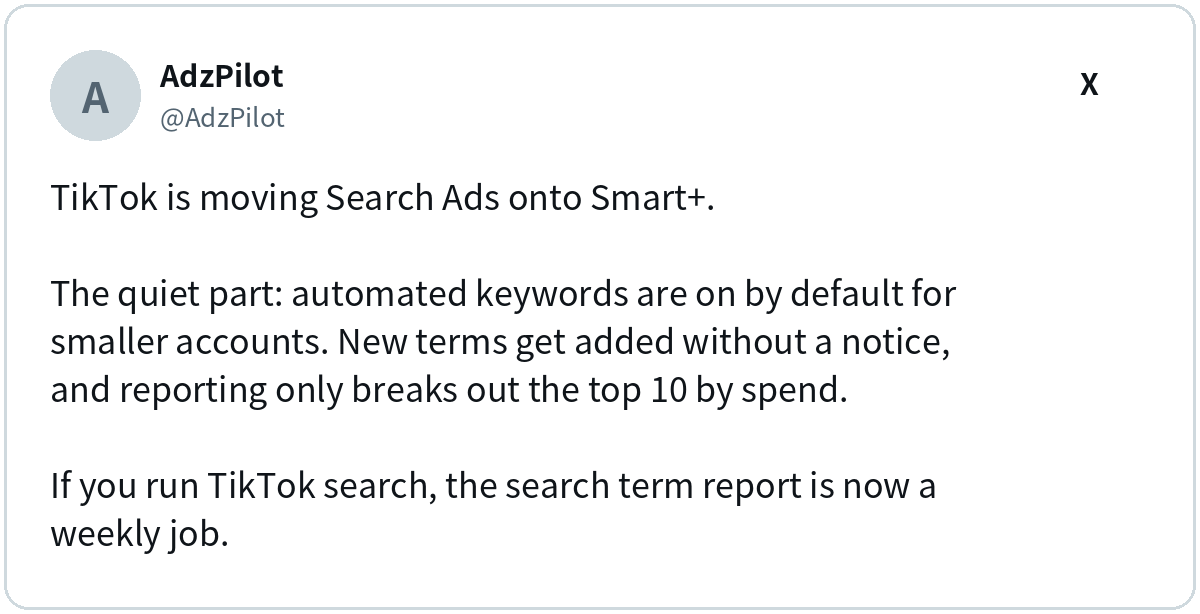
I can’t confirm the exact default settings for every account size from TikTok’s announcement, so check your own account before you assume anything. The advice holds either way. If automation picks keywords, you read what it picked.
My view here is pretty straightforward. Automation is brilliant at finding queries you’d never think of. It’s terrible at knowing which of those queries your sales team would laugh at!
The 15-Minute Friday Review
You don’t need a meeting. You need just fifteen minutes.
- Sort by spend. Start with the terms eating the most budget.
- Flag the weird ones. Add off-topic terms as negatives on the spot.
- Promote the winners. Move high-converting terms into your seed list.
- Write down the drift. If Smart+ keeps leaning toward one kind of query, adjust your seeds or creative.
Fifteen minutes a week is cheap insurance against a keyword list quietly drifting off course. The Ad Network is where the same discipline gets tested hardest.
Should You Switch On the TikTok Ad Network?
Maybe, but not on vibes. The network takes your TikTok campaigns off TikTok and into partner apps. Per TikTok’s announcement, it’s built into TikTok Ads Manager, with brand safety and placement controls.
Convenient, sure. It also means network placements can blend into your results unless you separate them. A media buyer who has been down this road before put it bluntly:
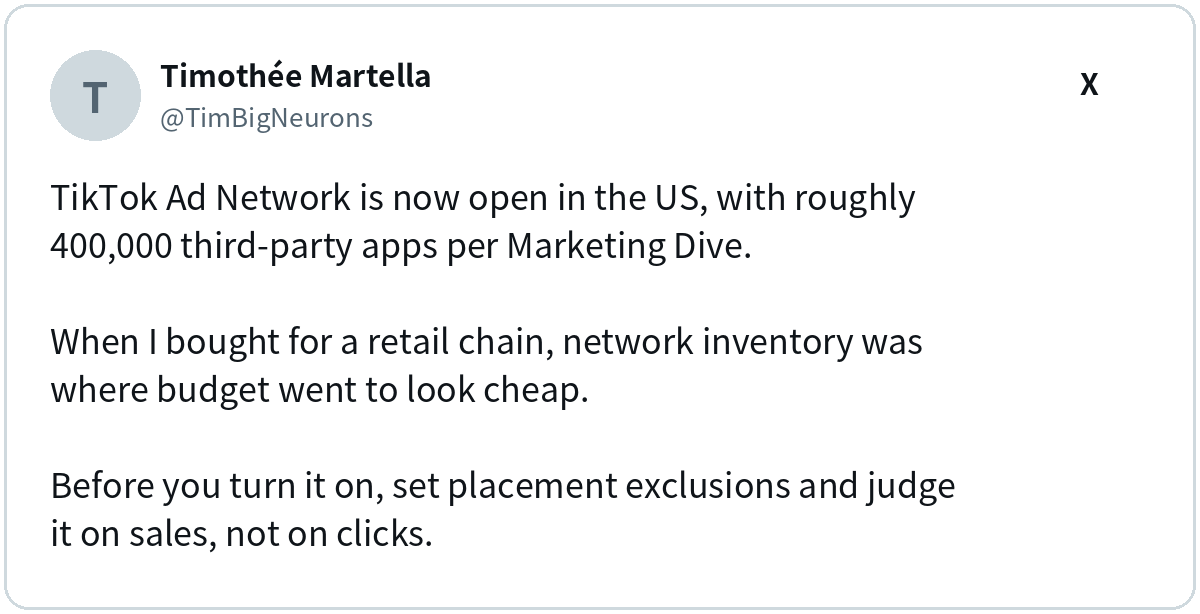
I agree with him. Network inventory often looks cheap on cost per click. Cheap clicks only count as a win when they turn into customers.
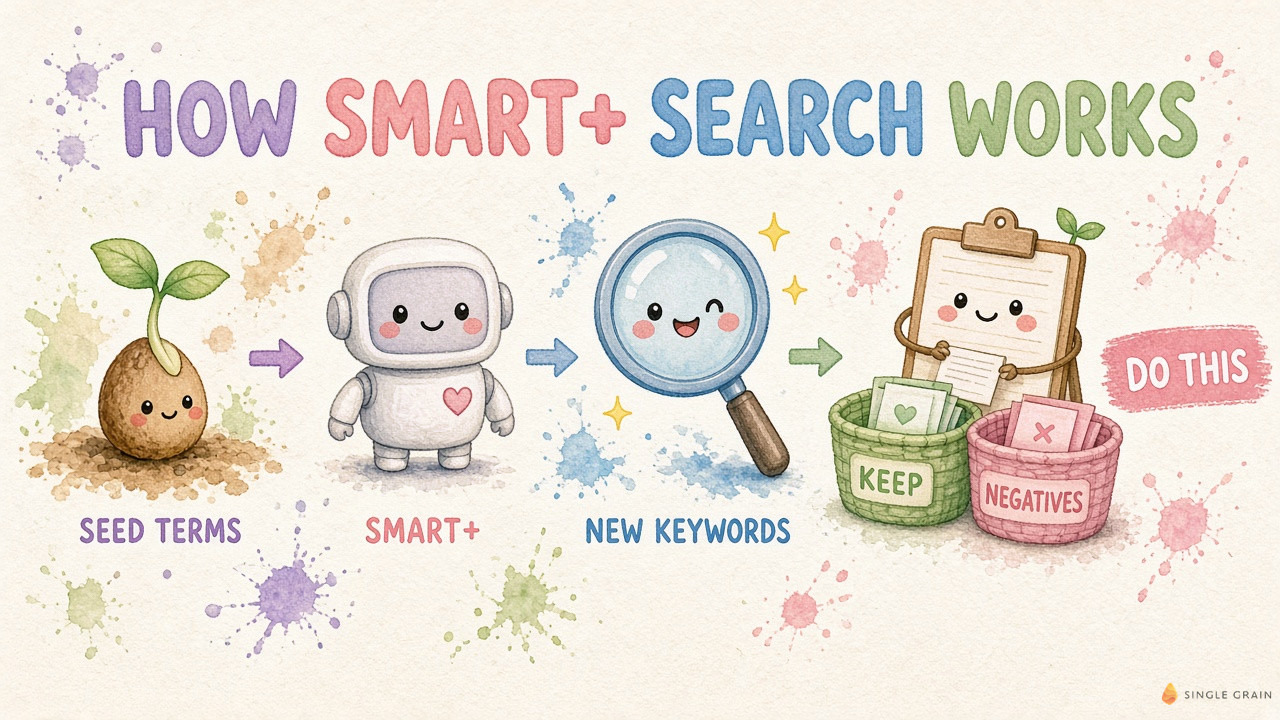
Here’s how I’d test it without regret:
- Set placement exclusions first, before a single dollar lands.
- Split TikTok and network results on separate lines from day one.
- Judge on sales or qualified leads, not click-through rate.
- Run a holdout if you can. An incrementality test shows whether the network adds new buyers or just takes credit for ones you’d get anyway.
| Watch Out |
|---|
| If network placements and TikTok placements share one reporting line, cheap network clicks can make the whole campaign look better than it is. |
Who Should Jump In First?
E-commerce brands with products people search by name or problem are the obvious fit. If you already run TikTok ads for e-commerce, search is a natural next layer.
B2B can work too, just at lower volume. People really do search “how to automate invoices” on TikTok. My team has seen B2B TikTok lead generation pay off when the content teaches something real.
Still on the fence about the platform? Start with the bigger question of whether TikTok ads are worth it for your category, then come back to search.
One last reality check. Smart+ can’t fix a weak offer. If the landing page is slow or the video doesn’t answer the search, automation just finds more people to disappoint, faster.
| Action Step |
|---|
| Type your top five product questions into TikTok’s search bar. Note which videos rank, whether any are ads, and whether your brand shows up at all. That’s your starting gap. |
Let Smart+ Drive, but Keep Your Hands Near the Wheel
TikTok search ads now come with a lot more autopilot, and the Ad Network gives that autopilot more places to spend. Both can work. Both work better with a human reading the search terms and the placement report every Friday.
If you’d like a team that runs TikTok search and network tests with that kind of attention, my team at Single Grain can help. Check out our TikTok ads services and let’s find the searchers who are ready to buy.
Frequently Asked Questions About TikTok Search Ads
-
What are TikTok search ads?
TikTok search ads are ads that appear on TikTok’s search results page when someone searches for a related term. They use the same video format as in-feed ads, and they also support Spark Ads and carousel image ads.
-
How is Smart+ different for TikTok search ads?
Smart+ adds automation to the search campaign. TikTok says it can automate keywords and creative and manage bidding and search budget, so you spend less time picking every keyword by hand.
-
What is the TikTok Ad Network?
The TikTok Ad Network (TTAN) lets US advertisers extend TikTok campaigns to a network of nearly 400,000 apps. It runs inside TikTok Ads Manager and includes brand safety and placement controls.
-
Do I need a separate account for the TikTok Ad Network?
No. TikTok says the network is fully integrated into TikTok Ads Manager, so you manage it alongside your existing campaigns. Report its results on their own line so you can judge it fairly.
-
Should I turn on the TikTok Ad Network for search campaigns?
Test it as its own channel first. Set placement exclusions, report network results on a separate line, and judge it on sales or qualified leads rather than click-through rate.


