ChatGPT SEO: How to Track Your ChatGPT Mentions


You can finally track ChatGPT mentions with data straight from OpenAI, and I’m pumped about it! OpenAI just launched Businesses in ChatGPT in beta. Its new Business Hub lets you claim your business, update your details, and see how often ChatGPT mentions your website and sends clicks your way.
If you run marketing, this changes a question you’ve probably been guessing at for a year. How visible is your brand inside ChatGPT, and is that visibility turning into traffic?
Until now, the answer came from third-party tools running sample prompts. Useful, but always an estimate. Business Hub gives you a first-party number, with some important catches. Obviously, this is a really exciting moment for business owners and marketers like me!
Here’s what Business Hub actually measures, how to claim your business, where the data falls short, and how I’d fold it into a ChatGPT SEO plan.
TL;DR
- Business Hub is OpenAI’s new dashboard for businesses in ChatGPT. You can claim your business, update details, add product feeds, and view insights.
- Insights cover the past 28 days. You’ll see mentions, website clicks, and discovery topics, all aggregated for privacy.
- A brand name alone doesn’t count as a mention. For online businesses, ChatGPT has to reference your website.
- It’s a starting point for ChatGPT SEO. Pair Business Hub data with prompt tracking and citation work to get the full picture.
TABLE OF CONTENTS:
- What Is ChatGPT Business Hub?
- How to Track ChatGPT Mentions in Business Hub
- Claim Business on ChatGPT: Step by Step
- What Business Agents Add to the Picture
- Where Business Hub Data Falls Short
- Who Offers ChatGPT Mention Tracking Besides OpenAI?
- How to Improve Your ChatGPT SEO After You Claim
- What I'd Watch During the Beta
- Start Tracking ChatGPT Mentions This Week
What Is ChatGPT Business Hub?
Business Hub is the control panel for Businesses in ChatGPT. OpenAI’s announcement says it gives businesses a way to reach the 1.2 billion people who use ChatGPT each week.
What You Can Do in Business Hub
Once verified, you can update key business details and add self-service product feeds with pricing and availability. Shopify merchants can connect their store directly. Eligible ecommerce and online service businesses in the US can also build a Business Agent, a separate chat that answers customer questions about your products and policies.
Is It New or Just Improved?
It’s new. ChatGPT has shown businesses in answers for a while, but this is the first official way to claim a profile and see first-party engagement data. It’s also in beta, so expect features and eligibility to change.
| Pay Attention |
|---|
| Claiming your business, publishing an agent, and running ads are separate. You don’t need an ads account or an Enterprise agreement to claim a business and view insights. |
That separation matters. You can start tracking today without spending anything on ChatGPT Ads.
How to Track ChatGPT Mentions in Business Hub
The insights are the part most marketers will care about. OpenAI’s help article spells out exactly what each metric means. Let’s take a look.
1. Mentions
For an online business, a mention counts when ChatGPT references your website. Naming your brand without the site doesn’t count. For a local business, a mention counts when ChatGPT shows a result for that location, even if nobody opens the listing.
2. Website Clicks
This shows how often people click through to your website from ChatGPT. It’s the closest thing to a referral traffic number you’ll get from inside the platform.
That last part is the number search marketers have wanted for a long time. SE Roundtable summed up the reaction well:
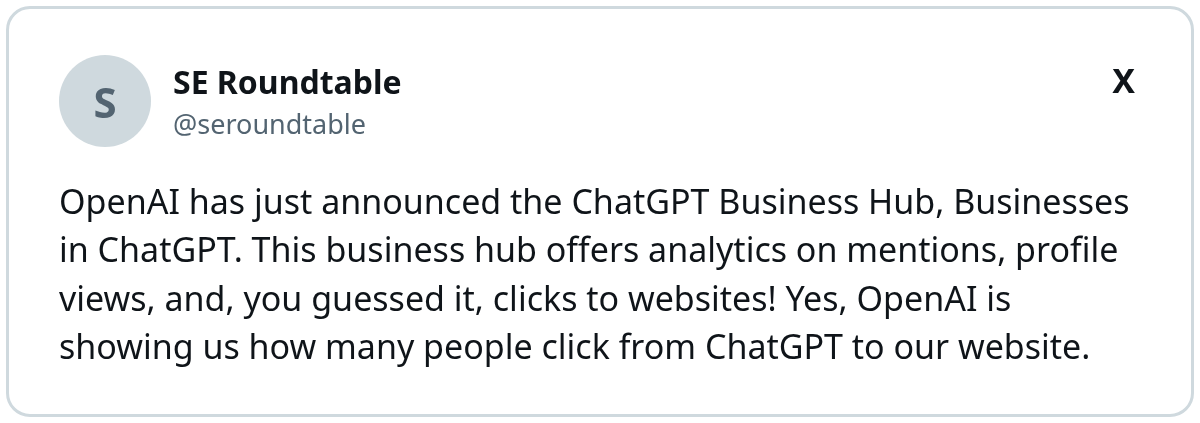
I’m excited about it too! Just remember it’s ChatGPT’s own count, so line it up with your analytics before it goes into a report.
3. Discovery Topics
Discovery topics group common themes in ChatGPT answers that mentioned or cited your business. They aren’t individual prompts, and they don’t directly measure customer intent. Think of them as a rough map of the conversations where you show up.
4. The 28-Day Window
All insights cover the past 28 days. A blank metric doesn’t always mean zero activity. It can mean you haven’t hit the reporting threshold, or data is still being collected.
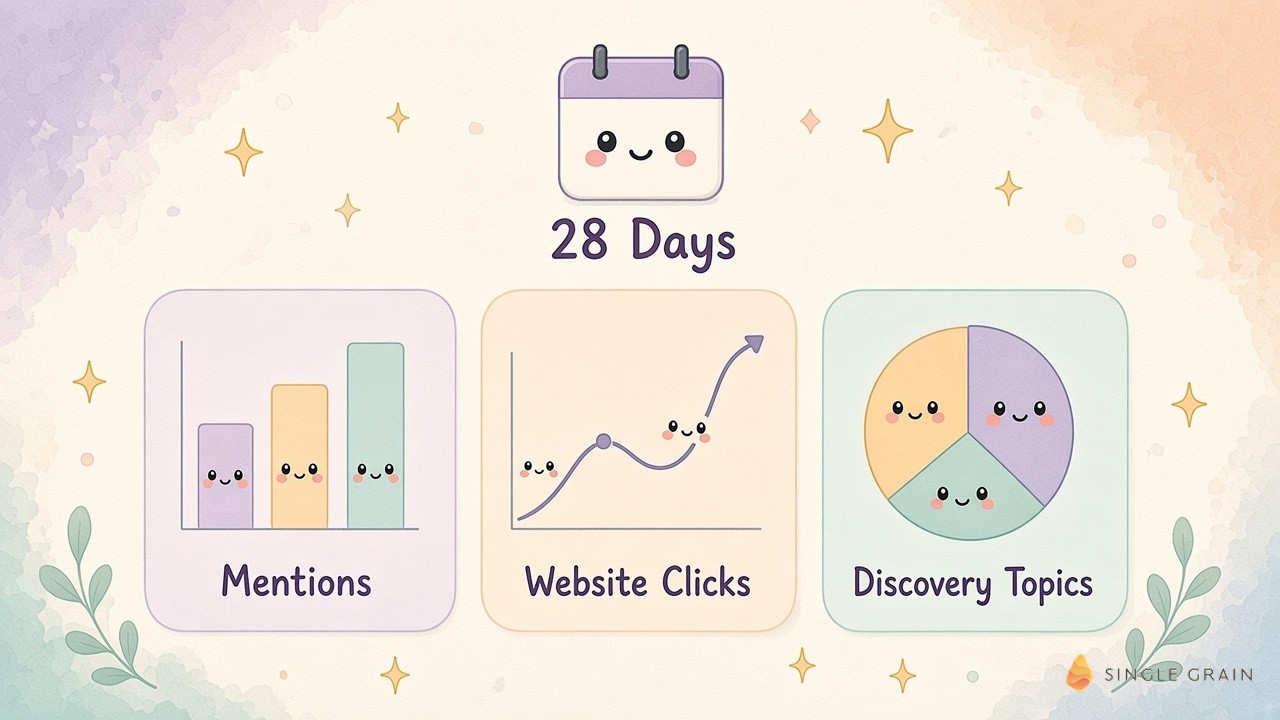
Those definitions shape how you should read the numbers. A low mention count could mean ChatGPT names you often but rarely cites your site.
Claim Business on ChatGPT: Step by Step
The setup takes about four steps. Don’t worry, we’ll walk you through each step. It’s pretty straightforward!
Step 1: Find Your Listing
Sign in to ChatGPT, open Business Hub from the sidebar, and search for your business by name. Pick the listing that matches and confirm which ChatGPT account will manage it. Online businesses that don’t see a listing may get an option to add one.
Step 2: Verify Your Claim
Choose a verification method. Options include a business phone code, a business email code, a DNS TXT record on your website domain, or connecting your Shopify store. OpenAI reviews each claim and emails a decision.
Step 3: Complete Identity Verification
After approval, you’ll verify your identity with Persona. You need this before you can publish changes, view insights, or create a Business Agent.
Step 4: Update Your Details
Review every field, add a product feed if you sell online, and keep it current. OpenAI notes that changes are reviewed before they appear, and ChatGPT may still draw on other sources.
| Pay Attention |
|---|
| Domain verification often needs someone with DNS access. If IT or an agency manages your domain, line them up before you start the claim. |
Once you’re verified, set a calendar reminder to check insights at least once a month.
What Business Agents Add to the Picture
Business Agents are the other half of this launch. After you claim your business, eligible US ecommerce and online service companies can build an agent that answers questions using information you provide.
How a Business Agent Shows Up
When your business appears in a ChatGPT answer, people can open your profile. If you’ve published an agent, they can start a separate, clearly labeled chat with it. Someone comparing two of your products could ask which one fits their needs, and the agent answers from your details.
What It Can’t Do Yet
The help center is clear that agents can explain products and policies and link to your site, but they can’t complete purchases, make bookings, or check orders. Customers still finish those actions on your website.
Where Ads Fit In
Businesses can sponsor their agent and use it as the destination for ChatGPT Ads. Sponsored placements are labeled and kept separate from ChatGPT’s own answers. If you’re weighing that, start with what to expect from ChatGPT Ads pricing before you set a budget.
| Pay Attention |
|---|
| OpenAI doesn’t share users’ conversations or Business Agent chats with businesses. Plan your measurement around aggregate insights and your own site analytics. |
Agents are optional. Most brands should claim first, watch the data for a month, and then decide.
Where Business Hub Data Falls Short
Business Hub is a big step, but it doesn’t answer every question.
It Doesn’t Show Competitors
You only see your own business. To compare your share of answers against rivals, you still need a method for measuring AI share of voice in answer engines.
Brand-Only Mentions Are Invisible
Because a mention needs a website reference, unlinked brand mentions won’t show up. Prompt-tracking tools still fill that gap.
No Prompt-Level Detail
You won’t see the questions people asked. Discovery topics are broad themes. For prompt-level work, an AI visibility audit gives you the specific queries where you appear or don’t.
Who Offers ChatGPT Mention Tracking Besides OpenAI?
Several kinds of tools track brand visibility in AI answers. Dedicated AI visibility platforms run large sets of prompts across ChatGPT and other assistants.
Some SEO suites have added AI answer tracking. Agencies, including my team at Single Grain, run custom audits. My view is that Business Hub becomes your source of truth for clicks, and third-party tools cover competitors and prompts.
How to Improve Your ChatGPT SEO After You Claim
Tracking is only useful if you act on it.
- Fix your facts first. Make sure your profile, website, and product feed match.
- Earn citations on trusted sites. Digital PR built for ChatGPT citations gives the model more sources to reference.
- Strengthen pages that already get cited. Discovery topics hint at which themes to expand.
- Get a baseline. A free AI visibility report shows where you stand today.
Check these monthly against your Business Hub trends to see what moves the numbers.
What I’d Watch During the Beta
Betas move fast, so a few things are worth tracking over the next few months.
Clicks Compared With Your Own Analytics
Compare Business Hub website clicks with ChatGPT referral sessions in your analytics. If the two drift far apart, dig into tagging and redirects before you trust either number.
How Discovery Topics Shift
Watch which themes appear and disappear. A new topic can signal a content gap you can fill, while a fading one may mean a competitor’s page took your spot.
Eligibility and Market Expansion
OpenAI says it plans to expand Businesses in ChatGPT and Business Agents to more markets and categories. If your business isn’t eligible for an agent yet, claim your profile anyway so you’re ready. AI answers are already showing up on most buying searches in Google, too, as these AI Overview statistics show.
Start Tracking ChatGPT Mentions This Week
Business Hub gives you first-party data on ChatGPT mentions, website clicks, and discovery topics for the past 28 days. Claim your business now, verify it, and set a monthly review. Then combine it with share-of-voice and prompt tracking so you see the full picture.
If you want help building a ChatGPT SEO plan around this new data, Single Grain’s AEO and SEO team can help. Contact Single Grain to get started.
Frequently Asked Questions About Tracking ChatGPT Mentions
-
How do I track ChatGPT mentions for my business?
Claim your business in OpenAI’s Business Hub, complete verification, and open Insights. You’ll see mentions, website clicks, and discovery topics for the past 28 days.
-
What counts as a mention in ChatGPT Business Hub?
For an online business, ChatGPT has to reference your website. Naming the brand alone doesn’t count. For a local business, a mention counts when ChatGPT shows a result for that location.
-
How do I claim my business on ChatGPT?
Open Business Hub in ChatGPT, find your listing, verify by phone, email, DNS record, or Shopify, wait for approval, then complete identity verification with Persona.
-
Do I need to run ChatGPT Ads to use Business Hub?
No. Claiming your business, publishing an agent, and advertising are separate. You don’t need an ads account to claim a business and view insights.
-
Does Business Hub show competitor data?
No. It only shows your own business. Use share-of-voice tracking or third-party AI visibility tools to compare against competitors.