ChatGPT Usage Limits for Teams: What You Should Know


ChatGPT usage limits are about to work very differently, because OpenAI will soon pool ChatGPT and Codex into one shared allowance measured in tokens. The change covers Plus, Pro, and Business plans as OpenAI folds the agentic features of ChatGPT Work into the main app. My first reaction was to check my own team’s habits. Heavy coding days and long research sessions will now pull from the same bucket.
If you manage AI tools for a marketing or ops team, this is a budgeting problem more than a product update. Seats you sized for chat may run short once Codex and Work draw from the same pool.
Plan now. Surprise resets in the middle of a launch are no fun.
If you’re wondering, “Do I need Premium seats, or just better habits?” then you’ve come to the right place. Below you’ll find what’s changing, how ChatGPT Business seats work, and a simple way to budget seats for your team.
TL;DR
- ChatGPT and Codex will share one pool. OpenAI says usage will be measured in tokens across both, and Instant chat won’t count.
- Tasks cost different amounts. Advanced models and complex tasks use more of the allowance, so message counts stop being a reliable guide.
- Business seats come in two tiers. Standard costs $25 per user monthly or $20 annually, and Premium costs $125 or $100 with higher Work and Codex usage and no five-hour limit.
- You have options at the limit. Wait for a reset, upgrade, or buy credits for eligible features.
TABLE OF CONTENTS:
- What's Changing With ChatGPT Usage Limits
- Which Plans Are Affected
- Why Token-Based Codex Usage Limits Change the Math
- How ChatGPT Business Seats Work
- How to Budget ChatGPT Business Usage Limits for a Team
- 3 Common Team Scenarios
- What Teams Are Saying About the Shared Pool
- What This Means for Your AI Budget
- Budget Your Seats Before the Pool Changes
What’s Changing With ChatGPT Usage Limits
OpenAI’s help article on understanding ChatGPT and Codex usage limits lays out the shift. Usage for both products will be measured in tokens, the units of information a model processes and generates.
1. One Pool for Chat, Work, and Codex
ForkLog reports that Work and Codex already share a common pool, while advanced model limits in regular ChatGPT are tracked separately. Under the new setup, those mechanisms combine. A long document analysis in ChatGPT may shrink what’s left for Codex, and a complex coding task may affect later chat work.
3. Instant Chat Stays Free of the Pool
OpenAI says Instant chat won’t draw from your usage. Quick questions and simple rewrites in Instant mode won’t eat into the shared budget.
3. Where to Check Remaining Usage
OpenAI says you’ll see combined remaining usage and reset times in Settings, under Usage. It also says it expects most users won’t need to wait for resets more often than they do now.
| Pay Attention |
|---|
| ForkLog notes OpenAI hasn’t disclosed the new limit sizes, how different models will be weighted, or recovery timing. Budget with a buffer until real numbers appear in your workspace. |
That uncertainty is the main reason to track usage now. A baseline makes the switch much easier to read.
Which Plans Are Affected
OpenAI names Plus, Pro, and Business. ForkLog notes the notice didn’t mention Free, Go, Enterprise, or Edu, so teams on those plans should watch for separate updates.
Plus and Business Standard
ForkLog reports these plans currently have Work and Codex limits over five-hour and weekly windows. A few complex tasks can exhaust the five-hour limit early, forcing a wait even when the weekly quota has room left.
Pro Plans
On Pro plans, ForkLog says there’s no five-hour limit for Work and Codex, though a weekly quota still applies. Some Plus and Pro subscribers can also buy a paid weekly reset, and it’s unclear whether that option survives the change.
Why Token-Based Codex Usage Limits Change the Math
Message counts used to be a rough proxy for usage. Tokens change that.
Ten Prompts Aren’t Equal
ForkLog gives a simple example. Two people each send ten prompts.
One asks for definitions and headline ideas. The other uploads large documents and asks for cross-checked analysis. Both sent ten prompts, though the second used far more of the pool.
Agents Use More
Agent tasks widen the gap. Codex performs many sequential actions to fix a bug, and a failed first attempt means repeating the work. Our comparison of Codex vs Claude Code for marketing ops shows which jobs tend to run long.
Model Choice Matters
OpenAI’s ChatGPT Business models and limits page shows wide ranges per five-hour window on Standard seats. GPT-6 Astra allows roughly five to 45 local messages, while GPT-5.6 Luna allows roughly 250 to 2,000. Picking the right model for each task stretches your allowance.

The takeaway is simple. Heavier models and longer tasks drain the shared pool faster.
How ChatGPT Business Seats Work
OpenAI’s ChatGPT Business overview describes two seat types. Each seat is paid capacity you can assign, reassign, and switch between members.
1. Standard Seats
Standard seats include ChatGPT, ChatGPT Work, and Codex, plus features like Projects, Company Knowledge, and Deep Research. Pricing for most countries is $25 per user per month billed monthly, or $20 billed annually.
2. Premium Seats
Premium seats cost $125 per user per month billed monthly, or $100 billed annually. They include higher usage for ChatGPT Work and Codex and no five-hour usage limit.
3. Workspace Minimums and Credits
A Business workspace needs at least two seats, in any mix of Standard and Premium. Both seat types can use workspace credits for usage beyond included limits, as long as your spending controls allow it.
| Seat | Monthly billing | Annual billing | Work and Codex usage |
|---|---|---|---|
| Standard | $25 per user | $20 per user | Included, with five-hour and weekly limits |
| Premium | $125 per user | $100 per user | Higher, with no five-hour limit |
Prices can vary by country and currency, so confirm yours on the pricing page before you budget.
How to Budget ChatGPT Business Usage Limits for a Team
My team’s view at Single Grain is to size seats by workload, rather than by headcount alone.
Sort People by Workload
Group your team into light, moderate, and heavy users. Light users mostly chat and draft. Heavy users run Codex tasks, long research jobs, or agents daily.
Give Premium Seats to Heavy Users
Assign Premium seats to the people who hit five-hour limits today. Because seats can be reassigned, you can move a Premium seat to whoever is running a big project that month.
Use Credits as a Pressure Valve
Workspace credits cover spikes without upgrading everyone. Set spending controls so a single long task can’t burn through the month’s budget. Name one owner who approves credit top-ups, and review spend at the end of each month so surprises don’t pile up.
Teach Model Selection
Show your team when Instant or lighter models are good enough. Simple rewrites, summaries, and formatting rarely need a heavy reasoning model. Save advanced models for analysis, strategy, and complex code. Our enterprise marketing AI tools stack blueprint can help you decide which tool fits which job.
3 Common Team Scenarios
Most marketing teams fall into a few patterns. Use these as starting points to guide your decision about ChatGPT usage limits for your team structure.
1. A Content Team of Five
Writers and editors mostly draft, rewrite, and research. Standard seats should cover most of them. If one person runs long research jobs daily, consider a single Premium seat for that role. Faster drafting can also shift the bottleneck, as covered in our post on why AI content review is now the real bottleneck.
2. A Growth Team Running Agents
Teams running Codex for data pulls, scripts, or automated reports burn through allowances quickly. Give Premium seats to the builders and Standard seats to everyone reviewing outputs. Encourage builders to test a prompt on a lighter model first, then run the full job on a heavier one only when the output needs it.
3. A Mixed Agency Team
Agencies juggle client work with uneven spikes. Keep a small pool of credits for launch weeks, and reassign Premium seats as projects shift between clients and account teams.
What Teams Are Saying About the Shared Pool
Reaction to the change has been mixed. The biggest pain point is simple. Heavy coding and heavy chat now compete for the same budget.
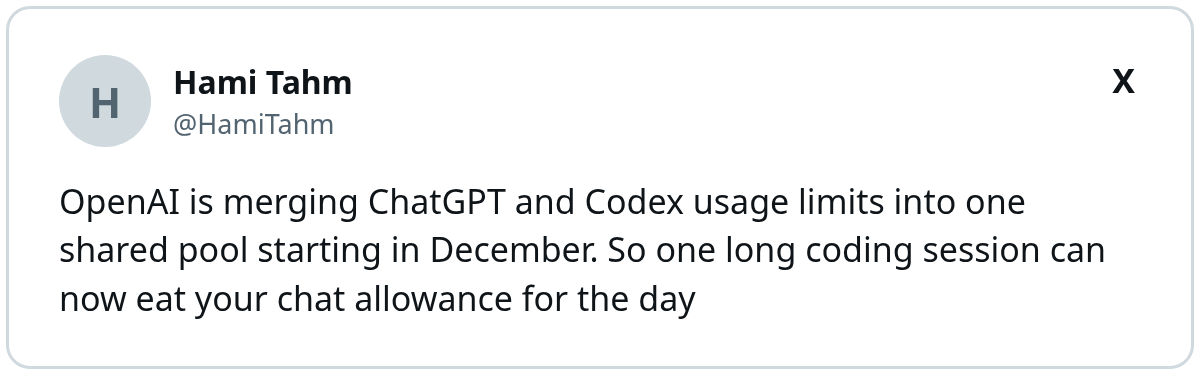
Not everyone is worried. Pro subscribers have more headroom, and one account on X argued they’ll barely feel it:
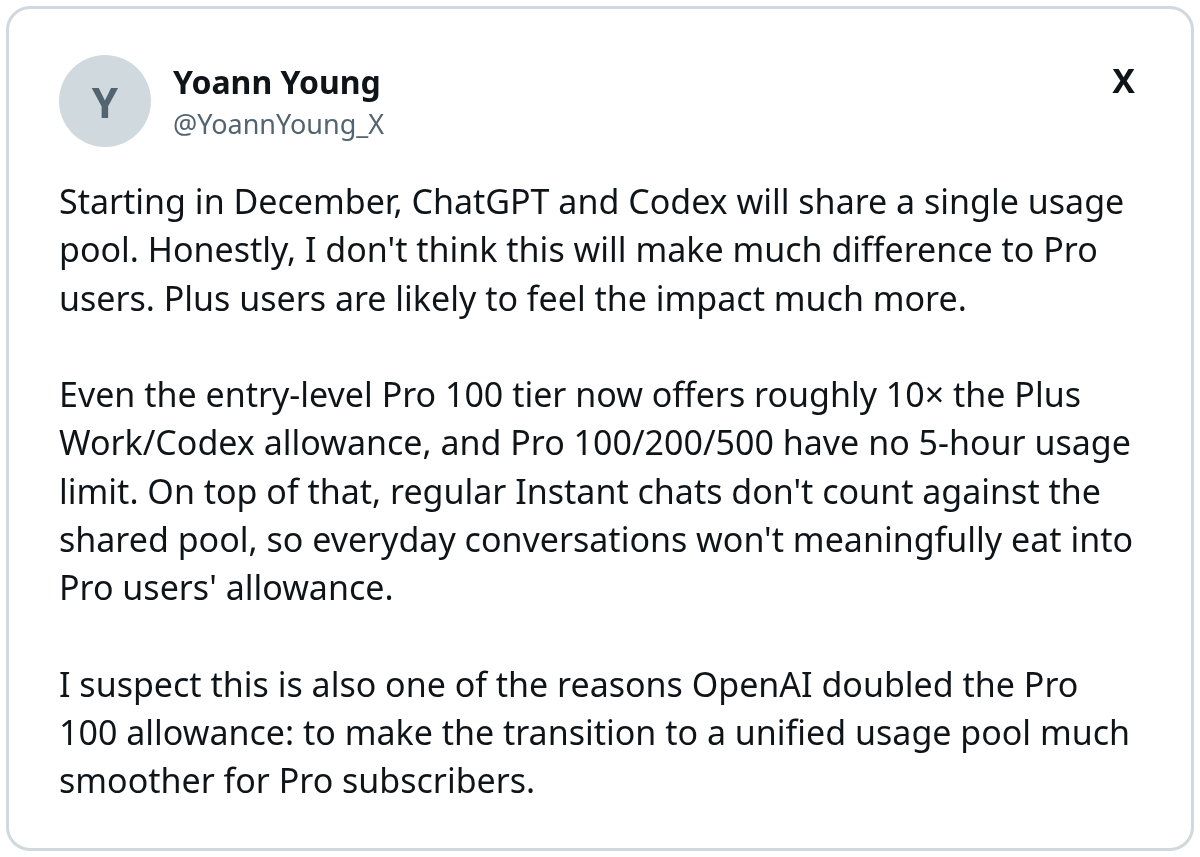
Those allowance figures are his read, so check your own plan page before you rely on them. My take sits in the middle. The pinch lands hardest on Plus seats, where one long Codex session can drain the day’s chat budget. For Business teams, it’s one more reason to sort people by workload before the pool changes.
What This Means for Your AI Budget
The shared pool makes AI spend more variable. Usage now depends on what people do, beyond how often they log in.
Track Usage Before the Switch
Record how often your team hits limits today. That baseline tells you whether the new pool helps or hurts.
A shared spreadsheet works fine. Note who hit a limit, which model they used, and what task they were running. Read what the Anthropic S-1 means for your AI budget for a wider view of AI vendor costs.
Watch for Plan Changes
ForkLog notes OpenAI has adjusted limits several times recently, including dropping a planned Pro cut after pushback. Expect more changes, and review seat assignments monthly. When OpenAI publishes the new limit sizes, compare them against your baseline and adjust seat tiers before renewal dates lock you into an annual plan.
Budget Your Seats Before the Pool Changes
ChatGPT and Codex are moving to one token-based pool across Plus, Pro, and Business. Sort your team by workload, give Premium seats to heavy users, use credits for spikes, and teach smart model choices so a single task doesn’t stall everyone else.
If you want help building an AI workflow and budget for your marketing team, Single Grain’s AI transformation services can help. Contact Single Grain to get started.
Frequently Asked Questions About ChatGPT Usage Limits
-
What is changing with ChatGPT usage limits?
OpenAI says Plus, Pro, and Business usage allowances will be shared across ChatGPT and Codex and measured in tokens. Instant chat won’t draw from the allowance.
-
Will Codex usage limits affect my ChatGPT chats?
Yes, under the shared pool. ForkLog notes a long document analysis in ChatGPT may reduce what’s left for Codex, and a complex coding task may affect later chat work.
-
How much do ChatGPT Business seats cost?
OpenAI lists Standard seats at $25 per user per month billed monthly or $20 billed annually, and Premium seats at $125 monthly or $100 annually. Pricing may vary by country.
-
What's the difference between Standard and Premium seats?
Premium seats include higher usage for ChatGPT Work and Codex and no five-hour usage limit. Both seat types include ChatGPT, ChatGPT Work, and Codex.
-
What happens when my team hits the limit?
OpenAI says you can wait for usage to reset, upgrade your plan, or buy credits for eligible features. Business workspaces can buy workspace credits if spending controls allow it.