How to Stop Recruiting Emails From Landing in Spam


Most talent teams find out their recruiting email deliverability is broken only after candidates stop replying. A great role and a sharp message are worth nothing in a spam folder. One burned inbox can drag down every campaign sending from the same domain.
As an AI native company, my team uses talent bots to help them run recruiting outbound seven days a week from five sourcing channels. Any campaign with a bounce rate over 2% pauses itself. This single rule is the step a marketer brings to recruiting, and I think every hiring team needs it.
Maybe you’ve wondered why candidates never reply to your recruiting emails. Often the honest answer is deliverability. Your message never reached the inbox in the first place. Below, I’ll walk through how my bots verify candidate emails, where the bounce guard sits, and how to set up sending so your outreach actually lands.
TL;DR
- Verify every candidate email before it sends. Run each address through a verifier and drop catch-all domains, since they hide bad addresses.
- Set a bounce guard at 2%. Any campaign over a 2% bounce rate pauses itself until someone fixes the list.
- Protect your sending setup. Use separate warmed inboxes with email authentication so one bad list can’t burn your main domain.
- Read the funnel every day. A daily report from pre-qualified to shortlisted shows where outreach stalls before you lose a week.
TABLE OF CONTENTS:
- What Is Recruiting Email Deliverability?
- How My Talent Bots Run Recruiting Outbound
- How to Verify Candidate Emails Before the First Send
- What Is a Good Cold Email Bounce Rate for Recruiting?
- Email Deliverability for Recruiters: Build the Sending Setup
- How to Write Recruiting Emails That Earn Replies
- Track Your Recruiting Funnel Every Day
- Bring Marketing Discipline to Your Hiring Outreach
What Is Recruiting Email Deliverability?
Simply put, recruiting email deliverability is the share of your candidate outreach reaching the inbox. Everything else bounces or lands in spam. It sits upstream of every reply-rate metric your talent team tracks. Open rates and response rates only measure people who actually received the message.
Outbound recruiting has a few traits making deliverability harder than regular marketing email. You often email personal addresses found through enrichment tools, and many of those addresses are educated guesses. Candidates also never opted in, so mailbox providers watch your sending behavior closely.
Outbound is only one half of the hiring pipeline. The other half is inbound, where candidates research you first, often through artificial intelligence (AI) tools and AI-powered hiring queries and questions about which companies are top places to work. This post stays on the outbound side, where your emails have to earn their way into the inbox.
Why Recruiting Emails Land in Spam
Mailbox providers like Gmail judge each message partly by sender reputation. Hard bounces, spam complaints, and sudden volume spikes all drag this reputation down. Gmail asks every sender to authenticate their mail and keep spam rates below 0.3%, as reported in its Postmaster Tools.
Many hiring teams break these rules without knowing it. A sourcing tool exports a few hundred addresses, a recruiter loads them into a sequence, and a chunk of them bounce on day one. Gmail and Outlook read each bounce as a sign the sender has no idea who is on the list.
Hard Bounces vs. Soft Bounces
Sending tools split bounces by cause, and each kind calls for a different response:
- Hard bounce. The address doesn’t exist, or the receiving domain rejects it. Remove it right away and never retry it.
- Soft bounce. The inbox is full, or the server is temporarily down. Retry once or twice, then drop the address if it keeps failing.
Hard bounces are the ones a bounce guard should watch most closely, because they come straight from bad data. The rules themselves are the easy part. A system to run them every day takes more work to build, so here’s how mine runs.
How My Talent Bots Run Recruiting Outbound
I built my recruiting system myself. If you don’t define how talent works at your company as a leader, your talent team will define it for you.
Three AI agents run it from Slack. Team Talent, Team Juicebox, and Team LinkedIn Recruiter each own a slice of sourcing, and they all report into the same channel.
5 Sourcing Channels, One Set of Rails
Candidates come in from five places. Teamtailor is our applicant tracking system, and posts on X bring in a ton of applicants. LinkedIn Recruiter InMails, Juicebox as an agentic recruiter, and Instantly as cold email infrastructure round out the list.
Every candidate then moves through the same steps in order:
- Check the do-not-contact list, like friendly companies and people we’ve turned down before.
- Check title fit for the role.
- For mid-senior roles, look for two promotions, ideally at two companies, and about ten years of experience at an average tenure of three-plus years.
- Send a first message, capped per role.
- Verify every email, drop catch-alls, and auto-pause any campaign over a 2% bounce rate.
- Send seven screening questions to anyone interested.
- Let Jev, my AI scoring agent, score the answers.
Step five is where marketing experience pays off. I laid out the full stack in a post on X earlier this month in case you’re interested in a deeper discussion on it!
Why Step Five Belongs to Marketing
Most talent people have never had to think about deliverability. Marketers live with it every day. A burned inbox takes the whole campaign with it, and recruiters rarely see it coming because their tools report sends while skipping inbox placement.
Once I moved this check into the bot, deliverability stopped depending on a recruiter remembering to clean a list. The rule simply runs on every campaign.
Verification is the first guardrail, so it’s the right place to start.
How to Verify Candidate Emails Before the First Send
Verify every email before it enters a sequence. A verifier checks with the receiving mail server to see if the mailbox exists, all without sending a message. This answers one of the most common questions people search, how can I verify if an email address exists?
Run the check close to the send date, too. Addresses go stale as people change jobs, and the people you recruit are open to changing jobs by definition.
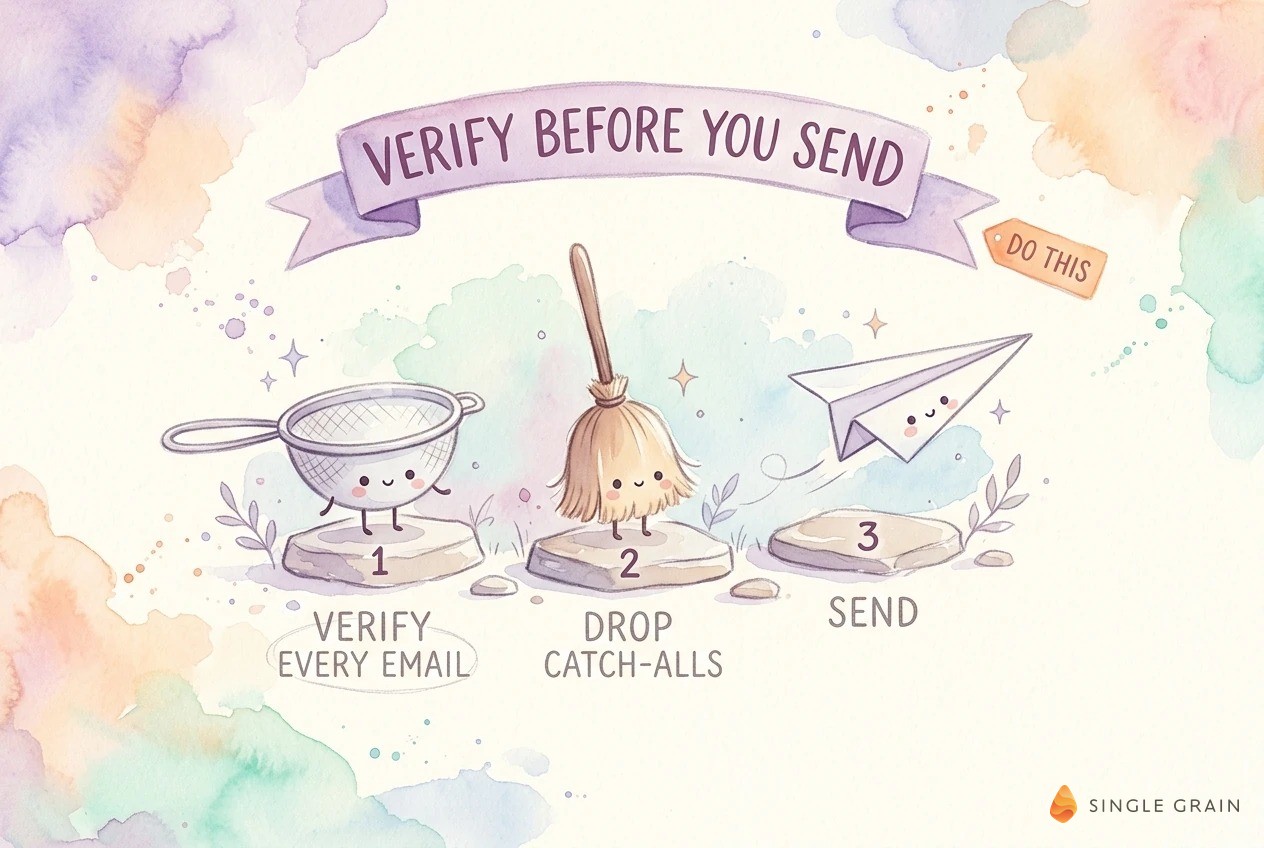
My bots treat verification as a hard stop. An address either passes or the candidate moves to the back of the line until a better address appears.
Drop Catch-All Addresses
A catch-all domain accepts mail for any address at the domain, real or invented. Verifiers can’t confirm the mailbox, so the result comes back as unknown. Unknowns are how a clean-looking list still bounces, so my bots drop catch-alls automatically and move on to the next candidate.
Treat Email Finders as a Starting Point
Personal emails are hard to find. When Juicebox became our bottleneck, my Grok Bot agent suggested a tool called Treg to find personal emails. Treg is 60 to 70% accurate, which is enough to stop the sends from being the bottleneck.
Accuracy in that range makes verification mandatory. Every found address goes through the same verify-and-drop step before a single message leaves.
| Pro-Tip |
|---|
| Run verification twice. Check once when a candidate enters the pipeline, then again right before the first send. A few days is enough for an address to go bad, and a second check costs far less than a hard bounce. |
Clean lists cut bounces, but you still need a safety net for the bad addresses that slip through.
What Is a Good Cold Email Bounce Rate for Recruiting?
For cold recruiting outreach, I treat 2% as the line. Below it, campaigns keep running. Above it, the campaign pauses itself until someone checks the list.
Mailbox providers don’t publish a bounce limit. Gmail does set a spam complaint ceiling, asking senders to stay under 0.10% and never reach 0.30%. High bounce rates and high complaint rates tend to show up together, because both come from emailing people who didn’t expect to hear from you.
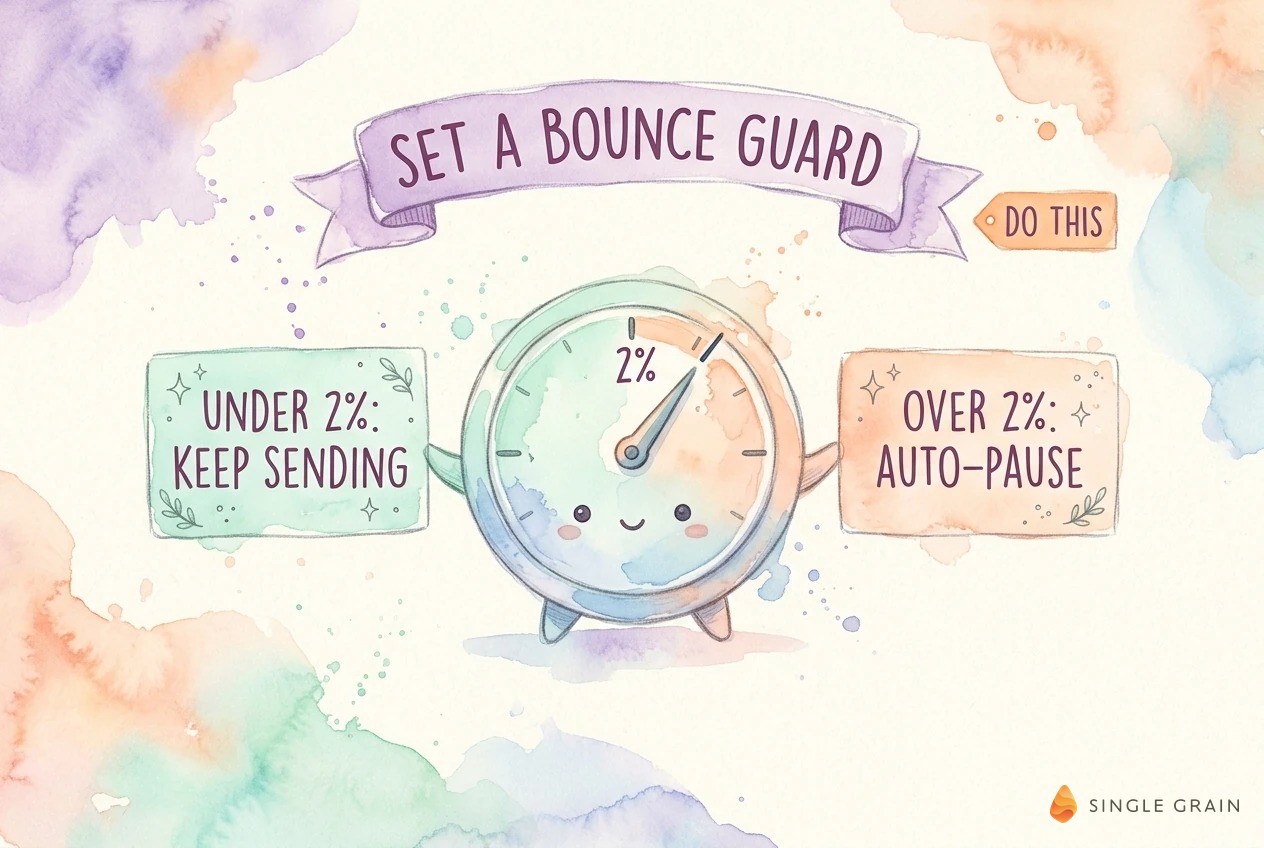
A fixed threshold takes the guesswork out of the decision. Nobody has to debate if a bad day is bad enough to stop.
Set an Auto-Pause Rule
In my system, Bounce Guard is an automatic check on every campaign. It watches the bounce rate and pauses any campaign crossing 2%. One morning the daily report said Bounce Guard had paused a campaign, so I told the bot to fix the list and resume it without waiting for me.
Many sending tools let you build a similar rule. Pick a threshold, tie it to an automatic pause, and route the alert to whoever owns the list.
Watch Spam Complaints in Postmaster Tools
Bounce rate is only half the picture. Set up Google Postmaster Tools for each sending domain to see spam rate, domain reputation, and authentication results for mail sent to Gmail users.
Yahoo publishes similar sender best practices around authentication and complaints. A list clean enough for Gmail usually holds up across the other major inbox providers.
With guardrails in place, the next layer is the sending setup itself.
Email Deliverability for Recruiters: Build the Sending Setup
Your sending infrastructure decides how much damage one bad list can do. Keep recruiting outreach off the domain your company uses for everyday email, so a rough week in recruiting never touches sales or customer mail.
Authenticate Every Sending Domain
Set up Sender Policy Framework (SPF), DomainKeys Identified Mail (DKIM), and Domain-based Message Authentication, Reporting, and Conformance (DMARC) on every domain sending recruiting email. Google requires all three for anyone sending more than five thousand messages a day to Gmail accounts. Microsoft rolled out similar requirements for high-volume senders to Outlook.
Hiring volume rarely hits this bar at first. Authentication still helps every message, and it’s far easier to set up before a problem than in the middle of one.
Warm Up Separate Sending Inboxes
Our first funnel report showed every role running under its daily cap. Juicebox was the bottleneck, because sending more meant paying for more inboxes. So I bought inboxes on Instantly and gave each one a warm-up period.
Warm-up means each new inbox starts at low volume and climbs slowly. Gmail recommends a low start with engaged recipients and no sudden volume spikes. Most outbound automation tools now include warm-up and inbox rotation, so you rarely need to build this yourself.
Spread sends across several warmed inboxes so no single inbox carries the load. If one inbox runs into trouble, the rest of the campaign keeps going.
Deliverability gets the email to the inbox. The message itself decides if the candidate answers.
How to Write Recruiting Emails That Earn Replies
Inbox placement and copy feed each other. Emails people reply to build sender reputation, and emails people mark as spam erode it.
My bots open with an apology for being direct, then describe exactly the person we want. It sounds small. An upfront, specific opener sounds like a person wrote it, which keeps complaints low.
Cap First Messages per Role
Each role gets its own daily cap, with separate caps for search engine optimization (SEO), paid media, product, and sales roles. Caps keep volume steady, which is what mailbox providers want to see. They also push the bot to send its best-fit candidates first.
Respect the Do-Not-Contact List
The first rail in my system is a do-not-contact check. Friendly companies and people we’ve already turned down never get a cold email from us. Complaints often come from people who feel they never should have been contacted, so this list protects your reputation and your relationships at once.
Keep each message short and plain, with one clear ask. The same habits behind efforts to get more responses from cold emails work here. Classic email outreach best practices, like plain text and few links, also keep you clear of spam filters.
| What You Should Do |
|---|
| Answer the question candidates quietly ask, how often will I hear from you? Send one first message and no more than two follow-ups spaced a few days apart. Stop the moment someone replies or asks you to. |
Good copy only pays off if you can see where candidates drop, which is the job of the daily report.
Track Your Recruiting Funnel Every Day
A funnel report lands in Slack every day. It shows pre-qualified, emailed, replied, interested, seven questions sent, answered within twenty-four hours, and shortlisted.
The report is how I catch deliverability problems early. When emailed counts climb and replies stay flat, I check bounces and inbox placement before I touch the copy. A cold email campaign for sales gets read this way, and recruiting deserves the same attention.
Turn Every Report Into a Fix
I read the report and tell the bot what to fix. When it flagged Instantly wasn’t set to send on Sundays, I told it to just fix it. Now the bot connects to the Instantly application programming interface (API), turns on Sunday sends, and resumes paused campaigns itself.
Replies deserve as much care as sends. Interested candidates get the seven questions we send every AI-native hire, and Jev scores the answers before a person ever books a call.
Keep a Human on the Final Call
The bots handle sourcing, screening, and upkeep. The call itself still goes to me or another hiring manager at the end of the day. This split is a big part of how my team operates as an AI-native company, and it fits the AI hiring plan I think every marketing leader needs now.
Bring Marketing Discipline to Your Hiring Outreach
Outbound recruiting is a marketing channel, and it deserves the same care as your sales sequences. Verify every email, drop catch-alls, cap first messages, and let a bounce guard pause anything over 2%. Do this, and your best candidates actually see your message.
If you want outbound systems and funnels with these guardrails built in, Single Grain can help you build them through its marketing consulting services and marketing funnel services.
Frequently Asked Questions About Recruiting Email Deliverability
-
What is a good bounce rate for recruiting emails?
Aim to keep cold recruiting campaigns under a 2% bounce rate. My bots pause any campaign above this line automatically. If you see hard bounces climbing, stop the campaign and re-verify the list before sending again.
-
Why do recruiting emails go to spam?
Most recruiting emails land in spam because of unverified addresses, missing domain authentication, or sudden jumps in sending volume. Personal addresses found through enrichment tools are often guesses, so bounces pile up fast. Gmail and Outlook treat a high bounce or complaint rate as a sign of an untrusted sender.
-
Should recruiters send outreach from a separate domain?
Yes. A separate sending domain with its own warmed inboxes keeps a bad recruiting list from hurting the domain your company uses for sales and customer email. Authenticate the new domain before the first send.
-
What is a catch-all email in email verification?
A catch-all email domain accepts messages for any address at the domain, so a verifier can’t confirm a specific mailbox exists. Verification tools usually label these addresses as unknown or risky. For cold recruiting outreach, it’s safer to skip them.
-
How often should recruiters follow up with candidates by email?
One first message plus up to two follow-ups spaced a few days apart works for most cold outreach. Stop as soon as the candidate replies or asks you to. More touches raise the odds of spam complaints. For more on the copy itself, see these cold email templates that get responses.