What Is an AI Native Company? Ultimate Guide to Become AI Native


Right now, brain drain in companies that have not jumped on the AI bandwagon is a real problem. Smart employees that desperately want to push forward with AI feel constrained by traditional processes, and ultimately leave to find a company that embraces AI nativeness. If you’ve experienced this sting and want to transform your business into an AI native company, you’ve come to the right place.
In this guide, you’ll learn what an AI native company is and how it differs from one that simply bought more software. I’ll also explain what an AI native operating model actually looks like at my company, Single Grain, and how can you tell whether your company is ready to give an AI agent more responsibility.
TL;DR
- An AI native company designs work around AI execution. People define outcomes and take responsibility for the decisions an agent needs help making.
- Look at a completed job. A draft, an approval, and a record of the result reveal more than a software subscription.
- Start with a recurring marketing workflow. Choose work you can inspect and pause before expanding its permissions.
- Budget for review and repair. Include rejected output and human intervention when judging whether the workflow earns its place.
What Is an AI Native Company?
An AI native company builds its operating model around AI doing the recurring work. Human owners decide which jobs to hand off and what good output looks like. For each job, the AI agent needs the right information, somewhere to put finished work, and clear rules for when to stop and ask a person.
Startups get to design this from day one. Luckily, if your company has been around for years, you can still get there by rebuilding one workflow at a time. What really matters is how work actually moves through your team today.
For a business or marketing leader, the useful question is where responsibility changes hands. If you ask AI for a report and then manually reconstruct every recommendation, the report still leaves a large job on your desk. If a workflow gathers approved inputs, produces a reviewable recommendation, and records your decision, you’ve delegated a more complete unit of work.
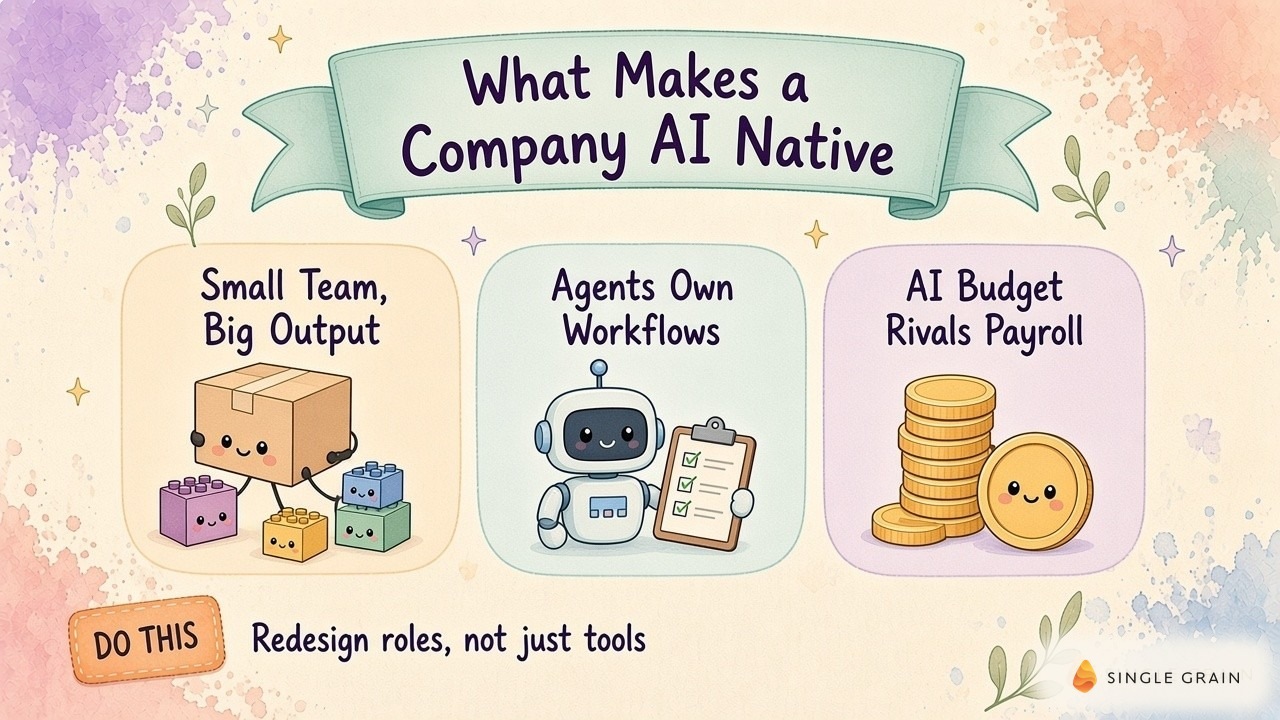
Tools fit inside this operating model. A chat interface can help with a task, while a connected workflow can carry work between systems. I use the workflow’s actual behavior to judge how much responsibility it deserves.
AI Native vs. AI-Enabled Work
AI-enabled work adds assistance to an existing process. On the other hand, AI native work changes how the entire process runs, including who checks it and how failures return to an owner. In other words, AI nativeness is the leveled-up version of AI-enabled work.
Both ideas can be useful, and the right choice depends on how repeatable the job is.
When a marketer drafts an email in chat, they’ve gained help with writing. But a recurring campaign workflow needs more: approved audience inputs, somewhere for the draft to land, and a decision about sending. Every responsibility you add is another reason to spell out permissions and review rules.
Anthropic’s building effective agents guide is a useful technical reference alongside this operating question. Before choosing an architecture, I’d write down the job and identify which decisions can follow fixed instructions. Leave ambiguous decisions visible to the person accountable for the outcome.
You can begin with a narrow scope and still learn a lot. My team’s editorial process shows what this looks like when an agent’s output reaches a real editor.
Inside Single Grain’s Editorial Workflow
In my editorial workflow walkthrough, I described Jev filtering ideas already covered by live posts. A table goes to my team, and a gap card reaches Hailey, an editor at Single Grain. She decides whether an idea should move forward.
Each step leaves a record. An idea has a table entry; the editor receives a gap card; approved work can become a WordPress draft. My explanation also includes editorial rules and a way to update the rules and memory after feedback.
Make the Editor’s Decision Visible
Hailey’s role gives the workflow a real decision point. A proposed article can overlap with existing coverage even if its wording looks fresh. The editor needs enough context to judge the angle before a draft creates more review work.
If you’re adopting this pattern, inspect the artifact your reviewer receives. I’d want the proposed angle beside the existing coverage and an explanation of the reader’s unmet need.
Editorial feedback should change the next run. When a reviewer catches a repeated error, record the correction in the workflow’s instructions and check whether it recurs. My guide to AI agent memory covers the context agents need across runs.
This is also why I wouldn’t judge the system by draft volume alone. The gap card earns its place when it helps the editor make a useful decision. Recruiting exposed a different failure mode for me, because activity at the top of a funnel can hide a broken handoff farther down.
A Recruiting Report Exposes Broken Handoffs
In my talent bot walkthrough, I reviewed a daily funnel report. It separated prequalified candidates, emails sent, replies, interested candidates, and responses to screening questions. As Single Grain’s CEO, I could inspect where the recruiting workflow stopped producing progress.
I called out activity in the early stages followed by an empty later stage. I asked about credit limits and campaigns failing to send. The report made the interruption visible, and finding the cause still took a closer look.
Inspect the Missing Transition
This is a useful scene to remember when an automation looks busy. A count of sourced candidates doesn’t tell a hiring manager whether anyone received the next message. You need a record of the transition between stages to distinguish candidate behavior from a delivery problem.
My recommendation is to attach the failure reason to the affected record. A missing reply and a message never sent need different responses. Ask the workflow to show the evidence behind its diagnosis before allowing a repair.
Hiring still needs human judgment. My AI native hiring questions and AI native marketer habits offer related ways to examine how someone works. For your marketing team, ask a candidate to explain a real failure and show the artifact used to diagnose it.
A broken handoff has a cost even when the model call is cheap. Before handing an agent a larger job, I’d put the expected result and the stopping conditions in writing.
Give an Agent a Reviewable Job
Choose recurring work whose output you already know how to review. Marketing reports make a reasonable starting point, as long as you can trace each conclusion back to approved source data. But if a job depends on an unrecorded conversation or a sensitive relationship call, keep a person closer to it.
Write an agent job card before expanding access. Name the human owner, describe the allowed inputs, and explain what a completed artifact contains. Include the conditions requiring a pause, such as missing source data or conflicting instructions.
Define Done Before Expanding Access
For a reporting workflow, I’d require each recommendation to point back to its evidence. Separate observed results from proposed explanations. An agent should be able to say it lacks enough information without filling the gap with a confident sentence.
| Pro-Tip |
|---|
| Ask your reviewer to reject a flawed sample before the workflow runs unattended. Use a previously rejected report with the sensitive details removed. Check whether the instructions help the reviewer and agent identify the same defect. |
This exercise tests a boundary you can inspect. If the workflow passes a bad sample or cannot explain why it stopped, revise its instructions before granting broader permissions. The reliable marketing bots guide is a related reference for this stage.
Once the artifact is reviewable, you can ask the agent to attempt a more ambitious version of the job. Keep the experiment narrow enough to explain the result afterward.
Test AI Work Without Losing the Cause
Faster production gives you more opportunities to change a campaign. It also makes it easier to lose track of which edit affected performance. I want the workflow to preserve enough history for a marketing owner to explain a result.

Keep a Change Record for Every AI Edit
In the Marketing School discussion about rapid iteration, the warning was specific. Marketers can ship many changes quickly and struggle to identify which helped or hurt conversions. I take this as a reason to keep a change record alongside the campaign.
I’d record the hypothesis and approval before a change goes live. Afterward, attach the affected campaign or page and the measurement window. If another edit overlaps, keep the overlap visible when interpreting the result.
Ask Agents for Proof With Each Result
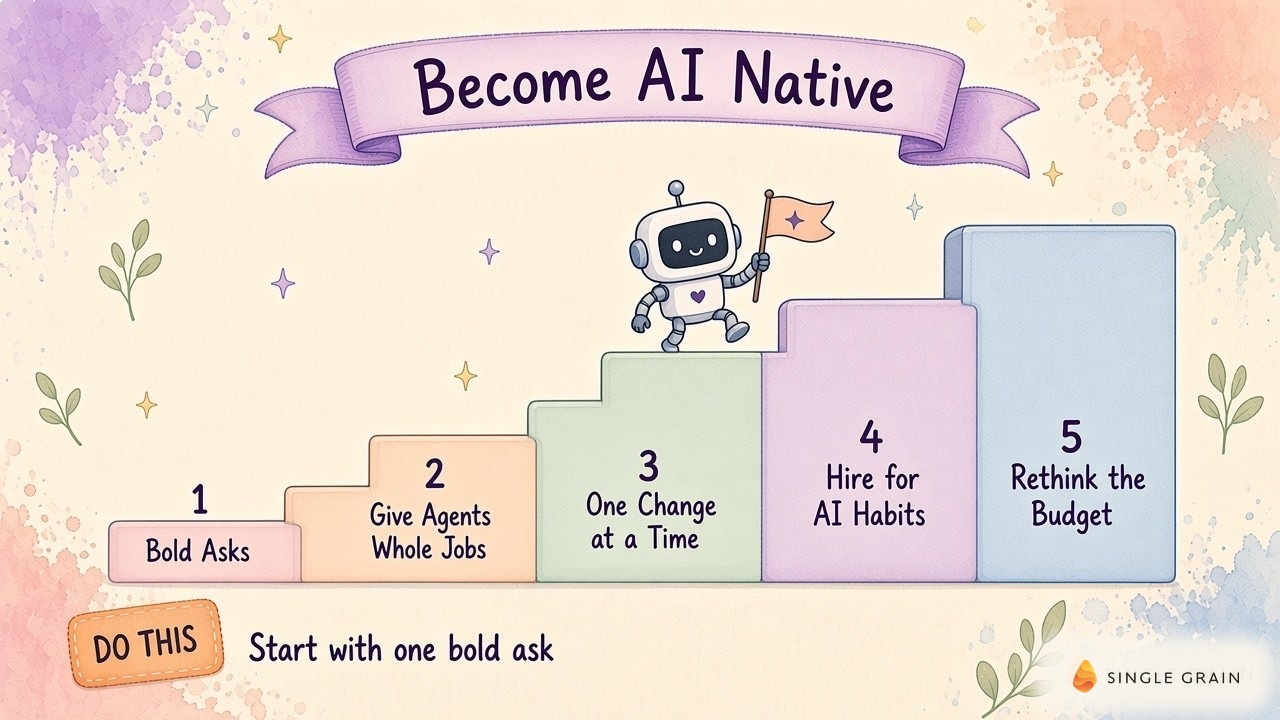
In my Leveling Up discussion about asking more of agents, I explored more demanding requests, including repeated testing and requests for proof. Use this mindset to improve the evidence accompanying a result. An agent can attempt broader work while a human still controls consequential decisions.
Better evidence helps you decide whether to keep the workflow. Cost deserves the same care, especially when a successful demo encourages a larger rollout.
Budget for Completed Work
An AI bill doesn’t tell you whether an operating model works. For a marketing workflow, I would compare the cost of producing an accepted artifact with the value of using it. Include the review required to reach acceptance.
My AI spend per employee guide offers a related budgeting lens. For a pilot, I’d also keep a spreadsheet column for human intervention. A bot requiring repeated rescue may cost more in attention than its usage invoice suggests.
Decide When to Expand the Pilot
Expand when the owner can explain accepted output and recurring failures using actual records. Check whether the workflow stops on missing data and whether corrections survive into later runs. More permissions should follow evidence of reliable behavior within the current scope.
If review time keeps rising, narrow the job. If inputs change often, strengthen the check for stale context. If the output is accurate but unused, reconsider whether you’ve chosen a job worth automating.
You don’t need a worldwide count of AI native firms or another company’s token bill to make this decision. Your own accepted work and repair records provide a more useful basis for choosing the next workflow.
Build the Company AI Makes Possible
I’d begin with a recurring marketing job you can inspect from request to result. Give it an owner and a reviewable output, then use real failures to improve the instructions. My team’s gap cards and recruiting reports show where to look when a workflow needs attention.
If you’d like help redesigning your marketing workflows, explore Single Grain’s AI transformation services or contact my team to discuss your goals.
Frequently Asked Questions About AI Native Companies
-
What is an AI native company?
An AI native company is designed around AI agents from the start. Its roles, workflows, and budget assume agents handle much of the work while people direct and approve it.
-
What is an example of an AI native company?
Spawn is one example. Its founder reported ten people, $32 million a year in Claude spend, and 77,000 substantial changes shipped in thirty days.
-
What is the difference between AI native and AI-enabled?
AI-enabled companies add AI tools to existing workflows. AI native companies redesign roles and processes so agents own whole jobs.
-
Does spending more on AI make a company AI native?
No. A large AI contract on top of an unchanged org is still an old org. How the company works matters more than how much it spends.
-
How can my team become more AI native?
Ask for bigger, more ambitious work from agents, give them whole jobs with clear definitions of done, change one variable at a time, and hire for AI native habits.