

Google Display Network: Google Now Lets You Rank Ad Channels. What Does This Mean for You?


Google Ads channel prioritization finally gives me a middle ground between “on” and “off” for Search partners and the Google Display Network. Here’s why I love this. For years, the choice was all in or all out, and plenty of budgets paid the price for that checkbox.
If you run marketing and you’ve ever watched Display spend quietly nibble at a Search budget, this update is for you. In fact, you might be wondering, “Can I test these networks without betting the whole campaign on them?” Now you can, with a cap and a clear funding order.
There’s also a deadline hiding in the fine print. Starting in February 2027, Search campaigns with the Display Network turned on lose their current spend allocation setup, so doing nothing is a decision too.
Keep reading to see how the new funding order works, where I’d place each channel, and the test plan my team at Single Grain would run before peak season.
TL;DR
- Channels now get a priority level. You can mark inventory as High or Low priority, and campaigns fully fund high-priority channels first before sending what’s left to the rest.
- Low priority comes with a spending cap. You can set a maximum percentage of daily budget for low-priority channels, and Google aims to stay within it on a best-effort basis.
- February 2027 is the date to remember. To keep today’s setup on Search campaigns with Display turned on, set the Google Display Network to Low priority with a 50% budget allocation.
- Start with a capped test. Keep Google Search on High, put Search partners and Display on Low with a modest cap, and judge both on qualified conversions.
What Is Google Ads Channel Prioritization?
Google Ads channel prioritization is an optional control that decides which ad channels get funded first inside a campaign. Tal Akabas, Director of Product Management at Google Ads, announced it alongside a matching budget allocation control in Google’s Ads and Commerce blog.
Now, let me give you the quick facts.
- The controls are rolling out globally over the coming months across Search, Shopping, Performance Max, and Demand Gen campaigns.
- They work at the account and campaign levels and also apply to shared budgets.
- It’s new, too, since the old model was a simple opt-in or opt-out per network.
Google frames this as part of a broader push for advertiser control, building on Smart Bidding Exploration and campaign total budgets.
In Performance Max and Demand Gen, Google’s own surfaces like Search, YouTube, Maps, Gmail, and Discover are grouped together as “Google channels.” So the priority choice there is mostly about Google’s inventory versus partner inventory. Let’s look at how the money actually moves.
How Channel Prioritization Funds Your Campaigns
The logic follows a clear sequence, and it helps to see it step by step.
- Set your tiers. Mark each channel or channel grouping as High priority or Low priority.
- High priority gets funded first. Campaigns fully fund high-priority channels before anything else, within your target when you use Target CPA or Target ROAS.
- The rest flows down. Any remaining budget goes to low-priority channels.
- Caps keep low priority in check. You can set a maximum share of your daily budget for low-priority channels.
Think of it as a coin purse pouring into bowls, where the top bowls fill before the last one gets a drop.
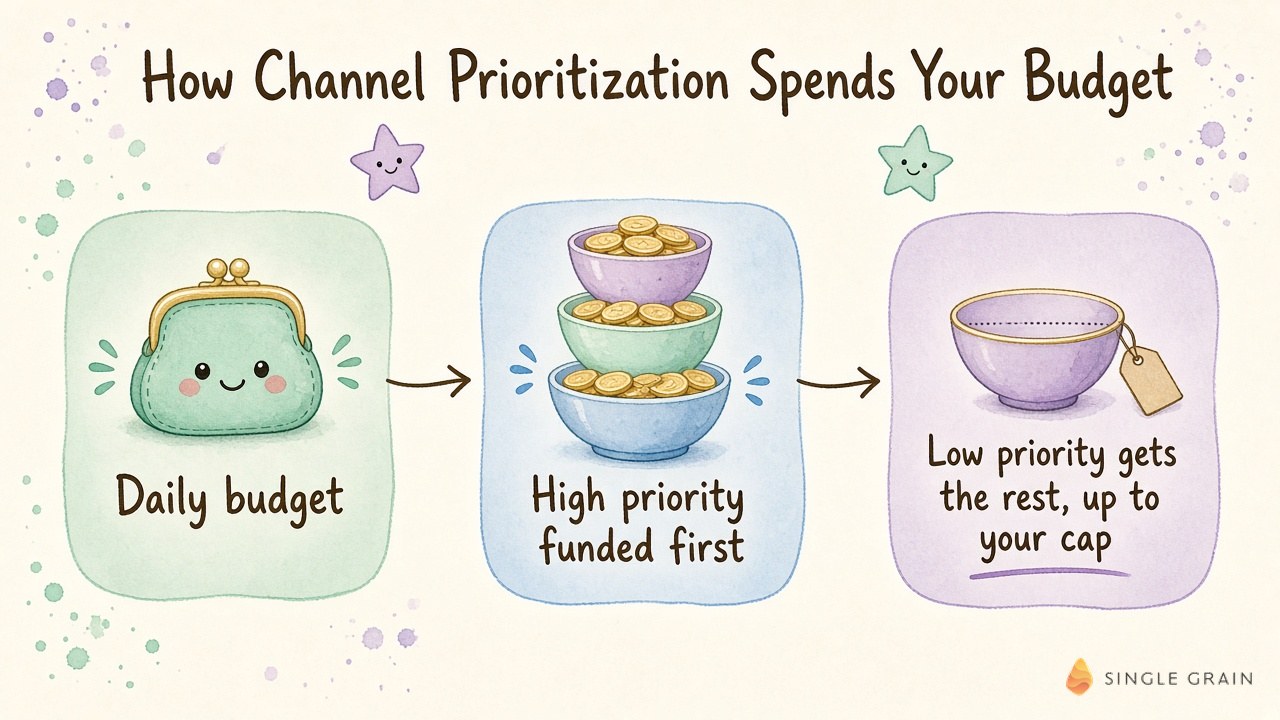
The cap is best effort, so treat it as a strong guide instead of a hard wall. Google also explains why the cap matters so much for certain bid strategies.
| Pay Attention |
|---|
| If your Target CPA or Target ROAS campaigns aren’t limited by budget, Google says channel prioritization alone will generally not have an impact. The budget allocation cap is the lever that actually changes spend in those campaigns. |
So if your Smart Bidding campaigns rarely hit their daily budget, go straight to the cap setting. Next up is the change with a deadline attached.
The February 2027 Google Display Network Change
Starting in February 2027, Search campaigns with the Google Display Network turned on will lose their current spend allocation setup. Google says advertisers may see a shift in channel spending when this happens.
To keep your current configuration, Google’s guidance is to set the Google Display Network to “Low priority” with a 50% budget allocation. That’s the one number in the announcement I’d write on a sticky note.
Don’t wait until the last week to act. Audit which Search campaigns have the Display Network checked, decide whether it belongs there at all, and set the priority on purpose.
| Action Step |
|---|
| Pull a list of every Search campaign with the Display Network turned on. For each one, decide between turning it off, keeping it at Low priority with a 50% cap, or lowering the cap for a tighter test. |
What if you already opted out of these networks entirely? Nothing forces you back in. Google’s pitch is these controls give opted-out advertisers a safer way to test, and advertisers already running on Search partners or Display can add a budget allocation if they choose.
Shared budgets are covered too, so campaigns pulling from one budget can follow the same priority rules. Once the audit is done, you can decide where each channel should live long term.
Where Should Search Partners and the Google Display Network Sit?
My default setup is conservative on purpose. Here’s how I’d personally start each channel, then let conversion data move things.
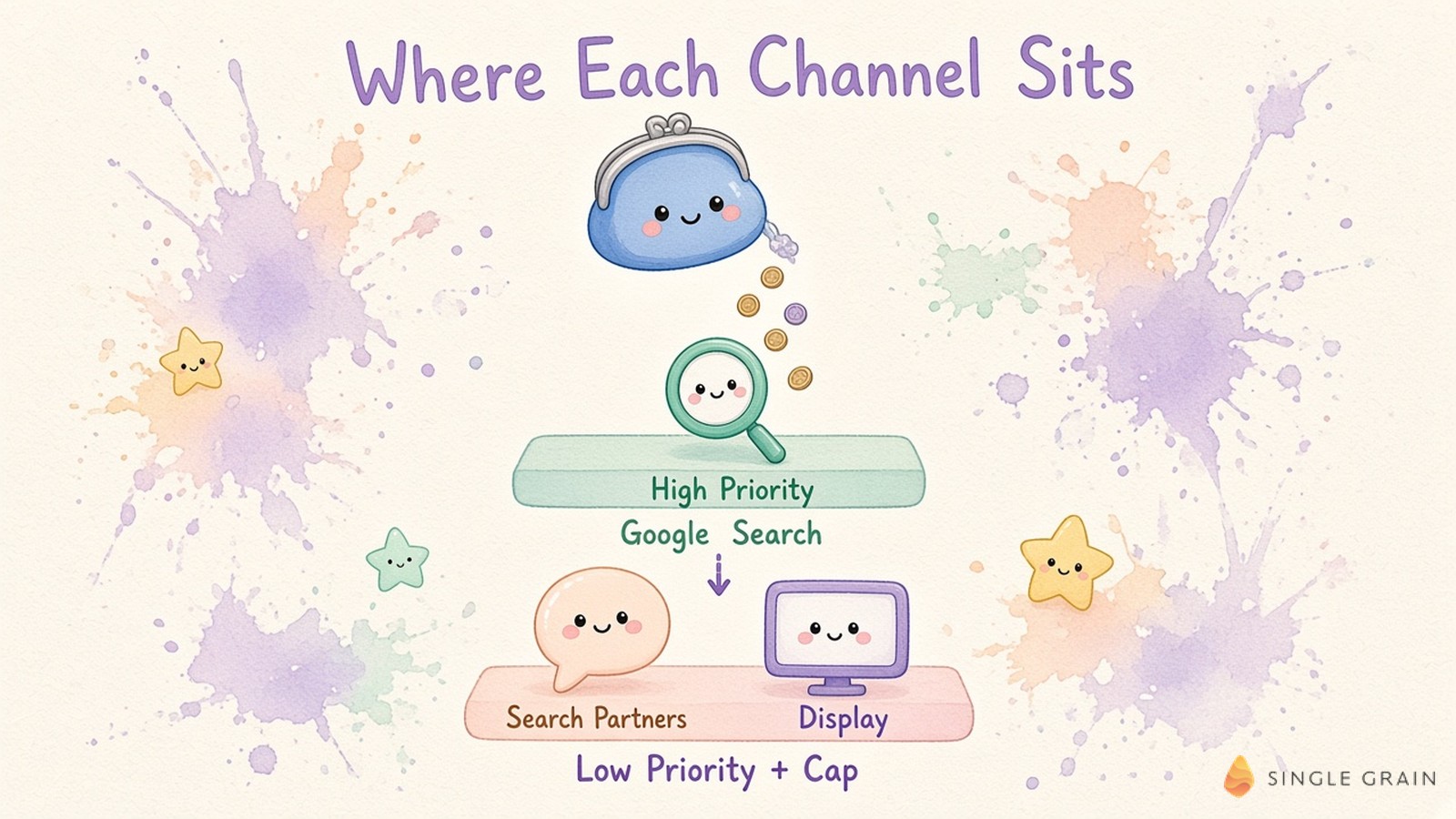
Google Search Belongs on High Priority
Google Search is where intent is highest for most accounts, so it should get funded first. If you’re using Target CPA or Target ROAS, Google funds it within your target before anything else gets a dollar.
Keep your core keyword hygiene tight, too. My negative keywords playbook helps keep that high-priority spend on queries you actually want.
Search Partners Start on Low Priority With a Small Cap
Search partners are sites outside Google Search that show your search ads, and Google explains them in its guide to the Google Search Network. Plenty of advertisers have historically opted out, and Google says this control is meant to let them test again with clearer limits.
That’s how I’d use it. Put Search partners on Low priority with a small cap, and judge it on qualified conversions instead of raw volume.
The Google Display Network Gets a Tight Cap in Search Campaigns
Display placements inside a Search campaign usually behave differently from search clicks. If you keep the Google Display Network on, a Low priority setting with a tight cap keeps it from crowding out search demand.
If you want Display to do real work, give it a dedicated strategy with its own creative and goals. My team’s display advertising services are built around exactly this kind of setup.
Performance Max and Demand Gen Use “Google Channels”
In Performance Max and Demand Gen, Google bundles its own surfaces into one “Google channels” group. You can’t split YouTube from Search through this control, so the priority call is mostly about partner inventory.
For the levers you do have, my Performance Max playbook walks through the controls and tradeoffs.
Now that the defaults are set, the real work is proving them right or wrong with data.
A Simple Channel Test Before Peak Season
Google pitched these controls as a way to spend with confidence ahead of the holidays. Here’s the three-step test I’d run.
- Get a clean baseline. Segment your current results by network so you know what Search, Search partners, and Display each deliver today.
- Set priorities and caps. Start Search on High and the other networks on Low with modest caps, then leave the setup alone long enough to gather real conversion data.
- Judge on quality. Compare cost per qualified lead or revenue by network, and raise a cap only when a channel earns it.
Measurement is where most channel tests fall apart, so double-check your setup first. My guide to Google Ads conversion tracking covers the common breaks.
| Pro-Tip |
|---|
| If a low-priority channel looks great on cheap conversions, run an incrementality test before you raise its cap. Cheap conversions sometimes come from people who would have converted anyway. |
You can also lean on Quality Score as a diagnostic when search performance shifts after the change.
Put Your Budget Where Your Buyers Are
Google Ads channel prioritization turns a blunt on-or-off choice into a dial. Used well, it lets you test Search partners and Display without risking your best search demand, and it gives you a clean answer before the February 2027 change lands.
If you want a second set of eyes on the setup, my team at Single Grain offers Google Ads management and broader PPC services for growth-stage brands. Reach out to my team about your Google Ads budget and my team will help you decide where every dollar should go first.
Frequently Asked Questions About Google Ads Channel Prioritization
-
What is Google Ads channel prioritization?
It is an optional Google Ads control that lets you mark channels such as Google Search, Search partners, and the Google Display Network as High or Low priority. Campaigns fully fund high-priority channels before sending remaining budget to low-priority ones.
-
Which campaign types support channel prioritization?
Google says the controls are rolling out globally to Search, Shopping, Performance Max, and Demand Gen campaigns over the coming months, at the account and campaign levels and for shared budgets.
-
What changes for the Google Display Network in February 2027?
Starting in February 2027, Search campaigns with the Google Display Network turned on lose their current spend allocation setup. Google says to keep your current configuration, set the Display Network to Low priority with a 50% budget allocation.
-
Is the budget cap for low-priority channels guaranteed?
No. Google says it aims to keep spend within the cap on a best-effort basis, so check network-level reporting after you set it.
-
Should I turn Search partners back on?
If you opted out in the past, a Low priority setting with a small cap is a lower-risk way to test it. Judge it on qualified conversions, and see the negative keywords playbook to keep the spend clean.


