

What Are Meta Partnership Ads, and How Do You Run Them Well?


Meta partnership ads let your brand run ads with a creator’s name and face in the header, right next to yours. You may know these by their previous name, branded content ads. Meta claims the format grew more than 97% in the past year!
So, what does this mean for you? For starters, you get a creator’s credibility plus your own targeting, budget, and reporting. Keep in mind that permissions, ad codes, and identity settings can slow a first campaign down, so it pays to know how the pieces fit before you brief a creator.
In this quick guide, you will learn how partnership ads work on Facebook and Instagram, how they compare with whitelisting, how to set one up, and why Meta’s latest earnings call makes them worth a test now. Let’s jump right in!
TL;DR
- Partnership ads pair two identities in one ad. Your brand and a partner, usually a creator, both appear in the header, and Meta uses signals from both accounts for delivery.
- Permissions come first. A creator can share an ad code for one post or grant account-level access, and then you switch on the partnership ad toggle in Ads Manager.
- Meta’s own tests favor them. In Meta’s internal test, partnership ads added to business-as-usual campaigns delivered 19% lower CPAs and 13% higher click-through rates on average.
- Test them against brand-only ads. Run a clean split, judge results on CPA, and scale the creator posts already working organically.
TABLE OF CONTENTS:
- What Are Meta Partnership Ads?
- How Partnership Ads Work on Facebook and Instagram
- Partnership Ads vs Whitelisting vs Boosted Creator Posts
- How to Set Up Meta Partnership Ads Step by Step
- When Partnership Ads Make Sense (and When They Don’t)
- How to Measure Partnership Ads Against Brand-Only Ads
- Why Partnership Ads Matter Now: 97% Growth and a $15B Run Rate
- Bring Creators Into Your Paid Social Plan
What Are Meta Partnership Ads?
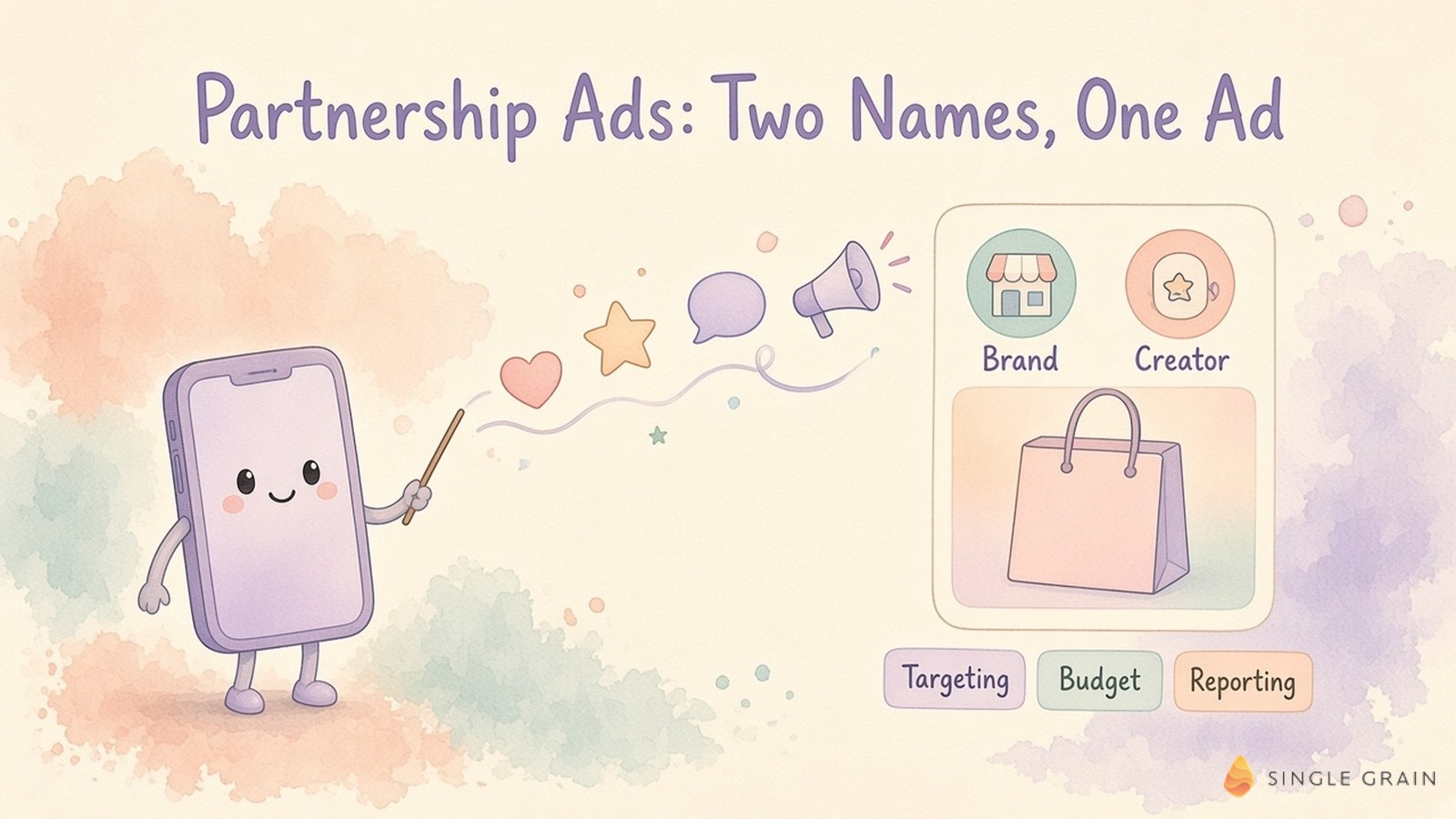
Meta partnership ads are paid Facebook and Instagram ads that run from two accounts at once, usually your brand and a creator, though the partner can also be another brand or business.
Both names show up in the ad’s header, and Meta uses signals from both accounts to decide who sees it. Think of it as borrowing a familiar face for your ad while the campaign still runs from your own Ads Manager. Meta’s About partnership ads page has the official fine print.
Meta renamed branded content ads to partnership ads Since September 2026, partnership ads can also run in the WhatsApp Status placement.
The practical difference from a normal ad is trust.
People see someone they already follow vouching for your product, while you keep budget, targeting, and reporting in Ads Manager. If creators are new to your plan, a refresher on influencer marketing helps before you sign anyone. Here’s how the mechanics work on each app.
How Partnership Ads Work on Facebook and Instagram
Every partnership ad needs the partner’s permission, and Meta offers two kinds.
- Content-level permission. The creator shares a partnership ad code for one post, story, or reel. Per Instagram’s content-level permissions guide, one code can be used by up to two advertisers at a time.
- Account-level permission. The creator lets you boost existing content or upload new content under their handle in Ads Manager, without a fresh code for each post.
You also choose which identities appear in the header. The options are both identities, the first identity only, or dynamic identity, which Meta turns on by default to pick the version predicted to perform best.
Instagram Partnership Ads
Instagram is often the easiest place to start, since so much creator content already lives there. You can promote branded content when the creator turns on the Allow brand partner to boost toggle and tags you with the paid partnership label, or any post once they share an ad code. If the creator archives an Instagram post, your ad code access stays in place.
Facebook Partnership Ads
Facebook caught up in December 2025. Meta’s partnership ads announcement opened eligibility to creators using professional mode profiles, added a Facebook Partnership Ads API for teams working at scale, and let creators send ad codes without waiting to be asked. One limit to know is that archived Facebook content can’t be boosted into a partnership ad.
With the mechanics clear, it helps to see where partnership ads sit next to the creator ad setups you may already run.
Partnership Ads vs Whitelisting vs Boosted Creator Posts
These terms get mixed up in briefs and contracts, so here’s how I separate them.
- Partnership ads. Meta’s official format. Both handles appear in the header, permissions run through ad codes or account access, and results sit in Ads Manager.
- Whitelisting. An industry term for a creator giving an advertiser access to run ads from the creator’s own handle. Meta’s help pages don’t use the word, and account-level partnership permissions now cover most of the same ground.
- Boosted creator posts. You promote a creator’s existing branded content as it is. In Meta’s system this runs through the same partnership ad permissions, so treat it as the quickest path into partnership ads.
In practice, partnership ads give you the most control and the clearest reporting, which is why I’d default to them over handle access arranged outside Meta’s tools. The setup itself takes only a few steps.
How to Set Up Meta Partnership Ads Step by Step
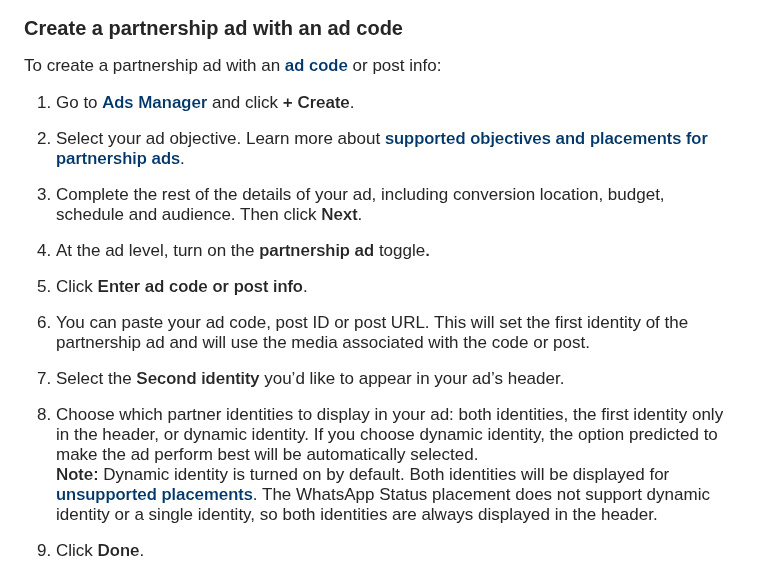
Once a creator sends you an ad code, setup takes a few minutes. Here are the steps from Instagram’s guide to creating a partnership ad, in order.
- Open Ads Manager, click Create, and pick an objective supported for partnership ads.
- Set your conversion location, budget, schedule, and audience, then click Next.
- At the ad level, turn on the partnership ad toggle.
- Click Enter ad code or post info, then paste the ad code, post ID, or post URL.
- Select the second identity for the header and choose both identities, first identity only, or dynamic identity.
- Click Done, finish the ad, and publish it for Meta’s review.
If an agency runs your account, Meta notes you’ll need to grant it permissions across your Instagram account, Facebook Page, and ad account. Campaigns using Meta Advantage+ setup may show slightly different screens, as Instagram’s help page points out.
No ad code yet? With account-level permission you can still build the ad by editing Identities at the ad level and choosing an existing post or new creative. Either way, Meta reviews the ad before it goes live. Before you scale, decide whether the format fits your brand at all.
When Partnership Ads Make Sense (and When They Don’t)
Partnership ads work best when a creator’s audience overlaps with your buyers and the creator already uses your product. They fit launches, social proof for considered purchases, and retargeting with a familiar face.
They’re a weaker fit when you can’t find creators your buyers trust, when legal review would slow every post, or when your category limits what creators can claim. Before you sign anyone, ask yourself, Would my buyers recognize and trust this person? If you’re weighing AI influencers instead, the same trust question applies.
| What You Should Do |
|---|
| Start with creator posts already earning strong organic response. Meta’s Partnership Ads Hub now shows a creator’s organic views, likes, comments, shares, and saves, so you can pick proven content before you spend. |
Good content gets you halfway, and measurement takes you the rest of the way.
How to Measure Partnership Ads Against Brand-Only Ads
Meta reports strong averages for the format, based on an internal test across about 2,400 advertisers.
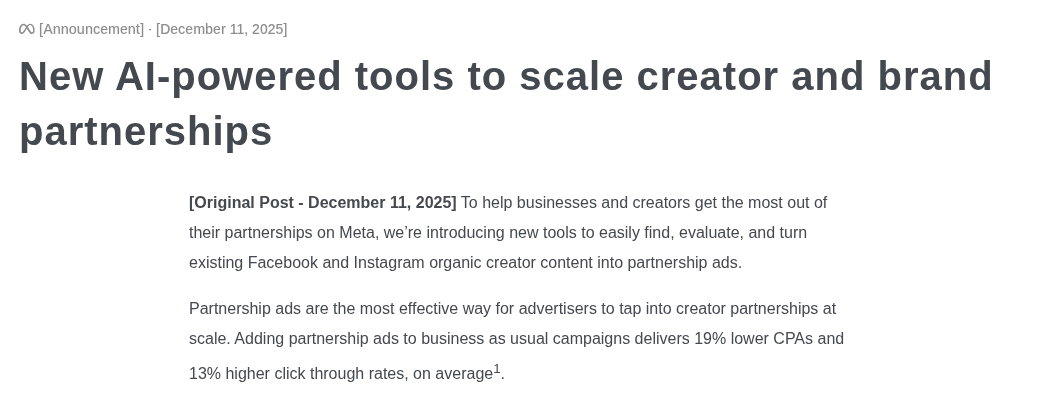
In the same Meta for Business announcement, Meta said adding partnership ads to business-as-usual campaigns delivers 19% lower CPAs and 13% higher click-through rates on average. Your results will vary by category and creator, so run partnership ads and brand-only ads with the same objective, budget, and audience, then compare cost per acquisition over the same window.
Judge on CPA and downstream conversions first, since a familiar face can lift clicks without lifting sales. For a stronger read, hold out a region or audience with incrementality testing, and fold winning creators into your creative testing framework.
Why put this on your roadmap now? Meta’s latest earnings call gives the clearest answer yet.
Why Partnership Ads Matter Now: 97% Growth and a $15B Run Rate
On Meta’s Q3 2026 earnings call, Susan Li, Meta’s chief financial officer, said partnership ads grew more than 97% year over year and passed a $15 billion annual revenue run rate, as reported by PPC Land. The same outlet reported a $10 billion run rate in Q1, so the format added about $5 billion in two quarters.
Li also said Meta finished rolling out Creator Marketing Hub to all advertisers, with more than ten million creators discoverable. A run rate annualizes recent revenue, so read it as a sign of momentum. Meta doesn’t break partnership ads out as a line in its financial statements.
Meta keeps adding tools to make creator ads easier to find, buy, and measure. With its average price per ad up 14% this year, any format Meta credits with lower CPAs deserves a slot in your test plan.
Bring Creators Into Your Paid Social Plan
Partnership ads take the trust creators have built and run it through Meta’s targeting and measurement. Start with one creator, one proven post, and a clean test against your brand-only ads.
If you’d like help finding creators and running the campaigns, my team’s influencer marketing agency and Facebook advertising services can plan, launch, and measure partnership ads with you, alongside the rest of your paid social program.
Frequently Asked Questions About Meta Partnership Ads
-
What are partnership ads in Meta?
Partnership ads, formerly called branded content ads, are Facebook and Instagram ads an advertiser runs with a partner such as a creator, brand, or business. Both accounts can appear in the ad header, and Meta uses signals from both accounts for delivery.
-
How do I run partnership ads on Facebook?
Get permission from the creator through an ad code or account-level access, then create a campaign in Ads Manager, turn on the partnership ad toggle at the ad level, and enter the ad code or select the partner identity before publishing.
-
What is a partnership ad code?
A partnership ad code is a code a creator generates for a specific post, story, or reel. Sharing it gives an advertiser permission to turn that content into a partnership ad, and one code can be used by up to two advertisers at a time.
-
Are Meta partnership ads worth it?
Meta reports that adding partnership ads to business-as-usual campaigns delivered 19% lower CPAs and 13% higher click-through rates on average in an internal test. Confirm it for your brand with a split test against brand-only ads, judged on cost per acquisition.
-
What is the difference between partnership ads and whitelisting?
Whitelisting is an industry term for a creator giving a brand access to advertise from the creator’s handle. Partnership ads are Meta’s official format for this, with permissions, dual-identity headers, and reporting built into Ads Manager. An influencer marketing agency can manage either setup.


