Lead Segmentation: How to Use Relationship Intelligence to Stop Leads Rotting


Does your team practice lead segmentation before a single follow-up goes out? Most CRMs treat every new contact as a buyer. In reality, some leads are future customers, some are people you should hire, some are partners, and a few are vendors pitching you in disguise.
When everyone gets the same follow-up, I’ve found that the best contacts often sit untouched. I call these rotting leads. Your next client might have already requested an audit, joined your newsletter, and replied to an email. If those signals live in three different tools, your team sees three cold leads instead of one warm relationship. Obviously, that’s a problem!
This guide covers what lead segmentation is, the relationship types worth tracking, how we tested it across four lead sources, and a simple framework you can set up this week.
TL;DR
- Lead segmentation sorts contacts into groups so each gets the right follow-up. The most useful groups are relationship types, which go deeper than company size or industry.
- Relationship intelligence connects scattered signals. One person may show up in your newsletter, audit requests, and email replies, and those signals should merge into a single record.
- Read the message before the form fields. In our pilot, a vendor pitch picked a $10K to $20K budget and would have looked like a hot lead on paper.
- Speed still matters. Harvard Business Review research found firms that contacted leads within an hour were nearly seven times as likely to qualify them.
What Is Lead Segmentation?
Lead segmentation is the process of grouping leads by shared traits so your team can prioritize and personalize follow-up. Common traits include company size, industry, job title, budget, behavior, and the offer someone responded to.
Why Basic Segmentation Falls Short
Most teams stop at firmographics. A CMO at a 500-person SaaS company gets tagged as a good fit and dropped into a sequence. It misses the bigger question about what kind of relationship this person actually wants with you.
A strategic look at marketing segmentation covers audience segments at the campaign level. Lead segmentation works one level down, on each contact in your pipeline.
What Relationship Intelligence Adds
Relationship intelligence pulls every signal about a person into one record, then classifies the relationship. It answers three questions:
- What actually happened between this person and your company?
- Is this a client, hire, partner, sponsor, or acquisition angle?
- Who on your team owns the follow-up?
Once those answers exist, follow-up gets specific instead of generic.
The Five Relationship Types to Segment Leads By
Every inbound contact fits into one of these groups.
1. Customers
People with a real problem you solve and a budget to pay for it. These need fast, personal follow-up from sales.
2. Hires
Talented operators who reached out through a lead form, newsletter, or event. They may never buy, but they could join your team. When I scanned my own X followers with a classifier, dozens turned out to be strong SEO, paid media, and engineering candidates I’d never have spotted in a CRM view.
3. Partners and Sponsors
Agencies, tool vendors, and media companies that could refer business or sponsor content. They need a partnerships owner instead of an SDR sequence.
4. Acquisition Targets
Smaller companies in your space that could become an acquisition. This group is rare, but missing one can be expensive. Flag them for leadership with a short note on overlap in customers, services, or team.
5. Vendors in Disguise
People pitching you a service while posing as a prospect. They should be filtered out quickly so sales doesn’t waste time.
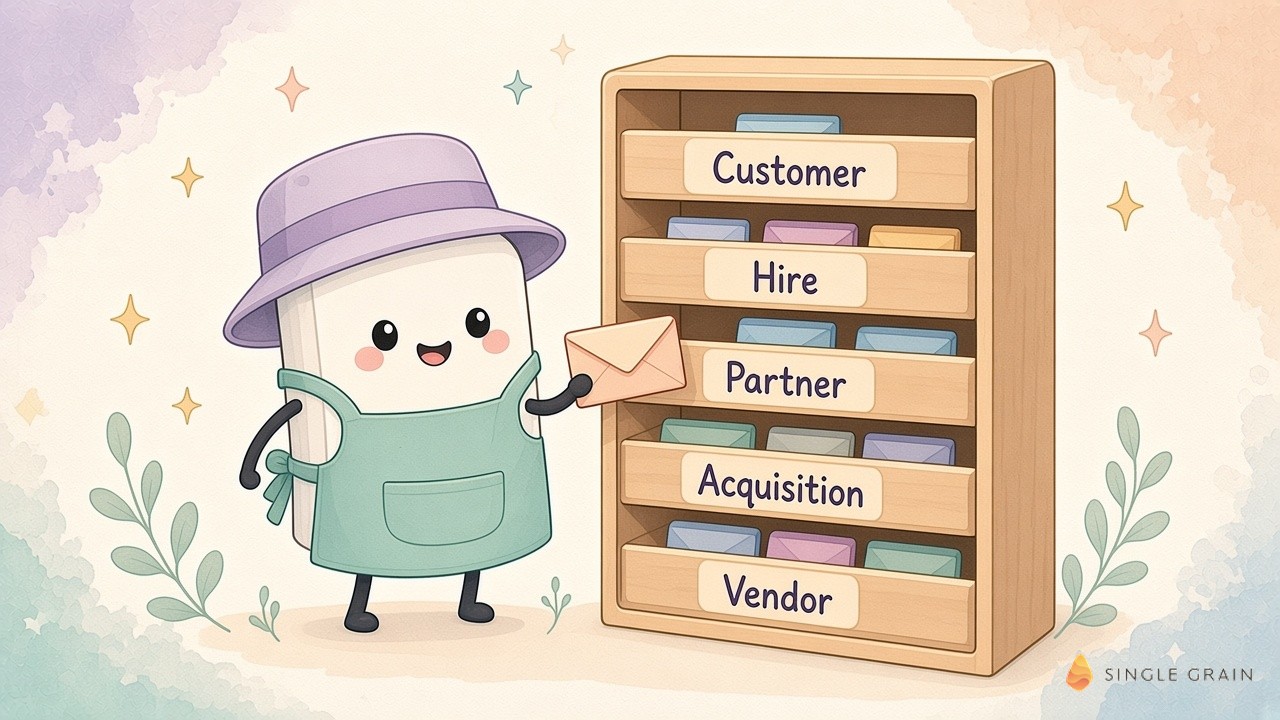
Sorting by relationship type first makes every other segment more useful.
What We Learned From a Four-Feed Pilot
We ran a relationship intelligence pilot across four lead sources: API Gateway leads, AEO citations, newsletter signups, and AI visibility audit requests. Here’s what we found.

Duplicates Hide Warm Leads
We reconciled 522 observations into 492 identity records. So dozens of people appeared in more than one feed. Without merging, each of those people would have looked like a separate cold lead.
Form Fields Can Lie
The biggest lesson wasn’t how many people we could score. It was how easy it was to get the follow-up wrong.
A vendor filled out our consultation form and selected a $10K to $20K budget. If you only read the budget field, that looks like a qualified lead.
Read the message, and it’s clearly a sales pitch. An AI classifier that reads the full submission catches this. A rule that only checks the budget dropdown doesn’t.
Personal Details Make Follow-Up Better
When records are merged and enriched, an agent can suggest specific touches. If someone’s public profile shows they’re a huge Chicago Bulls fan, a signed jersey might open more doors than a fifth follow-up email.
| Pay Attention |
|---|
| Merge identities before you score them. Scoring three partial records for the same person gives you three weak scores instead of one strong one. |
These lessons shaped the framework below.
How to Segment Leads in Five Steps
You don’t need a new platform to start. Most of this can run on your existing CRM plus an AI classifier.
Step 1: List Every Lead Source
Write down every place contacts come from: forms, newsletter, events, audits, demo requests, webinars, and social DMs. Each source is a feed. Note who owns each feed today and where its data lands, because many teams find at least one source that never reaches the CRM.
Step 2: Merge Identities
Match records on email, name, company, and social handles. Combine them into one profile per person, with a history of every touch.
Step 3: Classify the Relationship
Run each merged profile through a classifier that reads the full context, including messages and job titles. Ask for a relationship type and a short reason. We used a similar approach for AI lead qualification across 60,000 leads.
Step 4: Assign an Owner
Customers go to sales, hires go to recruiting, partners go to partnerships, and vendors get archived. Every record needs a named owner.
Step 5: Follow Up Fast
Speed still wins. Harvard Business Review research on 1.25 million sales leads found that firms contacting a lead within an hour were nearly seven times as likely to qualify it as firms that waited even one more hour. A speed-to-lead agent can handle the first touch for the customer segment.
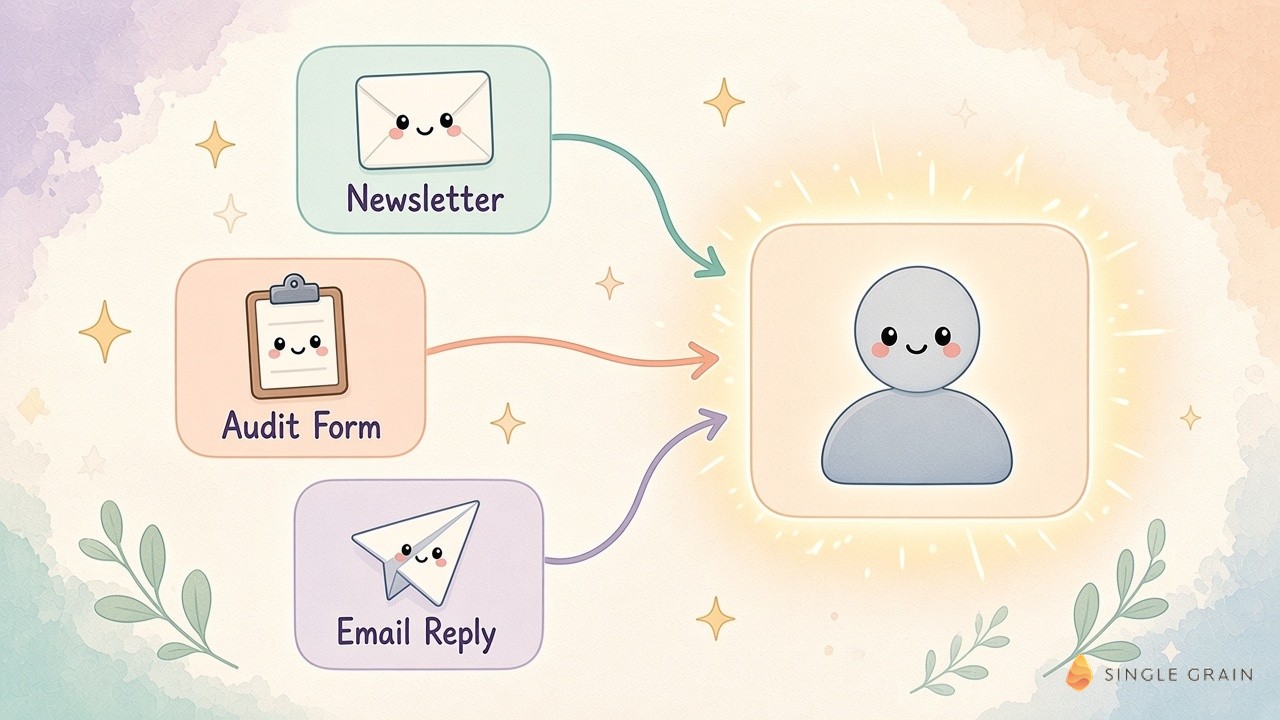
With owners and speed in place, the system starts paying off quickly.
Lead Segmentation Template
Use this table to set up your first version.
| Segment | Signals | Owner | First follow-up |
|---|---|---|---|
| Customer | Budget, pain point, decision-maker title | Sales | Personal email or call within an hour |
| Hire | Strong portfolio, operator title, no buying intent | Recruiting | Short note about open roles |
| Partner or sponsor | Agency, tool, or media company | Partnerships | Intro call or co-marketing idea |
| Acquisition | Small company in your space with overlap | Leadership | Founder-to-founder message |
| Vendor | Pitch language in the message | None | Archive or polite decline |
Review the segments monthly. Contacts change roles, companies grow, and today’s hire could be next year’s customer. Track how many records move between segments each month, since a steady flow of movement usually means the classifier is picking up real changes.
Lead Classification With AI: What to Watch
AI makes lead classification fast and cheap, but it inherits whatever is in your data. Gartner research estimates poor data quality costs organizations at least $12.9 million a year on average, and it names inconsistent data across siloed sources as the hardest problem to fix, according to its data quality overview. Scattered lead feeds are exactly that kind of silo.
Give the Model the Full Context
Pass the complete message, job title, company, and source for each record. A classifier that sees only a name and an email will guess. One that sees the full submission can spot a vendor pitch or a job seeker right away.
Ask for a Reason With Every Label
Have the model return a one-line reason next to each relationship type. Reasons make it easy to audit mistakes, spot patterns, and tighten your prompt or rubric each month.
Spot-Check Before You Automate Follow-Up
Review a sample of every segment by hand for the first few weeks. Once the labels match what your team would choose, let the system route records and trigger follow-ups on its own.
Keep Your CRM Data Fresh
Segmentation breaks down when data goes stale. Job changes, company news, and old budgets can lead an agent to send the wrong message. Set expiry dates on facts like budget and title, as covered in our guide to expiring stale CRM facts. For contacts who went quiet, CRM retargeting can bring them back.
Turn Rotting Leads Into Relationships
Lead segmentation works best when you sort by relationship type, merge every signal about a person, and read the full message before trusting form fields. Assign an owner to each segment and follow up fast.
If you want help building lead segmentation and AI-powered follow-up into your funnel, Single Grain’s marketing automation team can set it up with you. Contact Single Grain to get started.
Frequently Asked Questions About Lead Segmentation
-
What is lead segmentation?
It’s the process of grouping leads by shared traits, such as relationship type, company size, behavior, or the offer they responded to, so your team can prioritize and personalize follow-up.
-
What is relationship intelligence?
Relationship intelligence merges every signal about a person into one record, then classifies the relationship as a customer, hire, partner, acquisition target, or vendor.
-
How do you segment leads?
List every lead source, merge duplicate identities, classify each relationship, assign an owner, and follow up quickly with a message suited to that segment.
-
Why do leads go cold?
Slow follow-up and scattered data. HBR research found firms that contacted leads within an hour were nearly seven times as likely to qualify them.
-
Can AI help with lead classification?
Yes. An AI classifier can read full form submissions and profiles, catching cases like vendor pitches that a budget field alone would mark as qualified.