How to Use AI Candidate Screening to Find Excellent Hires


Can AI candidate screening find your next great hire before you even post a job ad? I tested it last week on a public talent pool most companies ignore, which is the comment section under someone else’s job post.
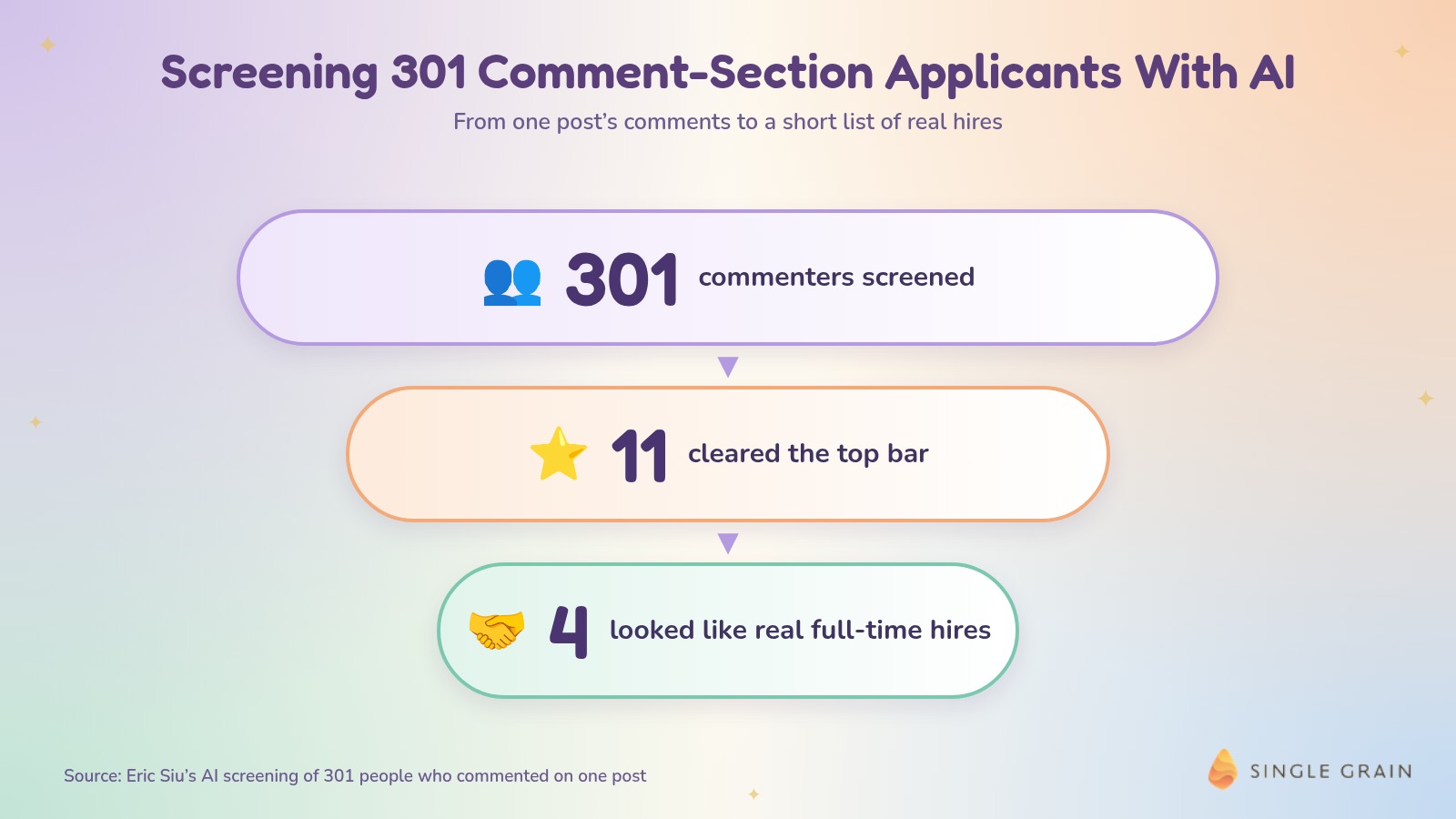
Alex Hormozi posted a Head of Content role on Instagram, and more than 300 people applied in the comments. A manual read of every profile would have taken a full day. I ran all 301 commenters through an AI classifier instead. Eleven cleared the top bar, four looked like real full-time hires, and the total AI cost was under three cents.
This guide shows how AI candidate screening works, how to run the same process on public comments, and the guardrails that keep it fair and legal.
TL;DR
- AI candidate screening sorts applicants by fit in minutes. It reads profiles, scores them against your criteria, and flags the few worth a human review.
- Public comment sections are an untapped talent pool. When a well-known founder posts a job, hundreds of qualified people raise their hands in public.
- The process costs almost nothing. My run through 301 profiles took under three cents in AI spend.
- Humans still make the hiring call. Use AI to narrow the list, then interview, check work samples, and follow local rules on automated hiring tools.
What Is AI Candidate Screening?
AI candidate screening uses language models or classifiers to review applicant information and rank it against criteria you define. Instead of a recruiter skimming every resume, the model reads each one, scores it, and surfaces the strongest matches for a person to review.
How It Differs From AI Resume Screening
AI resume screening usually works inside an applicant tracking system, on resumes people submit to your job post. Candidate screening with AI can go wider. It can review public profiles, portfolios, and social content from people who never applied to you directly.
Why Recruiters Are Adopting It
Good hires are still hard to find. SHRM’s 2025 Talent Trends report found 69% of employers struggle to fill full-time roles, and 51% report a low number of applicants. The same report says 51% of organizations already use AI for recruiting tasks such as resume screening and candidate communication.
The gap between “too few applicants” and “AI is already in the workflow” is where public talent pools come in.
The Hormozi Comment Section Experiment
Here’s the exact process I ran, and what came out of it. I shared the full run on X the day I did it.
The Setup
I used the Jev API from Typesafe, running through Meta Muse because it’s connected to my Instagram account. You can do the same on X with Grok. The classifier read each commenter’s profile, bio, and profile photo, then scored the depth of their content.
The Sort
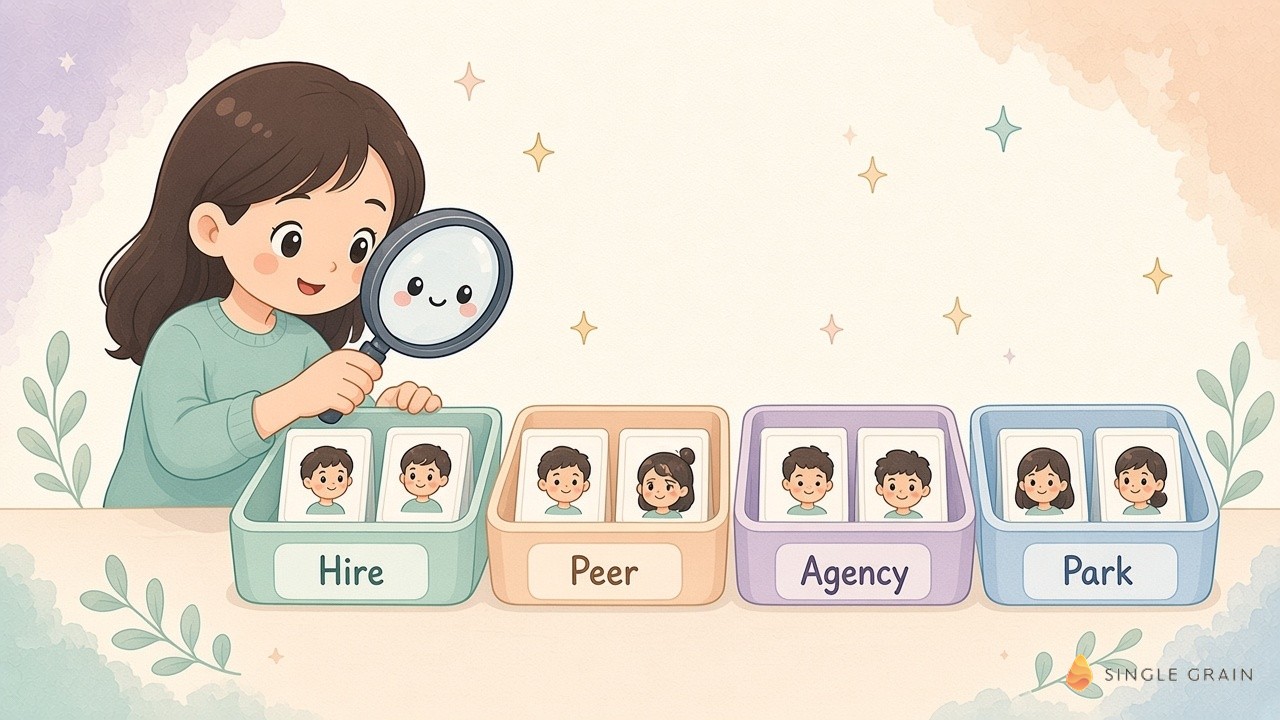
Every person landed in one of four buckets:
- Hire: strong fit for a full-time role.
- Peer: talented operator worth knowing, but not a hire right now.
- Agency: runs a service business, so better as a partner.
- Park: not a fit today.
Four buckets matter more than a simple yes or no. A peer you meet today could be a hire next year, and an agency owner could become a partner.
The Results
Out of 301 people, eleven cleared the top bar. Only four looked like real full-time hires. The total AI cost was under three cents.
One detail surprised me. By the time I checked again, the original post was gone. If I’d waited a week, the whole talent pool would have disappeared with it.
How to Screen Candidates With AI Using Public Comments
You can run this same playbook for almost any role. Here’s how.
Step One: Find a High-Signal Post
Look for job posts from respected founders, operators, or creators in your field. Community threads work too, and these tips on social media recruiting with Reddit show where to look. Their audience tends to include strong talent, and people who comment are actively interested in new roles. Social media is already the top recruiting channel, used by 55% of organizations in the SHRM report.
Step Two: Define What a Great Hire Looks Like
Write a short rubric before you screen anyone. Include the skills, output, and experience you need, plus clear signals for each bucket. A vague rubric produces vague scores. Our list of questions we send every AI-native hire can help you shape it.
Step Three: Collect Only Public Information
Export commenter handles and their public profiles. Stick to what people chose to share publicly, and skip anything that requires logging into private accounts or scraping in ways the platform prohibits.
Step Four: Run the Classifier
Feed each profile to your model with the rubric and ask for a bucket plus a one-line reason. The reason matters, because it lets you audit why the model made each call and tighten the rubric when it drifts. The same approach works for sales lists, as shown in this case study on AI lead qualification for 60,000 leads.
Step Five: Review the Shortlist by Hand
Read every profile in the top bucket yourself. Check portfolios and recent work, then reach out with a short, personal message. Mention the post where you found them, what stood out in their work, and why the role fits. A specific note gets far more replies than a generic recruiter template, and it lands in the inbox when you follow our tips on keeping recruiting emails out of spam.
| Pro-Tip |
|---|
| Act fast. Public job posts get deleted, archived, or buried within days. Screen the comments the same week the post goes up, or the talent pool may vanish. |
Speed matters, but so does doing it responsibly.
Guardrails for Fair and Legal AI Screening
AI can scale bias as fast as it scales speed. Set guardrails before you rely on it.
Know the Rules Where You Hire
Some places regulate automated hiring tools. New York City’s Local Law 144 bars employers from using an automated employment decision tool unless it has had a bias audit within the past year, the audit summary is public, and candidates get notice. Check the rules in every location you hire from, and talk to employment counsel before you use AI for formal decisions.
Keep a Human in the Loop
Use the model to narrow the pool. It shouldn’t reject people on its own. A person should review every shortlist and make the final call.
Score the Work Itself
Profile photos can help confirm an account is real, but they shouldn’t affect the score. Write your rubric around skills and output, and spot-check results for patterns that look unfair.
These guardrails keep the process fast without cutting corners. They also protect your employer brand, since candidates talk to each other about how they were treated.
What to Do With the Other Buckets
The hire bucket gets the attention, but the other three are worth keeping. Peers are strong operators who aren’t looking for a full-time role. Follow them, share their work, and check in a few months later when your needs change.
Agencies can often fill gaps faster than a new full-time hire. If several agency owners show up in the same pool, compare their work and keep two or three on a short list for overflow projects.
The park bucket isn’t a rejection. Some of those people will grow quickly, and a light-touch follow-up costs nothing. Save the full results in a simple sheet with each person’s bucket, the reason, and the date you screened them, so the next search starts from a warm list.
AI Recruiting Tools vs a Custom Classifier
Off-the-shelf AI recruiting tools work well inside an applicant tracking system. A custom classifier works better for one-off pools like public comments, where you need your own rubric and buckets.
| Approach | Best for | Tradeoff |
|---|---|---|
| ATS-based AI resume screening | High-volume roles with inbound applications | Only sees people who applied to you |
| Custom classifier on public profiles | Finding talent in comments, communities, and events | You maintain the rubric and review process |
| Manual review | Senior or highly specialized roles | Slow and hard to scale |
Most teams will mix all three approaches. Inbound applicants still go through your ATS, senior roles still get a careful manual look, and the classifier covers the public pools nobody else is mining. The classifier is just the cheapest way to look where your competitors aren’t looking. For a wider view of where AI fits on a team, see the AI hiring plan marketing leaders need now.
Find Your Next A-Player in Someone Else’s Comments
AI candidate screening turns a day of profile reading into a few minutes and a few cents. Find a high-signal post, define your rubric, screen only public information, and review the shortlist yourself. Your next A-player may already be sitting in someone else’s comment section.
If you want help building AI workflows like this across hiring, sales, and marketing, Single Grain’s AI transformation team can set them up. Contact Single Grain to get started.
Frequently Asked Questions About AI Candidate Screening
-
What is AI candidate screening?
It’s the use of AI models or classifiers to review applicant information, score it against your criteria, and surface the strongest matches for a human to review.
-
How do you screen candidates with AI?
Define a clear rubric, collect only public or submitted information, run each profile through the model for a score and reason, then review the shortlist by hand.
-
Is AI candidate screening legal?
It depends on where you hire. New York City’s Local Law 144 requires a bias audit, a public audit summary, and candidate notice before employers use automated employment decision tools. Check local rules and talk to counsel.
-
How much does AI candidate screening cost?
It can be very cheap. Screening 301 public profiles with a classifier cost under 3 cents in AI spend in our test.
-
Can AI replace recruiters?
No. AI narrows the pool quickly, but people should still review shortlists, interview candidates, and make the final hiring decision.