PMax Image Extraction: What Is It and How to Opt Out


If you’ve been in the loop about recent changes to Performance Max, you probably saw that PMax image extraction will no longer be optional by default. Starting December 4, 2026, Google will switch it on for every new PMax campaign, even when your account-level setting says no.
If you run paid media, this is a quiet change with loud consequences for brand control. Your campaigns can pull images straight from your landing pages, and new ones will do it unless someone on your team says otherwise.
So what exactly does this change, and how do you turn it off before it impacts your campaigns? Great questions! Let’s talk about it.
TL;DR
- Image extraction pulls images from your landing pages into PMax ads. Google can show them across Search, YouTube, Display, Discover, Gmail, and Maps.
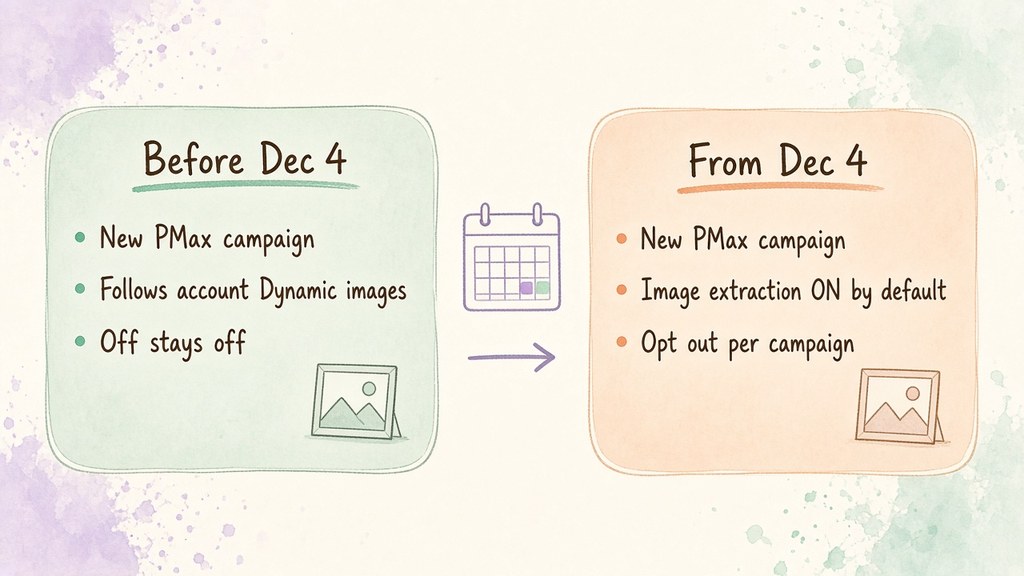
- Today, new campaigns inherit your account setting. If account-level Dynamic images is off, unset campaigns stay off.
- From Dec 4, new campaigns default to opted in. Google says this applies in the API, the Google Ads UI, and Google Ads Editor.
- Campaigns you already run keep their current setup. You still need an opt-out step for every new campaign you launch.
What Is PMax Image Extraction?
Performance Max image extraction is a Google Ads automation that scans your landing pages for high-resolution images and uses them as ad assets. Google’s help page on landing page images states that extracted images go through automated and manual quality checks before they serve.
Under the hood, it uses the same technology as Dynamic images, the account-level automated asset many advertisers already know. Here’s how this setting behaves right now.
How Performance Max Image Extraction Works Today
Right now, a PMax campaign with no image extraction setting inherits the account-level Dynamic images setting. If an account admin switched Dynamic images off, new campaigns quietly followed along.
You can see the account-level setting under Campaigns –> Assets –> Account-level automated assets. In the API, Google exposes it as the isImageExtractionAdExtensionEnabled field.
This inheritance is exactly what Google is changing.
What Changes for New Campaigns on Dec 4
Google announced the change on their Google Ads Developer Blog. Starting on December 4, the GENERATE_IMAGE_EXTRACTION setting will be OPTED_IN by default for all new Performance Max campaigns created through the API, the UI, or Editor.
This is what really stuck out to me: The key line is the override. New campaigns will opt in “even if Dynamic Image Extensions is turned off at the account level.” Campaigns created before the change keep their existing configuration, and Google did not give a reason for the switch.
Before Dec 4, the account setting decides. After Dec 4, the campaign default wins unless you opt out, and the developer post is the source for both rules.
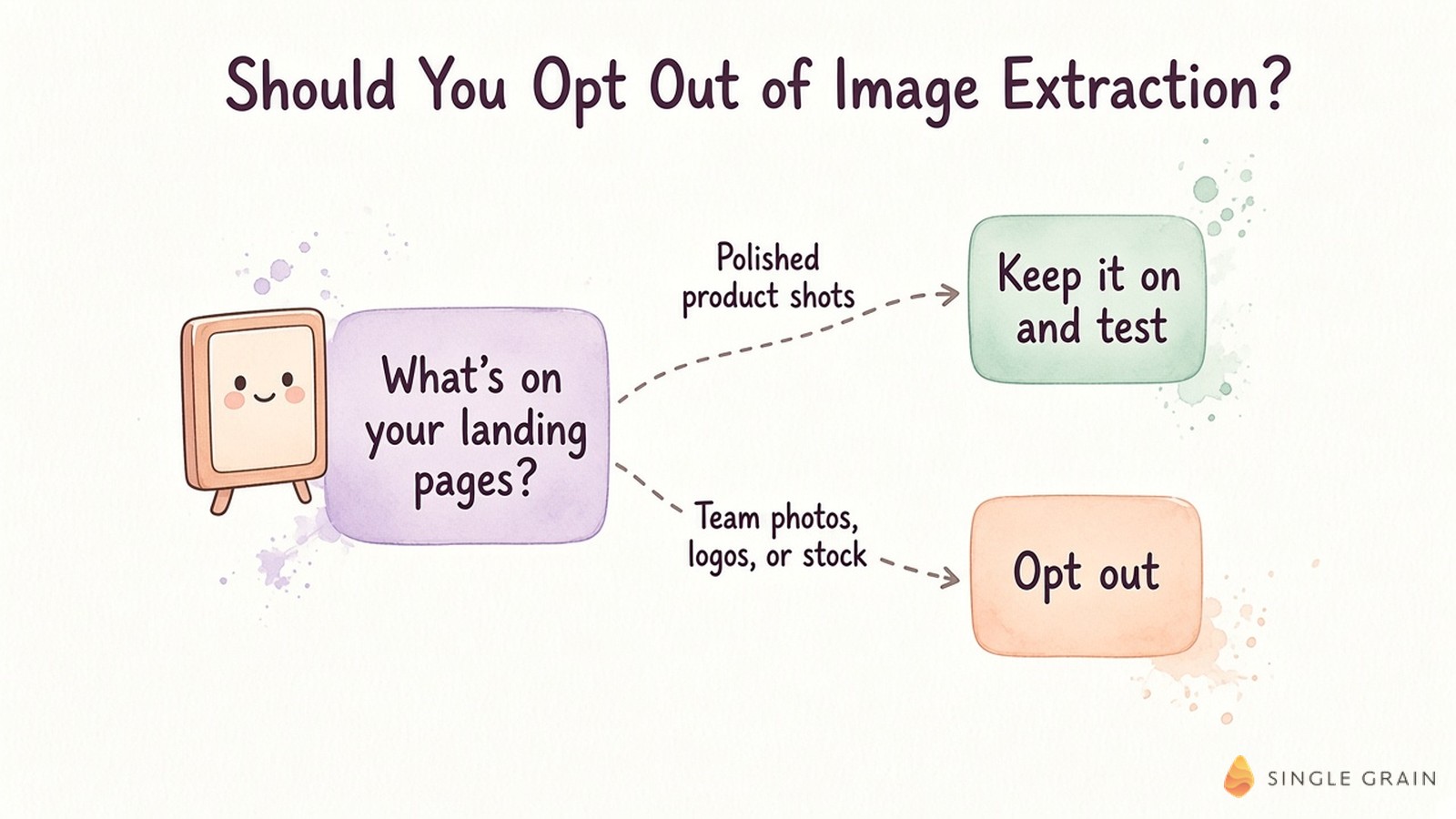
Should You Opt Out of Image Extraction?
It depends on what lives on your landing pages. If your pages carry polished product shots, extraction can add useful variety for creative testing at almost no cost.
If your pages mix in team photos, partner logos, licensed stock, or old campaign art, opt out. Google’s developer post asks advertisers to confirm they have the rights to use images from their landing pages, and that responsibility sits with you.
| Pay Attention |
|---|
| Google says existing campaigns keep their settings. Every campaign you build after Dec 4 starts opted in, so check each launch instead of trusting your account setting. |
Meta is moving the same direction with automated creative edits, as I covered in my look at Meta Advantage+ AI tools. Default-on automation is becoming the norm, so opt-out checks belong in every launch checklist.
If you’ve decided to opt out, here’s where to do it.
How to Opt Out of Performance Max Image Extraction
You have three places to manage it. Here’s how each one works.
In the Google Ads UI
Google’s help page describes four steps for an existing campaign.
- Go to Campaigns and select your Performance Max campaign.
- Click the gear icon, then Settings.
- Open Asset optimization, then the Images tile.
- Uncheck Landing page images and save.
For a brand-new campaign, uncheck Landing page images in the Images tile during campaign settings. As for Google Ads Editor, Google’s post says the default applies, but it doesn’t document an Editor opt-out control yet, so confirm in the UI after you upload.
In the Google Ads API
Set GENERATE_IMAGE_EXTRACTION to OPTED_OUT in the campaign’s asset_automation_settings. The catch is easy to miss, because asset_automation_settings is a repeated field and an update replaces the whole array.
| Pro-Tip |
|---|
| When you update asset_automation_settings, send every setting you want to keep, such as TEXT_ASSET_AUTOMATION, alongside the image extraction opt-out. Send only one entry and you wipe out the others. |
To audit your account, run this query and look for campaigns with no image extraction entry. Per Google, those are the ones inheriting the account setting today.
SELECT campaign.id, campaign.name, campaign.asset_automation_settings
FROM campaign
WHERE campaign.advertising_channel_type = 'PERFORMANCE_MAX'
If PMax also feeds your AI search strategy, the enterprise PMax generative engine optimization playbook covers how assets show up beyond classic placements.
Lock In Your PMax Creative Controls Before Dec 4
Image extraction is useful when your landing pages are clean and risky when they aren’t. Decide your stance now, update your launch checklist, and audit new campaigns after Dec 4. Strong creative strategy keeps the assets you control in front of buyers.
Want a team to run that audit with you? Single Grain’s Google Ads management and PPC services cover PMax setup, creative controls, and ongoing testing. Reach out, and my team will review your campaigns before the default flips.
Frequently Asked Questions About PMax Image Extraction
-
What is image extraction in Performance Max?
Image extraction lets Google pull high-resolution images from your landing pages and use them as ad assets in Performance Max campaigns. Google describes it on its landing page images help page.
-
What changes on Dec 4, 2026?
Google says new Performance Max campaigns created on or after Dec 4, 2026 will have image extraction opted in by default, even if account-level Dynamic images is off. Details are in the Google Ads Developer Blog post.
-
Will my existing PMax campaigns change?
No. Google says existing campaigns keep their current configuration. The new default applies to campaigns created after the change.
-
How do I turn off image extraction for a PMax campaign?
In the Google Ads UI, open the campaign settings, go to Asset optimization, and uncheck Landing page images in the Images tile. In the API, set GENERATE_IMAGE_EXTRACTION to OPTED_OUT in asset_automation_settings.
-
Why does the asset_automation_settings update matter?
It is a repeated field, so an update replaces the whole array. Include every automation setting you want to keep, or you will reset the ones you leave out.
-
Who can help manage PMax creative settings?
Our Google Ads team at Single Grain audits PMax campaigns, creative controls, and automation defaults for in-house marketing teams.

