AI Design Agents Are Here. What Should Marketing Hand Off?


Most marketing teams I know have a design queue that grows faster than anyone can clear it. AI design agents promise to shrink this pile by building and editing layouts right inside your design files. With Figma’s design agent now generally available, the idea has jumped from slick demo to everyday tool. Sounds pretty epic, right?
On my own team, the requests rarely look glamorous. Resize this ad for stories. Swap the headline on these six banners. Make the button match the new brand color, again. Talented designers end up spending whole afternoons on work that feels like digital furniture assembly.
So would I trust an agent with that pile? For the boring stuff, absolutely! The big creative idea is another story, and I suspect your designers would agree (loudly). Nobody got into design to resize the same banner for the ninth time.
In this article, I’ll discuss what these agents actually do, which jobs to hand off first, how to keep the output on brand, and what designers and marketers are saying about all of it.
TL;DR
- AI design agents work inside your files. They can edit live components, create variations, and search across your projects, which makes them far more useful than tools that hand back a flat image.
- Your brand rules decide the quality. Agents follow written guidelines attached to your design library, so a clear, documented system matters more than ever.
- Cost depends on the job. Agent runs draw from a shared AI credit budget, and a complex task can use far more credits than a simple one.
- Start with tedious, repeatable work. Resizing, variant creation, and design system cleanup are the safest first jobs, while concept and positioning stay with your team.
TABLE OF CONTENTS:
What AI Design Agents Do, and How They Differ From Image Generators
An AI design agent is an assistant that takes actions inside a design tool for you. You type a request in chat, and it selects layers, nudges spacing, swaps components, or builds fresh frames.
Meanwhile, an image generator hands you a pretty picture that someone then has to rebuild by hand. This is a bit like ordering furniture online and receiving a photo of a chair (perhaps you’ve experienced this if you’ve ever ordered from Temu, LOL).
Purpose of AI Design Agents
Editable output is the whole point for marketing teams. Your designer can tweak what the agent made instead of starting from scratch.
When it comes to these agents, a design system holds it all together. Think of it as the shared library of colors, type, components, and usage rules your team relies on; the Nielsen Norman Group’s primer on design systems is a great refresher.
According to Figma’s release notes, library owners can now upload markdown guideline files that the agent reads every time someone prompts with that library turned on.
One reaction nailed why that detail matters:
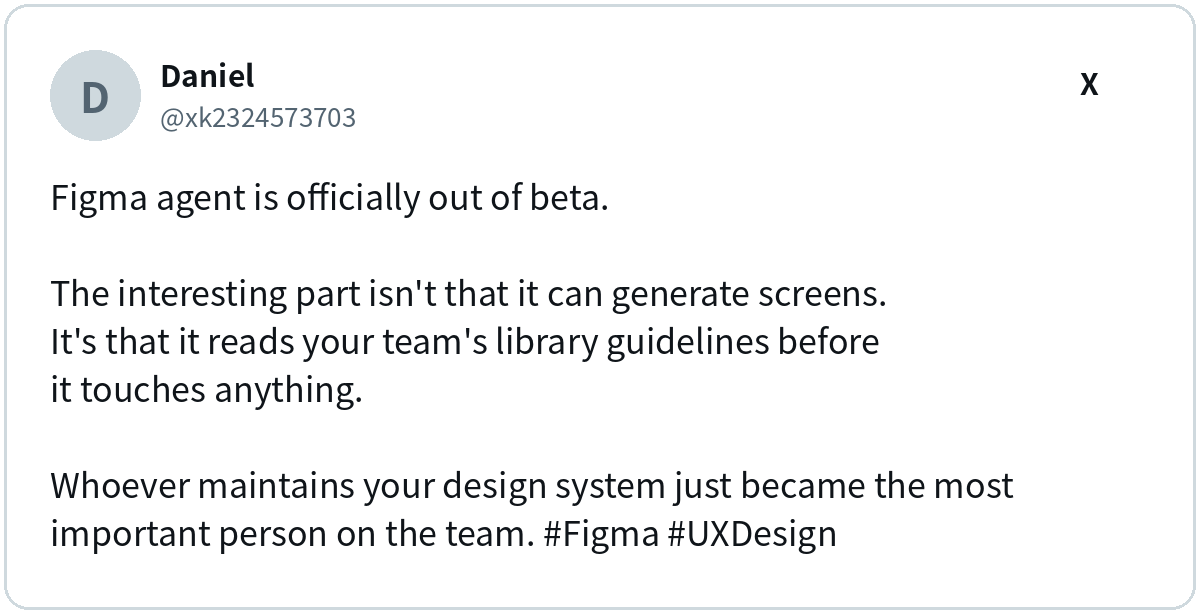
Would I hand my brand guidelines to an agent? Honestly, yes, as long as they’re written down properly. Fuzzy rules that live in one designer’s head will show up in agent output fast, and usually at the worst possible moment.
Which Marketing Design Jobs to Hand Off First
Start where the work is repetitive and the rules are clear. Every job below has a right answer your team can check in seconds.
- Ad resizing and variants. Turn one approved concept into every placement size, or swap headlines across a set for testing.
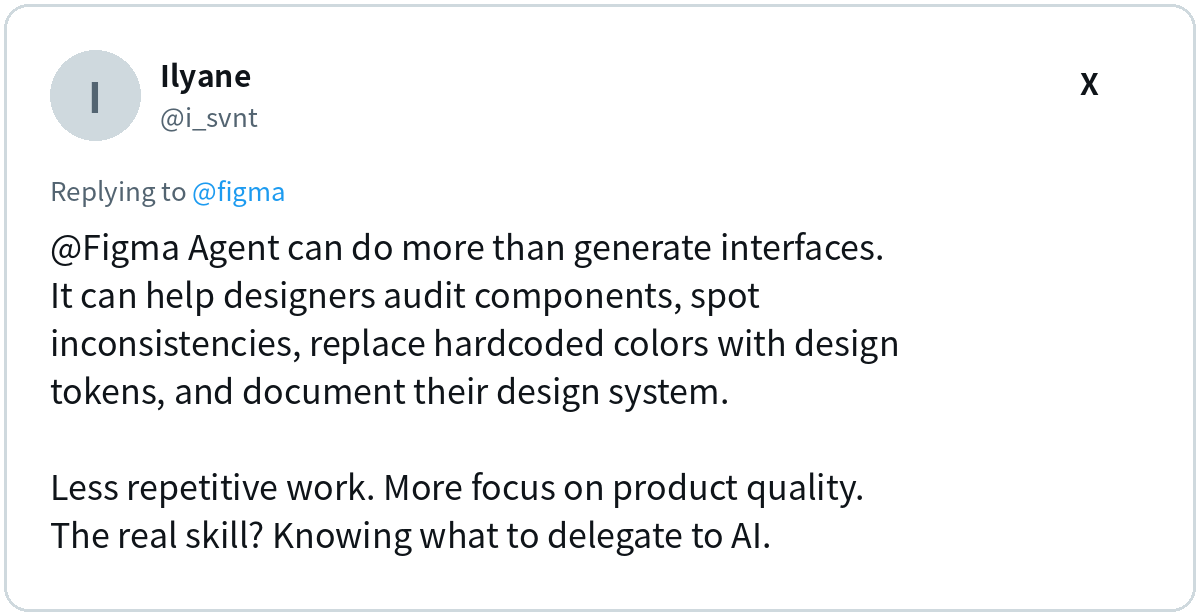
- Design system cleanup. Commenters pointed to agents auditing components, spotting inconsistencies, and replacing hardcoded colors with design tokens (named, reusable values for color and spacing).
- Pulling context into a file. Agents can search across your projects and bring in notes, slides, or earlier frames, which speeds up campaign briefs.
- Repeatable checks. Custom skills, which are saved instruction files the agent runs on command, can handle pre-launch QA such as spacing, contrast, and copy length.
One post summed up the cleanup case well:
What Should Humans Still Handle?
Remember: concept work stays with people. Designers kept making the same point that the agent can handle the tedious clicks, while the craft stays human.
Like I always say, let robots do robot work while humans do human work! Strategy, positioning, and the “why” behind a campaign are still your team’s job, and frankly I’d worry about any brand whose big idea came from a resize request.
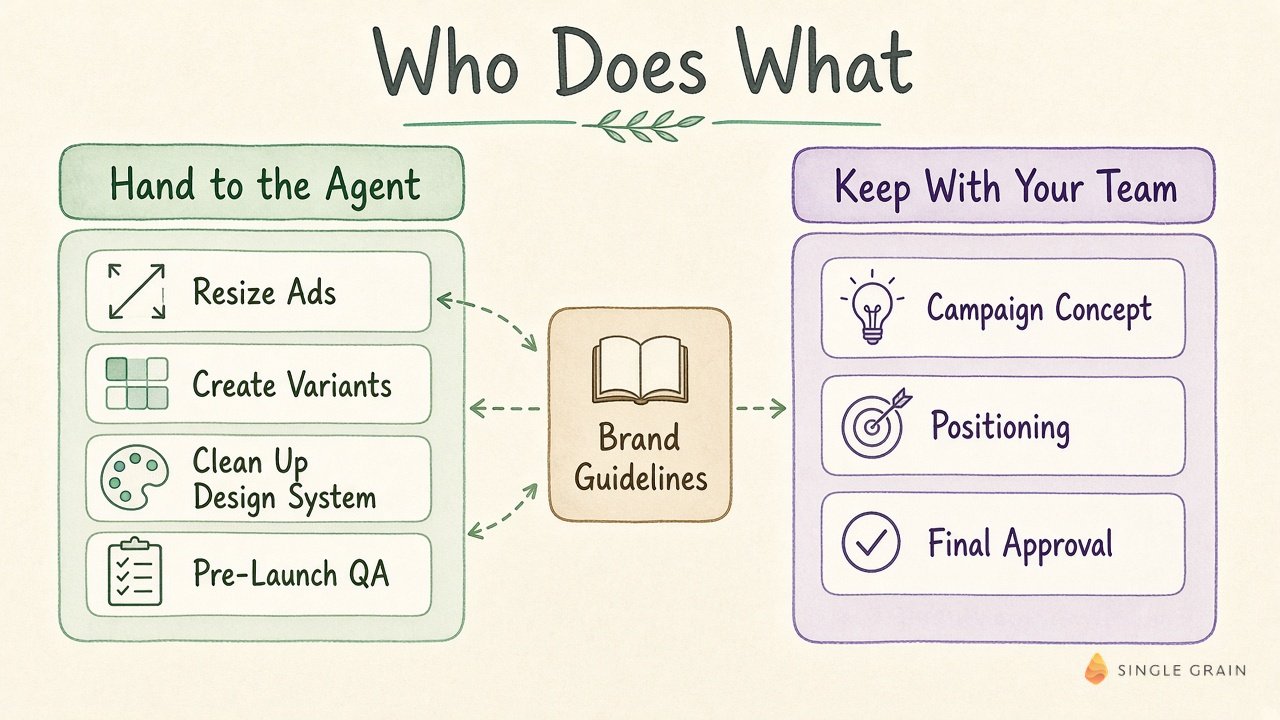
In practice, the split looks like this. On one side, the agent takes resizing, variants, design system cleanup, and pre-launch QA. Your team keeps the campaign concept, positioning, and final approval, with your brand guidelines feeding the agent’s side.
| Starter prompt for ad variants |
|---|
| Using the selected ad frame and our brand library, create versions for square, vertical story, and wide banner placements. Keep the headline, logo, and button visible in each, follow our spacing tokens, and flag any size where the copy needs shortening. |
No dedicated designer on your team? These AI design tips for non-designers cover the basics before you add an agent.
How to Keep Agent Output on Brand
An agent only knows the rules you write down. It can’t read minds, and it definitely can’t read the sticky note on your creative director’s monitor. Figma’s own guidance on teaching the agent your design system suggests documenting each recurring decision in four parts: when it applies, what to do, what to avoid, and why.
Turn that into a short brand rulebook for your marketing assets:
- Color use. State which colors are for actions, alerts, and backgrounds, and which never appear together.
- Logo placement. Give minimum sizes and clear space for each format you publish.
- Type hierarchy. Define headline, body, and button styles, plus the longest headline each ad size allows.
- Common mistakes. List the errors your team keeps correcting, since those are the patterns an agent will happily repeat.
Consistency pays off beyond your own channels too. AI systems read your brand across many sites, as covered in this look at how AI models interpret brand consistency.
| Pro-Tip |
|---|
| Every time you fix an agent’s mistake, add one line to your guideline file explaining the fix. Within a few weeks, the corrections become the rules, and the same error stops coming back. |
Budget for Credits Per Finished Job
Pricing surprised plenty of people. Per Figma’s AI credit FAQ, agent use now draws from the same credit budget as other AI features, and usage varies with prompt complexity, the actions taken, and the context you attach.
One post made a sharp point about this: an allowance tells you how many credits you get, but it can’t tell you whether that covers “300 useful jobs or 30 enormous ones.” The suggested fix was to track credits per completed workflow instead of credits per designer.
I’d run my own team the same way. Measure credits per finished asset, such as one complete ad set or one landing page draft. Compare that against the designer hours it saved, and you’ll quickly see which jobs earn their keep and which ones are just burning credits for fun.
A Lesson for Marketers Launching AI Features
This launch came with a bonus lesson. The announcement was a stylish video of people dancing in a white room, and many replies asked what the product actually does.
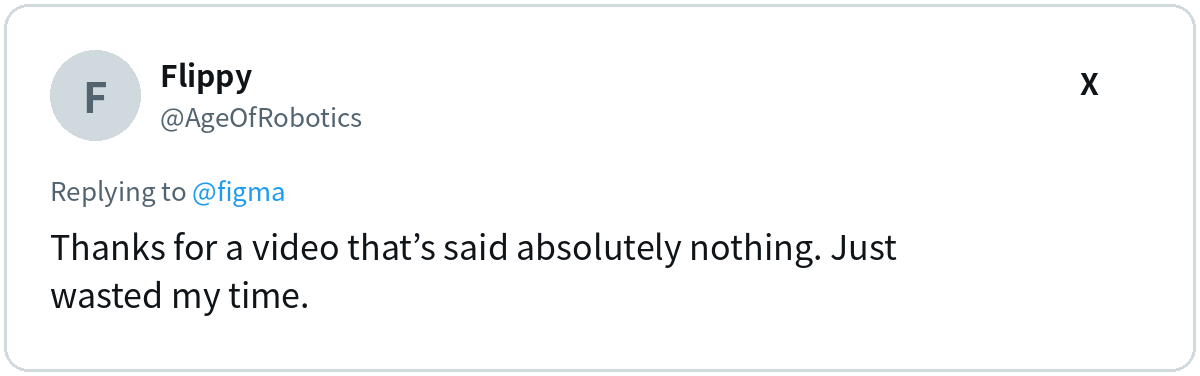
Plenty of viewers loved the production, and the soundtrack got its own fan club. Still, did anyone walk away knowing what the agent does? I know I didn’t…
If you market an AI product, that confusion is your warning. Mood builds interest, while a ten-second demo of the agent finishing a real task answers the first question buyers ask.
The lesson we all learned here? Pair any brand film with a concrete before and after. Show the request, the agent at work, and the finished result, and save the choreography for the holiday party.
Put AI Design Agents to Work Without Losing Your Brand
AI design agents can clear a lot of production work off your team’s plate. Teams with written brand rules, clear handoff points, and a habit of measuring cost per finished asset will get the most out of them. A strong human step in your AI workflow keeps quality where it belongs.
| What You Should Do |
|---|
| Pick one repetitive job, such as resizing your top ad into every placement. Write a one-page guideline for it, run the agent, and time the result against your usual process. |
Want us to do it for you? My team at Single Grain builds AI-assisted creative workflows for growth-stage brands, from ad variants to landing pages. Talk to us about your creative pipeline, and we’ll show you where an agent fits!
Frequently Asked Questions About AI Design Agents
-
What is an AI design agent?
An AI design agent is an assistant that works inside your design tool, editing layers, creating variants, or building new frames from a simple chat request. Everything it makes stays editable, so your designer can polish it instead of redrawing it.
-
Will AI design agents replace designers?
Unlikely. They shine at tedious, rule-based work like resizing and cleanup, while concept, positioning, and creative judgment still need people. Someone also has to write and maintain the brand rules the agent follows.
-
How do I keep AI design agent output on brand?
Write your brand rules down, including color use, logo placement, type hierarchy, and common mistakes, and attach them to your design library as guidelines. Each time you correct the agent, add the fix as a new rule.
-
How much do AI design agents cost to run?
Many tools charge in AI credits, and usage depends on how complex the request is, how many actions the agent takes, and how much context you attach. Track credits per finished asset to see what you are really paying.
-
What marketing tasks suit AI design agents best?
Ad resizing, headline and image variants for testing, design system cleanup, and pre-launch quality checks are great first tasks because the right answer is easy to verify.

