How to Revive Stalled Deals With an AI Re-Engagement Bot


So, you’ve got yet another proposal just sitting unanswered in your inbox for weeks… and your sales rep’s only plan is another “just checking in” email. Yep, we’ve all been there. Here’s the thing, stalled deals need a reason to reconnect, and the last call note beside the proposal is where to find it. What did the buyer ask for, and did anyone answer? Until I can find the unanswered question, I’d hold the draft.
If you run sales operations, the steps that follow show how to build a CRM review queue and hand each deal owner a follow-up draft they can check against the buyer’s words. They draw on the outreach queue and scorecard reviews I’ve described at Single Grain, adapted for stalled deals with a person approving each send.
Let’s take a deeper dive on stalled deals and how to revive them using AI tools.
TL;DR
- Flag the missed buyer action. Use the promised next step and last buyer reply to decide whether a deal belongs in review.
- Attach the evidence. Put the call note, unresolved question, and relevant resource beside the draft.
- Keep an owner on each send. Refresh replies, meetings, ownership, and suppression when the rep approves.
- Read the rejected drafts. Track buyer replies and agreed next steps, then use rejection reasons to repair the inputs.
Decide Which Stalled Deals Belong in the Queue
First, open the saved CRM view and read the next-step due date beside the last buyer reply. Has the proposal review date passed?
If the buyer hasn’t responded, flag the record for its owner. Keep the stage and next meeting visible so the rep can check the flag without opening another search.
A future budget review with an agreed return date needs a scheduled task. Route a decline through the disposition process. I’d settle these cases before asking anyone to review copy; otherwise, the rep has to reconstruct the account history just to decide whether contact is appropriate.
Salesforce’s pipeline management guide covers organizing pipeline stages. I’d use the account’s own history to set the inactivity rule within each stage. Keep the buyer’s promised review date visible even if the CRM also supplies an activity score.
Choose the Clock for Each Stage
After you do this, check what resets the clock. An automated reminder can update the account’s activity field while the buyer remains silent. If the queue reads this field, each reminder can postpone the review again. Use the buyer’s last action or promised review date as the trigger.
For an opportunity without an agreed date, ask the sales manager to set a provisional stage rule. Revise it against actual outcomes. Label the record with a plain reason, such as “proposal review date passed; no buyer reply recorded.” Missing history should route a task to the owner for a record check.
I wouldn’t ask a model to explain the silence from a blank activity history. Send the owner back to the original email or call note. This is where I’d borrow the checks from my team’s outreach queue.
Borrow the Checks From a OurWorkflow
As the exception reviewer, I’m the person unusual cases come back to in my outreach queue walkthrough. Follow a record through the queue I describe there. Clay handles email confirmation, then Jev supplies its score. The HubSpot checks cover ownership, suppression, and existing deals.
The copy goes through review before sending. An unusual case comes back to me for attention. At this handoff, the queue’s CRM checks control whether a record can move forward.
Here’s the change I’d make for stalled opportunities: require an eligible open deal and its assigned owner at the existing-deal check. Keep copy review before the send, with exceptions routed to a person.
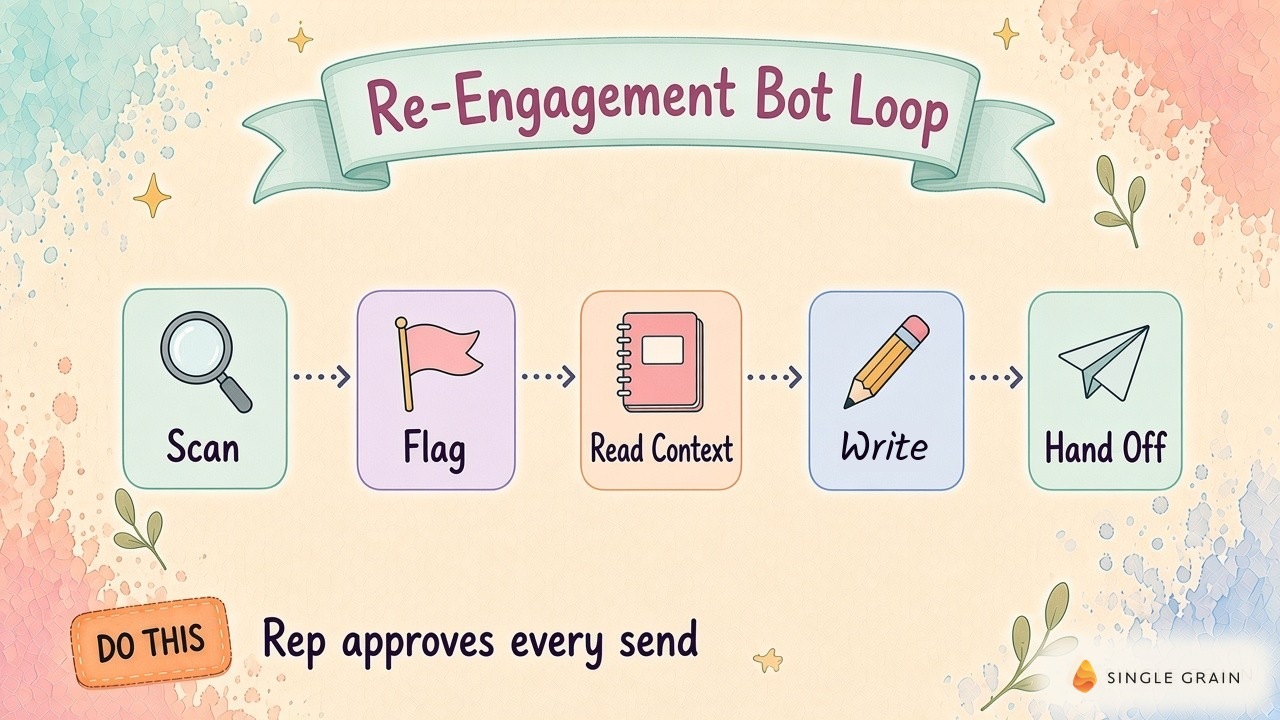
I’d run eligibility before paying for a full context read. Record why each candidate passed or stopped, then reserve drafting for approved candidates. My team’s agentic CRM and AI agents guide covers the broader CRM approach. For this build, I’d finish the selection rules before adding the writing step.

Build the Context Packet Before the Email
Can the owner check the draft from the review record alone? I always recommend you put the eligibility reason beside the source material, and then compare it with the proposed wording. If approval requires another search through the account, the packet still needs work. Limit its contents to material the owner already has permission to read.
Let me explain this a little further with some examples.
Attach the Buyer’s Actual Words
My sales team’s workflow reads call and account history, the CRM, calls, and the company website. I describe these inputs in my AI operating system walkthrough. In the same segment, my daily review produces an owner and next action linked to source material. I’d carry the source link into the stalled-deal review record so the rep can inspect the basis for the action.
Here’s what I recommend: Attach the buyer’s stated goal, unresolved question, and last agreed next step. Put a source link beside each detail, including the call timestamp when available. If a later email revises the call, show the revision beside the earlier note. The owner can then decide which instruction still applies.
After this, pin in the relevant evidence beside the draft. I don’t want the owner rereading an entire account history to find the question behind a single sentence. Single Grain’s AI sales assistant call-prep guide covers the related account preparation. For approval, keep the buyer’s question and its source within reach.
Let Missing Context Stop the Draft
Next, stop drafting when the reason for contact has no source. A CRM note reading “good call” leaves the next step unresolved. Route it to the owner with a request for the missing detail. If notes conflict, quote the conflict so the rep can reconcile it.
Here’s what to do instead: Read access to records, notes, and activity history is enough to begin drafting. Save the proposed email in a review task or approved draft area, with sending permissions kept separate. I’d rather have the owner resolve a conflicting note here than discover it after an email has gone out. Then I’d check the resource attached to the message.
Give the Buyer a Reason to Answer
As the agency owner, I examine a homepage scorecard in my Jev walkthrough. I look at the AI visibility gaps it shows. Then I examine the suggested changes. The scorecard puts the gap and proposed response in the same view.
Later in the demonstration, I explain how I’d bring the follow-up back to the buyer’s original goal. A relevant visibility, homepage, or creative gap supplies the reason to reconnect.
Would I attach this scorecard to a stalled-deal email? Only after the rep compares it with the buyer’s stated goal. Check whether the buyer raised the issue, then validate the proposed observation against the report. If the question concerns visibility, an unrelated creative critique gives the buyer another issue to sort through.
Use an approved audit excerpt or an answer to an outstanding implementation question. Explain why it belongs in this conversation using the buyer’s own words. A customer result needs an approved case study behind it. Save Single Grain’s follow-up email examples and HubSpot’s follow-up email phrasing guide for the wording pass after the rep validates the evidence.
Use a Prompt With an Explicit Stop Condition
Fill the fields in this prompt from the packet. The template asks for an evidence note alongside the email, so the owner can trace its claims during review.
| Starter prompt for the review task |
|---|
| Draft a follow-up for the assigned deal owner. Inputs: buyer goal with source link; last buyer reply; agreed next step; unresolved question; approved resource and relevant excerpt. Use only supplied facts. If the buyer goal or resource relevance lacks a source, return NEEDS OWNER REVIEW and explain the missing evidence. Ask one answerable question. Do not invent urgency, results, buyer objections, or commitments. Return the proposed email plus a separate evidence note linking each factual claim to its source. Do not send. |
Leave placeholders in place until real evidence fills them. An audit excerpt can support an offer to send the relevant finding when both the buyer’s question and finding appear in the packet. The rep should be able to trace each account-specific sentence to its source. Reject unsupported wording before it reaches the recipient preview.
| Pro-Tip |
|---|
| Keep the evidence note outside the email body. Preview the recipient-facing version with its attachments and links during approval. Then refresh the account record before the message leaves the queue. |
Once the preview passes, the final check happens at approval.
Recheck the Record When the Rep Approves
Freeze approval to the version the rep actually reviewed. If someone edits the email afterward, return it to review. Give the message a stable reference tied to the deal and source interaction. On a retry, look for an existing review task before creating another.
A morning scan can be stale by the afternoon. Refresh the latest buyer reply, upcoming meeting, owner, and suppression status at approval. Cancel a queued draft when a new reply or scheduled meeting makes it obsolete. Record why it stopped so the next run doesn’t bring it back.
Choose who can stop a sequence and where the stop gets recorded. A buyer’s pause request needs to reach the eligibility check before another draft appears. If the buyer supplies a return date, have the owner record it and require a fresh review when it arrives. Route permission or sending errors to a visible owner task.
Check the deal status again before approval. If the owner has closed the opportunity during review, remove the pending draft and preserve the decision. I’d keep the loss review out of this active queue.
Keep Closed-Lost Deals Out of the Active Queue
What changed since the buyer said no? Read the loss reason before considering another message. If the product has changed in a documented way, it may address a capability objection. But if the buyer asked you to stop contacting them, they stay excluded under the applicable contact rules.
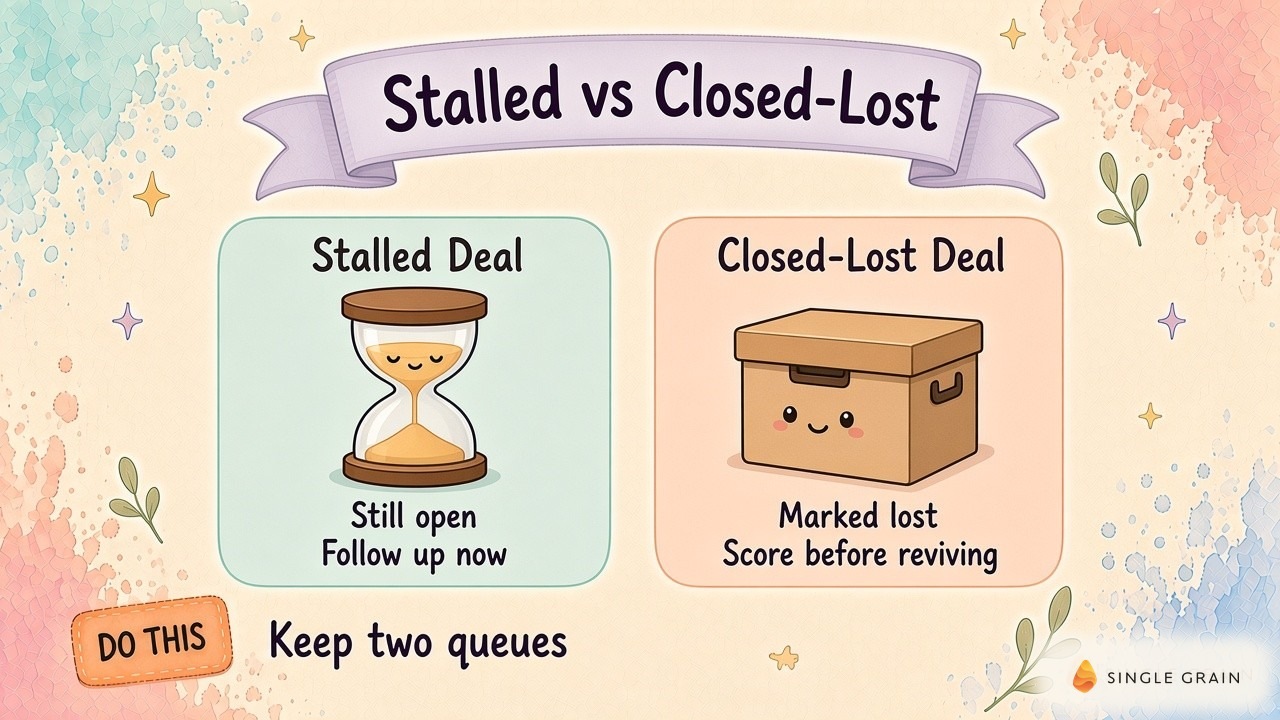
Single Grain’s guide to re-engaging long-lost customers addresses the longer-term audience. Give these records a separate review with its own eligibility rules. The owner needs a documented reason for renewed contact before a draft enters approval.
Keep reopened former accounts separate in the results, too. Otherwise, renewed contact with a former account can inflate the apparent recovery rate for currently open opportunities. I’d settle which records count before reading the reply totals.
Review Outcomes and Rejected Drafts Together
I’d open the rejection reasons first. A draft rejected for missing context points back to the packet; a wrong owner points back to the CRM checks. Log stale resources and already scheduled meetings as separate reasons. These records tell you where to repair the workflow before asking for more drafts.
Keep the initial queue small enough for the sales manager to inspect record by record. Compare each flag with the source activity for missing or wrongly logged replies. Track eligible deals, approved messages, buyer replies, and agreed next steps in separate fields. Label automated absence replies separately so they don’t count as resumed conversations.
Compare the Queue With Your Normal Sales Process
Compare the queue with your normal sales process before expanding it. Look at resumed conversations and time spent reviewing, alongside draft volume. Require a recorded reason for a stage change before counting it as progress. Single Grain’s guide to pipeline velocity and deal cycles places these changes in the wider sales process.
Before expanding, I’d ask whether owners can verify the messages without reconstructing the account. Keep the buyer’s question, supporting evidence, and approval decision on the record. If the same missing field keeps sending drafts back, fix the field before increasing the queue. Draft volume can wait.
For help designing a sales workflow around your CRM and approval process, explore Single Grain’s sales enablement services or contact Single Grain to discuss your pipeline.
Frequently Asked Questions About Stalled Deals
-
What are stalled deals?
Stalled deals are open opportunities that have stopped moving. The buyer hasn’t replied, no meeting is booked, and the deal sits in the same stage much longer than usual.
-
How long before a deal counts as stalled?
It depends on your sales cycle. A common rule is to flag any deal with no two-way activity for longer than its stage usually takes to close out, such as two or three weeks.
-
What should a follow up email after no response say?
Keep it short, reference the last conversation, add one new piece of value, and ask one easy question. Avoid guilt-trip lines like checking in again.
-
Should an AI bot send re-engagement emails automatically?
My recommendation is no. Let the bot find quiet deals and draft the message, then have the rep review and send it. This keeps the message accurate and on brand.
-
How is a stalled deal different from a closed-lost deal?
A stalled deal is still open, so the goal is to restart the conversation. Once a deal is marked closed-lost, it needs a different revival process.