

Attio Just Built an Agentic CRM. What RevOps Teams Should Do Next


Most AI CRM demos I sit through hit the same wall, because the agent can chat but still can’t see much of the data. Attio just took a real swing at the problem with what it calls the architecture for agentic revenue, a set of upgrades built so AI agents can query and act on CRM data under the same guardrails your team works with.
If you run RevOps like me, this launch deserves a closer look. Below, I’ll break down what Attio shipped, how to compare any agentic CRM, what builders think of it, and three moves I’d make this quarter.
TL;DR
- Attio rebuilt its CRM for agents and people. The launch adds a SQL Engine, Data Connectors, Agent Scale, and Activities (in beta) on top of Attio’s core platform.
- SQL is the headline feature. Agents can query millions of records in one go, while Attio says business logic, policies, and permissions still sit behind every query.
- Access depends on your plan. SQL questions in Ask Attio work on all plans, while SQL through the API, MCP, and Workflows, plus Data Connectors, are Enterprise features.
- Clean data decides the payoff. An agent with SQL access will find every duplicate and stale field, so fix data hygiene and permissions before you scale agent work.
What Is an Agentic CRM?
An agentic CRM is a customer database built so AI agents can read, analyze, and act on records directly, under the same rules as human users.
Most CRMs were designed for people clicking through screens, so agents usually had to work through narrow integrations or exports. A CRM built for agents is the foundation for AI revenue agents that research, qualify, and follow up on their own.
What Did Attio Just Ship?
Attio’s version comes from CEO and co-founder Nicolas Sharp, who announced it on X as a hybrid architecture built for people and agents in equal measure. Attio calls it the ‘first of its kind’. But let me be clear: I haven’t personally seen an independent test of this claim yet. With that being said, here’s what we do know:
To agents, Attio looks like a database they can query in SQL, while business logic, policies, and compliance still sit behind each query.
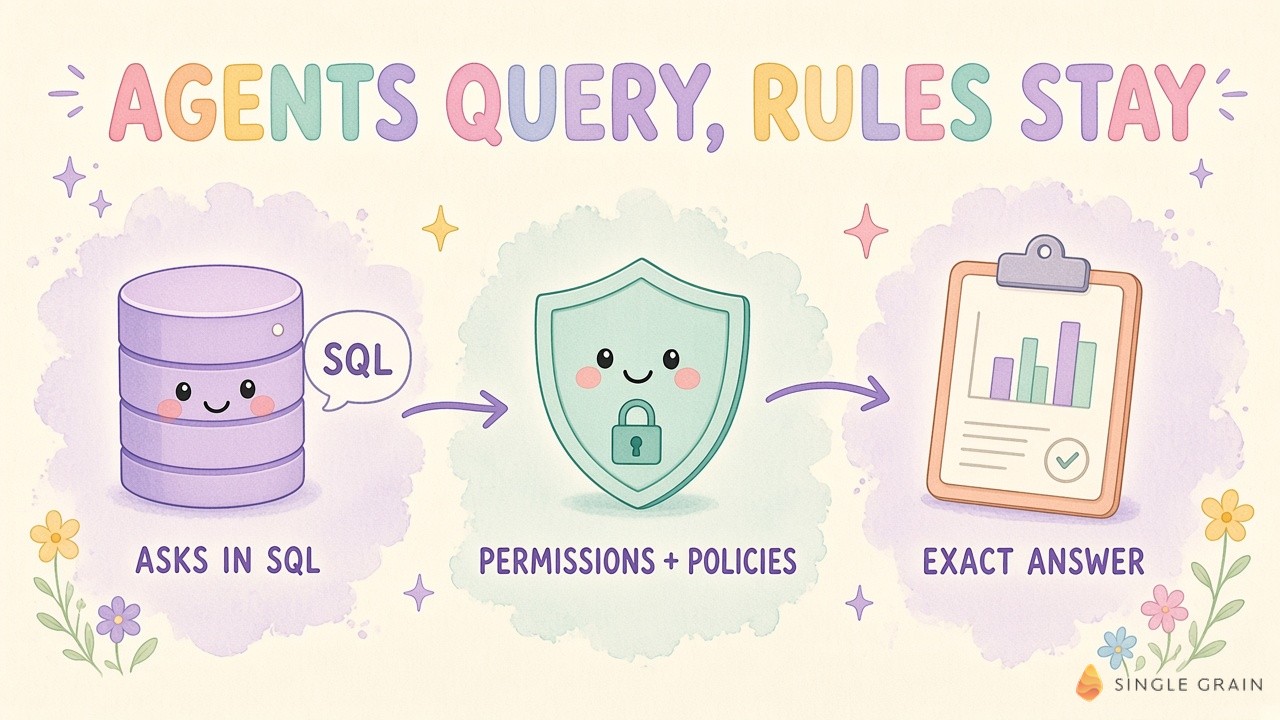
The 3 Layers Behind Attio’s Agentic CRM
Attio describes the architecture as three connected layers.
- Context. A shared layer captures every customer signal and stays current as interactions pile up.
- Orchestration. Agents and workflows use this context to act on signals across revenue operations.
- Ecosystem. Outside tools and agents connect to Attio with consistent access to its data, logic, and actions.
All of this builds on universal context, a feature Attio shipped earlier this year. As TBPN Digest explained, universal context stores unstructured customer data in a vector store, so agents get one surface to search.
Inside Attio’s 4 New Capabilities
Four new pieces sit on top of those layers. I’ll break down each one for you so you can have a better idea of what’s going on.
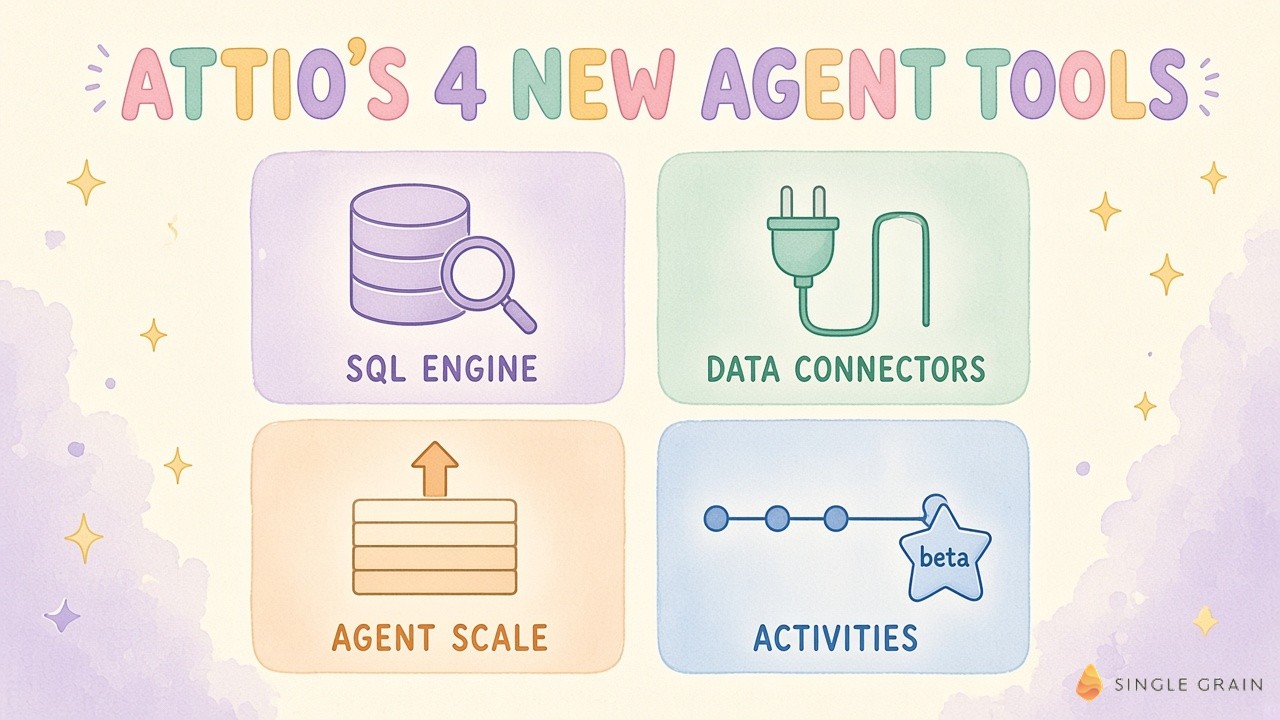
SQL Engine
Attio now speaks SQL, which it calls the data language of agents. Agents can query millions of records and relationships at once, and Attio’s own examples include finding which lead sources win the most deals over $50,000 and calculating weighted pipeline by region and owner.
Every query is available to inspect, which helps when finance asks where a number came from. SQL also runs inside Workflows, so an account crossing a usage threshold can automatically create an expansion opportunity.
Data Connectors
Attio now exposes a live, Postgres-compatible endpoint. BI and data tools such as Hex, Omni, Looker, Metabase, and dbt can query CRM data directly, without exports or synced copies.
Connections are read-only, and workspace admins can disable or regenerate the credentials. For many RevOps teams, this could retire a pile of nightly CSV jobs.
Agent Scale
Attio says the platform is engineered to support hundreds of millions of records, with thousands of agents working across customer data at once. Those agents carry the same permissions and access controls as everyone else in the workspace.
Attio’s own comparison is blunt. A person might review a few dozen accounts in a day, while an agent can work across thousands at the same time. It’s exciting, and a little scary if your fields are messy.
Activities (Beta)
Activities stores support conversations, social DMs, and product events as structured records with custom schemas. Agents get richer context, such as a tagged support escalation sitting in the record before a renewal call.
For product-led companies, product events inside the CRM are the missing piece for timing expansion outreach. As TBPN summarized Sharp’s view, product-led teams can arrive at every customer call with a complete picture.
Who can use all of this today depends on your plan.
Who Gets Attio’s Agentic Features Today?
SQL-powered questions in Ask Attio, the built-in assistant, are available on all plans. Enterprise plans unlock SQL through the REST API, MCP, and Workflows, along with Data Connectors.
Activities is still in beta. Sharp also told TBPN his team runs new releases internally first, so the internal version usually sits about a month ahead of what customers see. You can browse the full vision on Attio’s architecture page.
Attio also has company in this race. One builder on X claimed a rival platform has offered SQL over CRM data for about two years, so treat “first” as a marketing word and compare features directly.
So what should you compare? Here’s the checklist I’d use for any CRM you plan to hand to agents.
Agentic CRM Checklist: What to Compare Before Agents Get the Keys
Use this table as a starting point for vendor calls or an internal audit. The right column shows how Attio answers each point, based on its launch post.
| Consideration | Why it matters for RevOps | Attio’s answer |
|---|---|---|
| Query access | Agents need to answer complex questions without exports | SQL Engine for queries and calculations inside the CRM |
| Permissions | An agent should never see more than a person in the same role | Agents work under the same permissions and access controls as people |
| Auditability | You need to know what an agent asked before it acted | Every query is available to inspect |
| Live data for BI | Stale exports lead to bad forecasts | Read-only, Postgres-compatible live endpoint |
| Scale | Agents work across thousands of accounts at once | Engineered for hundreds of millions of records |
| Unstructured signals | Support chats and product events often predict churn and expansion | Activities (beta) with custom schemas |
| Plan access | Agent features often sit behind higher tiers | API, MCP, and Workflows SQL plus Data Connectors on Enterprise |
Run your current CRM through the same rows. Any blank cell is a gap your agents will hit, usually at the worst possible moment. Stale fields are the classic trap, which is why my team sets expiry rules for stale CRM facts before an agent acts on them.
What Builders Are Saying About Agentic CRM
Reactions to the launch were mostly upbeat, with a healthy side of skepticism. Three themes stood out.
1. Excitement About Agents That Can Query
Plenty of builders liked the idea of agents querying the CRM directly instead of waiting on exports.
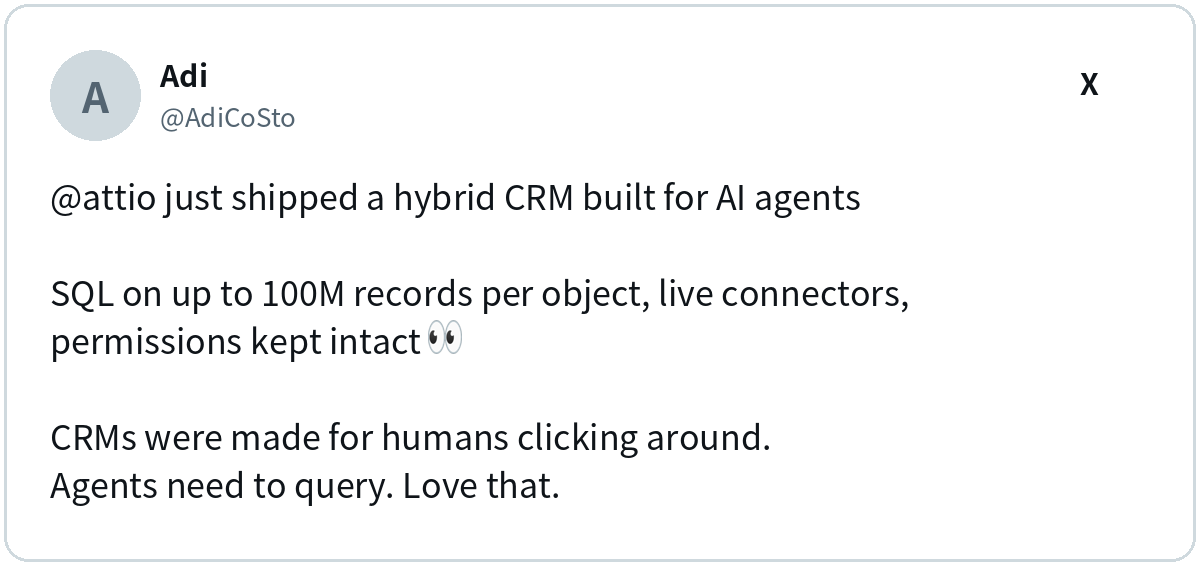
One detail there goes beyond what I could confirm. Attio’s launch post says hundreds of millions of records overall, and I didn’t find a per-object limit in it, so check the docs before you plan around one.
2. Doubts About What’s Really New
Some builders pushed back on the “first” label. Others pointed out the Data Connectors are read-only, which limits what outside tools can change.
My take? Read-only is a feature for now. I’d rather an agent analyze everything and change nothing until my team trusts it, and it’s the same logic behind kill switches for marketing agents.
3. Worries About Control and Messy Data
Control was the other big theme.
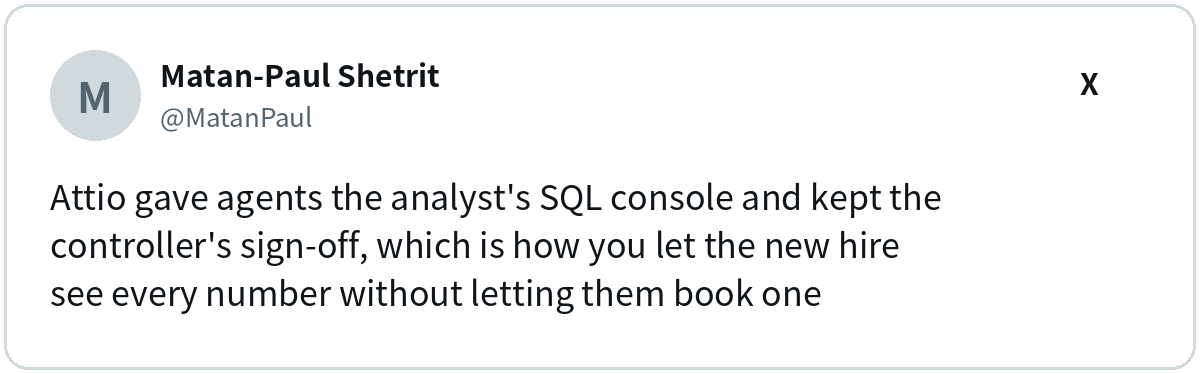
I love this analogy. Visibility is easy to grant, and decision rights are the part RevOps has to design on purpose. Messy data is the quieter risk, because an agent with SQL repeats your mistakes faster, which makes lead scoring governance more important now.
What RevOps Teams Should Do Next
In my opinion, you don’t need to switch CRMs this week to get value from this launch. Here are the three moves I’d make first.
1. Audit Your Data Before Agents Do
Pick five questions your leadership asks every month, such as win rate by lead source. Try to answer each one from the CRM alone, and write down every field you had to clean or guess.
Those gaps become your agent backlog. Fix them first, because an agent will trust a broken field as much as a good one. If lead quality is the mess, my team’s work on AI lead qualification shows how to filter records before they hit the queue.
2. Write Agent Permissions Like a Job Description
Decide what an agent may read, what it may change, and what always needs a human sign-off. Start with read-only analysis, then grant write access one workflow at a time.
Treat each agent like a new hire on probation. Give it a narrow role, review its work weekly, and widen access only when results hold up, with the same agent security checks you’d apply to any new system.
3. Run One Agent Workflow End to End
Pick one revenue motion with clear signals, such as expansion. An agent can watch for accounts crossing a usage threshold, create the opportunity, and draft outreach for a rep to approve.
Measure it like any other channel, with meetings booked and pipeline created. A churn-signal agent across HubSpot, Slack, and Stripe follows the same pattern on the retention side.
| Pro-Tip |
|---|
| Before an agent runs a SQL query on your pipeline, ask it to explain the query in plain English. If the explanation doesn’t match the business question, the answer won’t either. |
This habit takes ten seconds and saves a lot of bad forecasts.
Give Your Agents a CRM Worth Querying
Attio’s launch is a clear signal of where CRMs are heading. Agents will query customer data directly, and the winning teams will pair this access with strong permissions and clean records.
My team at Single Grain builds AI-powered growth programs for B2B and SaaS brands, from SEO and paid media to content built to turn into pipeline. A forward deployed marketer can work inside your stack and connect agent workflows to real revenue. See how our SaaS marketing agency works if you want a hand.
Frequently Asked Questions About Agentic CRM
-
What is an agentic CRM?
An agentic CRM is a customer relationship management system built so AI agents can read, analyze, and act on customer records directly, while following the same permissions and business rules as human users.
-
What did Attio launch for AI agents?
Attio launched its architecture for agentic revenue, which adds a SQL Engine, Data Connectors with a live Postgres-compatible endpoint, Agent Scale for very large record counts, and Activities, which is in beta.
-
Is Attio's SQL access available on every plan?
SQL-powered questions in Ask Attio are available on all plans. SQL through the REST API, MCP, and Workflows, plus Data Connectors, are available on Enterprise plans, according to Attio.
-
Is it safe to give AI agents access to CRM data?
It can be, if agents work under the same permissions as people, every query is logged, and write access is granted slowly. Clear kill switches for marketing agents help you stop a bad run fast.
-
How is an AI CRM different from a traditional CRM?
A traditional CRM is built around people entering and viewing records. An AI CRM adds assistants or agents that analyze data, answer questions, and trigger workflows, and an agentic CRM goes further by letting agents query and act on data directly.


