

How I Built an AI Landing Page Draft in 15 Minutes With My Team


An AI landing page took my company’s new careers page from a planning chat to a working first version in about fifteen minutes. The draft included current openings, a section on what it’s like to work at Single Grain, and a mobile layout were on screen before I’d refined much of anything. I know, sounds unbelievable, right? But it actually happened and I can’t wait to tell you how I built it!
A strong first draft in minutes is now open to anyone who works this way, for a landing page, a brief, or a campaign, so waiting weeks for one is hard to justify. The bigger shift comes when your whole team works like this.
So how did I do this so quickly? I simply pasted the planning conversation into AI, got three concepts back, picked one, and moved it somewhere my team could comment.
I want you to be able to replicate this yourself! Keep reading to get the exact steps, a quick look at AI landing page builders, and the conversion rate optimization (CRO) review checklist I’d run before any draft goes live.
TL;DR
- Full context beats a clever prompt. The actual planning conversation gave the AI enough to propose useful concepts on the first try.
- Ask for three concepts, then pick one. A choice between options is faster than rescuing a single weak draft.
- Put the draft where your team can comment. The first version is a starting point, and the page keeps improving after launch.
- Run a CRO review before traffic hits it. Check the headline, main call to action (CTA), proof, mobile view, and load speed against your own baseline.
What Is an AI Landing Page?
An AI landing page is a page where AI does the heavy lifting on the first draft, including structure, copy, layout, and often the code. A person still decides the offer, picks the concept, and approves what ships.
You can get there by either route below, and each fits a different team.
- A general AI model. You paste your context into a chatbot or coding agent and ask for concepts and a working page. This is the route I took.
- An AI landing page builder. A dedicated platform generates the page inside its own editor, with hosting and testing built in.
Either way, the fundamentals of a high-converting landing page still apply. AI changes how fast you reach a draft, and the review standard stays the same.
So what did those fifteen minutes actually look like?
How I Drafted the Careers Page With AI, Step by Step
The whole run had four moves, and none of them needed a designer or developer to start.
1. Paste the Full Planning Conversation
My team had already talked through what the careers page needed, so I cut and pasted the whole conversation into AI. A planning chat carries what a short prompt usually misses: the audience, the must-have sections, and the tone people agreed on.
Your notes, call transcripts, or Slack threads work the same way. The more of the actual discussion the model sees, the less you explain from scratch.
| Pro-Tip |
|---|
| Strip anything confidential before you paste a conversation into a third-party AI tool. Names, salaries, and client details rarely help the draft, and they create risk you don’t need. |
With the context in, ask the AI for choices.
2. Get Several Concepts Back and Pick One
The AI came back with three concepts, and I picked one. A pick between options takes seconds, and it keeps you from polishing the first idea just because it showed up first.
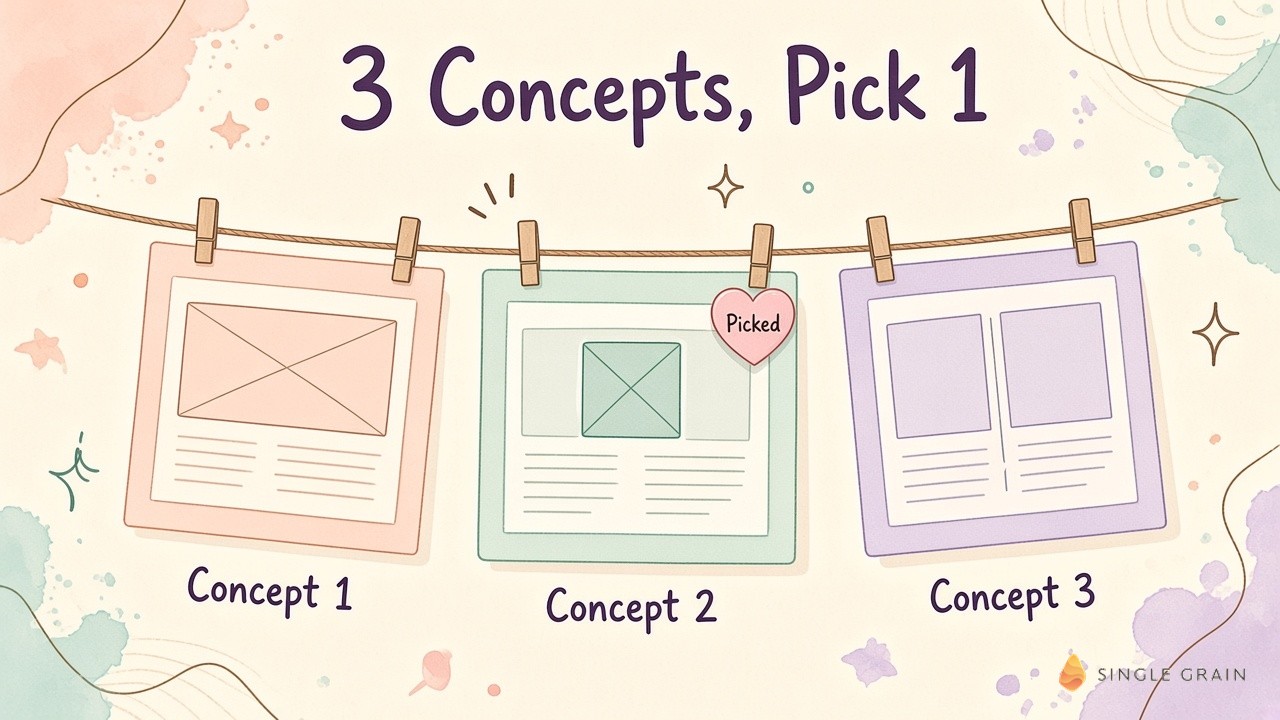
Ask for clear differences between the concepts. A new layout with the same headline is still one idea.
| Starter prompt for landing page concepts |
|---|
| Here is our planning conversation about a new [page type]. Propose three distinct page concepts. For each, give the audience, the headline, the main CTA, the section order, and the proof you’d show above the fold. Then build the concept I pick as a responsive page. |
With a concept chosen, the page fills in fast.
3. Fill In the Page Content
Within minutes I had open roles, a section on what it’s like to work at Single Grain, and a mobile layout. The hero reads “Stay curious. Own the work. Grow together.” with a button to view current openings right under it.
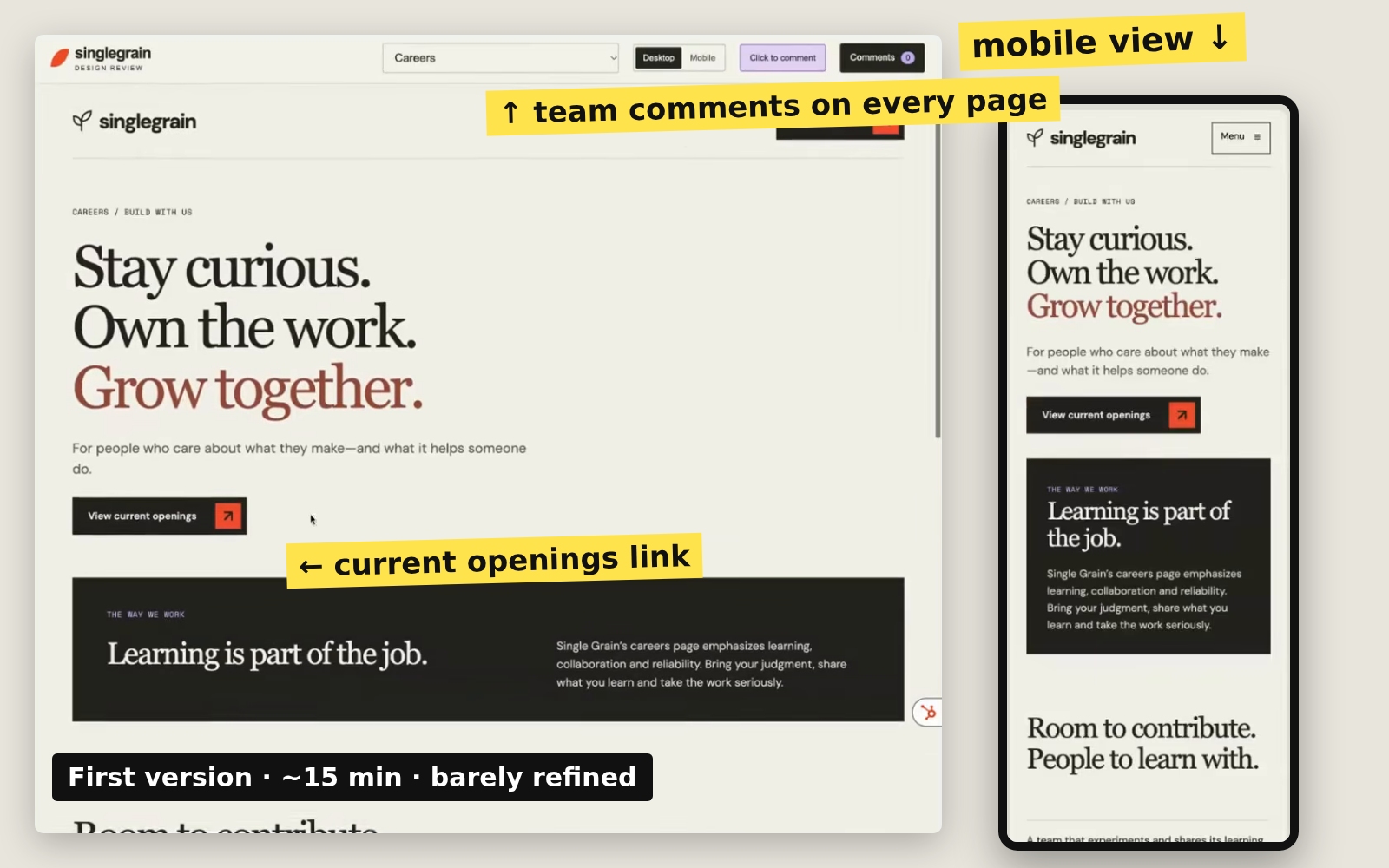
None of it was polished yet, and it didn’t need to be. A first version only has to be good enough to get reactions.
4. Move It Where Your Team Can Comment
The page now sits in a review view where my team can leave comments on every page, and I keep making it better. Feedback lands on the actual page, which beats a long email thread about a mockup.
Treat launch as a checkpoint. My careers page will keep changing as the team adds comments.
Before you pick a tool for your own version, it helps to know what the builders do well.
How to Choose an AI Landing Page Builder
Dedicated builders make sense when marketing owns the page end to end and wants hosting, forms, and testing in one place. Here’s a short look at a few well-known options.
| Builder | What the AI does | Best fit |
|---|---|---|
| Framer | An AI agent creates editable pages, sections, copy, and visuals from a description, then you refine on a canvas. | Design-led teams who want fine control |
| Unbounce | A landing page builder with templates, A/B testing, and Smart Traffic, which routes visitors to the variant likely to convert. | Paid media teams running many campaign pages |
| Webflow | An AI site builder generates a starting site you can edit in Webflow’s designer and content management system (CMS). | Teams already running their site on Webflow |
Whatever you choose, judge it on a few practical points.
- Editable output. You should be able to change every section without starting over.
- Testing built in. Variants and A/B tests should be easy to launch from the same place.
- Brand control. Fonts, colors, and components should follow your design system.
- Speed. Pages should load fast on mobile, since paid traffic punishes slow pages.
A builder is the faster route for campaign pages, and a general AI model works well for one-off pages like mine. If you’re comparing the wider stack, my team’s notes on choosing conversion rate optimization tools go deeper.
Speed gets you a draft. A review is what makes it convert.
My CRO Review Checklist Before Any AI Draft Goes Live
Fast drafts make review more important. Run every AI page through these checks before paid or organic traffic arrives.
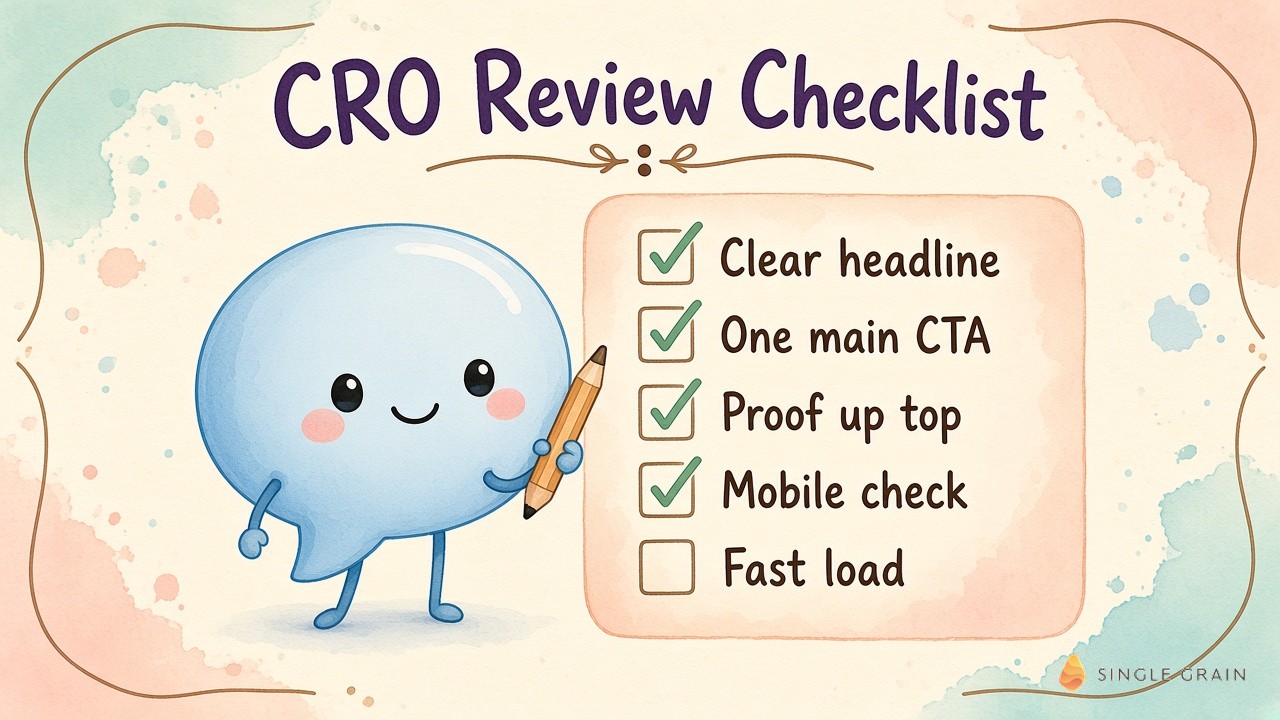
- One clear headline. A visitor should know who the page is for within seconds. Nielsen Norman Group’s eye-tracking research shows people scan pages, so the top lines carry most of the weight.
- One main CTA. Every section points to the same action. On my careers page, the action is viewing open roles.
- Proof near the top. Use verified numbers, quotes, or screenshots you can verify, and only figures a customer approved.
- A dedicated mobile check. Review the phone layout as its own design, since many visitors will never see the desktop version.
- Fast load. Check Core Web Vitals before you send traffic.
- Message match. For paid search, the page should echo the ad, and Google rates landing page experience as part of Quality Score.
- The competitor paste test. If a competitor could paste a line onto their page and still be truthful, rewrite it.
AI drafts tend to drift toward the same defaults: gradient heroes, three icon cards, and words like “unlock” and “seamless.” Buyers comparing tabs stop seeing a difference.
| Pay Attention |
|---|
| AI defaults creep back in with every new draft. Keep a short list of banned phrases and layouts, and paste it into your next prompt as a hard rule. |
Once the page passes, measure it against its own past baseline, since outside benchmarks rarely match your traffic. My team’s continuous experimentation checklist keeps tests from breaking your tracking.
Why Speed Raises the Bar for Your Whole Team
The bar is getting higher, and time is compressing. One fast person helps, and it won’t be enough on its own. Your entire team has to work this way.
This goes beyond landing pages. The same move works for a campaign brief, a sales one-pager, or a deck, and AI design agents now take on more of the visual work too. The risk is everyone shipping the same generic output, which is why I pushed my team on AI pitch decks that all look the same.
My job is to keep putting these workflows out there and help anyone willing to level up. Ask yourself a single question: How long does your team wait for a first draft today?
If the answer is weeks, the fix starts small.
Ship the First Draft Today
An AI landing page gets you from conversation to a working draft in minutes. Concepts, team comments, and a tight CRO review make it ready for paid and organic traffic.
If you want a team to build and test pages like this with you, Single Grain offers landing page design and conversion rate optimization services built for growth-stage brands.
Frequently Asked Questions About AI Landing Pages
-
What is an AI landing page?
An AI landing page is a page where AI drafts the structure, copy, layout, and often the code. A person still chooses the offer, picks the concept, and approves what goes live.
-
How long does it take to build a landing page with AI?
My first version of the Single Grain careers page took about fifteen minutes. Expect extra time after the draft for team comments, page content, and a CRO review.
-
What is the best AI landing page builder?
It depends on who owns the page. Framer suits design-led teams, Unbounce suits paid media teams running many campaign pages, and Webflow suits teams already on its CMS. Judge each on editable output, testing, brand control, and speed.
-
Do AI landing pages convert as well as hand-built pages?
They can, if the page passes the same review. Check the headline, main CTA, proof, mobile layout, and load speed, then measure against the page’s own baseline. My team’s guide to high-converting landing pages covers the fundamentals.
-
What should I give AI to get a better landing page draft?
Give it full context, like the planning conversation, call notes, or a brief, and ask for three distinct concepts. Remove confidential details before you paste anything into a third-party tool.


