

Jev vs. Your SDR Queue: AI Lead Qualification for 60,000 Leads


AI lead qualification is the step where a model sorts your list against a written ideal customer profile before a single rep dials. I got excited about it when I mapped out a simple scenario.
Say you have 60,000 leads, but only 2,000 fit your ideal customer profile. Your SDR queue can’t tell those apart at speed. Jev can. It labels every row hold, route, or recommend while a person reviews the uncertain calls.
Below, I’ll compare Jev with a plain SDR queue, show you the classify loop step by step, and give you a weekly cadence for AI lead qualification that protects rep time.
TL;DR
- AI lead qualification uses a model to sort leads against written ICP criteria before outreach. Reps only work the rows that fit, so dial time stops burning on near-misses.
- Jev labels each row hold, route, recommend, or uncertain. Anything below its confidence bar defaults to hold, and Jev never sends outreach on its own.
- A person reviews every uncertain row. Clear fits go to the SDR queue, and clear misses get parked.
- Write your ICP checklist this week. Then run one classify pass on your next export and compare the route list with what your reps actually worked.
TABLE OF CONTENTS:
- What Is AI Lead Qualification?
- Jev vs. Your SDR Queue at a Glance
- Why an Unsorted SDR Queue Gets Expensive
- What Fit Has to Mean Before Jev Runs
- How the Jev Classify Loop Works
- The Uncertain Pile Is Where Humans Earn Their Keep
- A Weekly Cadence for AI Lead Qualification
- Should You Hire or Build the Agent That Owns This Job?
- Put AI Lead Qualification in Front of Your SDR Queue
What Is AI Lead Qualification?
AI lead qualification is the use of a model to sort leads against your written ideal customer profile before a rep spends time on them. Clear fits move forward, clear misses get parked, and anything unclear goes to a person.
On my team, Jev does the sorting. I hand it the ICP checklist (industry, company size, buying role, tech stack, and exclusions), and it labels every lead hold, route, recommend, or uncertain. Route leads land in the SDR queue, the list my sales development reps call and email, so reps only see fits.
Why does that order matter? Good question!
In The Bridge Group’s study of 351 B2B companies, only 60% of SDRs were at quota, the lowest share in the study’s history, and the median rep logged 112 activities a day for 4.1 quality conversations. Sorting before dial time protects the scarcest thing you have, which is rep attention.
Picture the whole job as a funnel, with your ICP checklist as the filter.
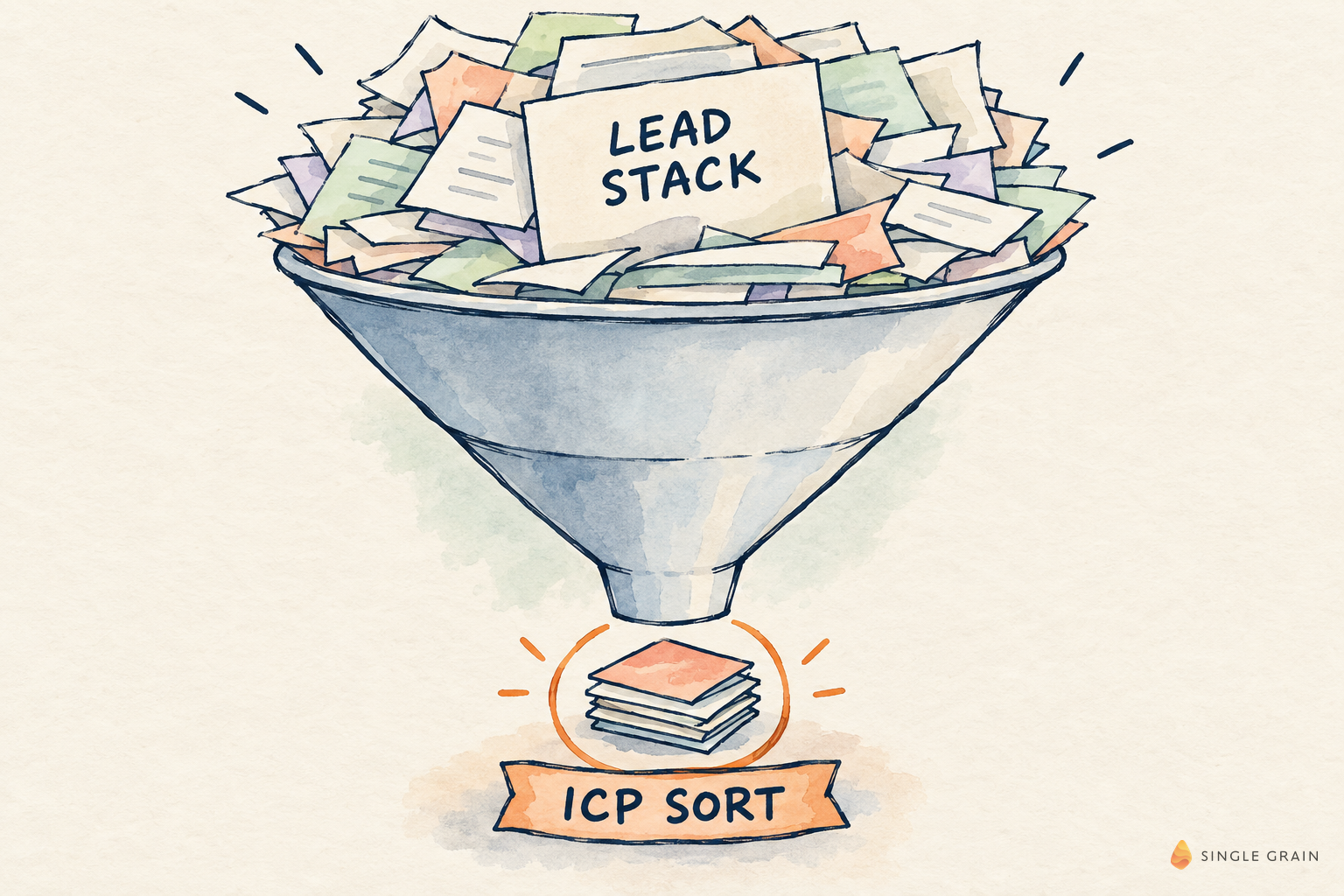
Everything that follows depends on how clearly that checklist is written.
Jev vs. Your SDR Queue at a Glance
Here’s the short version before I dig in. Both approaches start with the same export, but they spend human time in a different order.
| Plain SDR Queue | Jev Classify Pass | |
|---|---|---|
| Who sees every row first | Reps | Jev, against written ICP criteria |
| Labels | None, every row looks equal | Hold, route, recommend, or uncertain |
| Low-confidence rows | Worked anyway | Default to hold below 0.55 confidence |
| Outreach | Fires on the whole list | Only route rows reach reps; Jev never sends |
| Human time | Spent on every dial | Focused on the uncertain pile |
Order is the whole difference. Cheap classification happens first, and expensive SDR attention happens second. Your reps stop guessing which rows matter, and your managers can audit every label because each one points back to a written criterion.
Why an Unsorted SDR Queue Gets Expensive
Most teams treat the list as the asset. Your actual asset is the short list of ICP fits your SDRs can work. When every row looks equal, the queue fills with near-misses on company size, buying motion, timing, and title.
Sequences still fire, and meetings still book on paper. Conversion tells a quieter story two weeks later. Meanwhile, every bad dial burns calendar time and domain reputation.
| Pro-Tip |
|---|
| Before you blame reps for low connect rates, sample fifty rows from the last export and check how many match your ICP on paper. |
What Fit Has to Mean Before Jev Runs
Fit should be a short checklist your team can argue about in a review meeting, never a vibe score from 1 to 100. I keep it to fields I can point to in the row or in a linked enrichment field.
- Industry match. Named industries you sell into.
- Employee band. A written size range.
- Tech stack signals. Only the ones you care about.
- Buying role. Decision maker or influencer.
- Exclusions. Agencies, students, competitors, or existing customers.
Write each criterion so two people would label the same row the same way. If they’d disagree, the model will wobble too, and your uncertain pile will balloon.
Any criterion you can’t find in the data doesn’t belong in the first pass. Freeze the sheet with one owner and a version note, so nobody edits it mid-batch.
How the Jev Classify Loop Works
I walked through this loop on camera, including how Jev sits under each of my bots. It’s built like an ops runbook rather than a prompt playground.

My architecture doc spells out the flow. Sources and queues feed Jev, which outputs a choice or a null and fails closed at 0.55 confidence. Its labels are hold, suppress, route, or clear recommend, and then a human gives an exact yes before the owner bot executes.
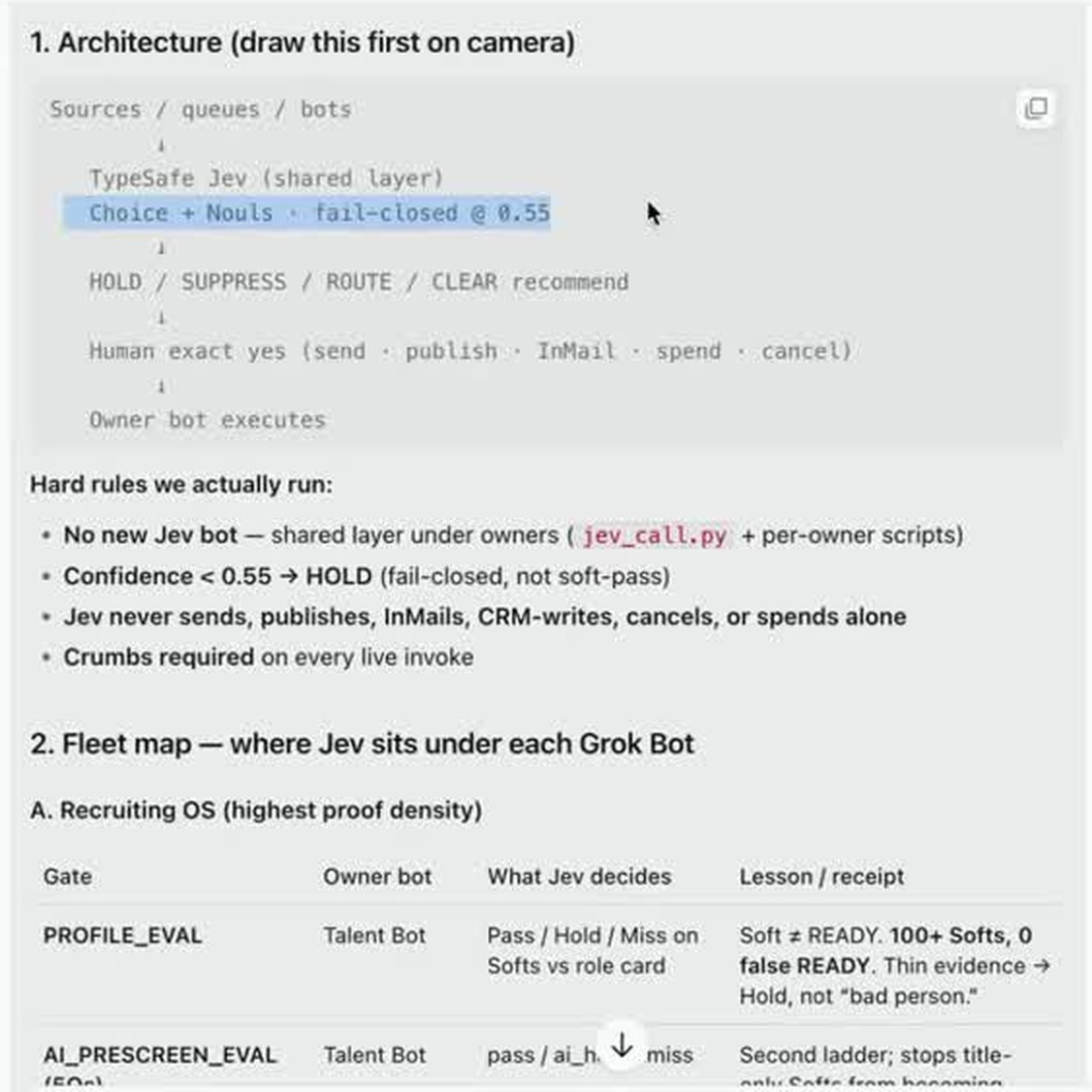
Look at the hard rules under that diagram, because they’re what make the loop safe. Confidence below 0.55 means hold, Jev never sends, publishes, InMails, writes to the CRM, cancels, or spends alone, and every live run leaves a trail. Here’s how that turns into steps.
1. Freeze the ICP Sheet
One owner, versioned, with no silent edits mid-batch.
2. Chunk the List
Send batches Jev can finish without burning an expensive model on every row.
3. Classify Every Row
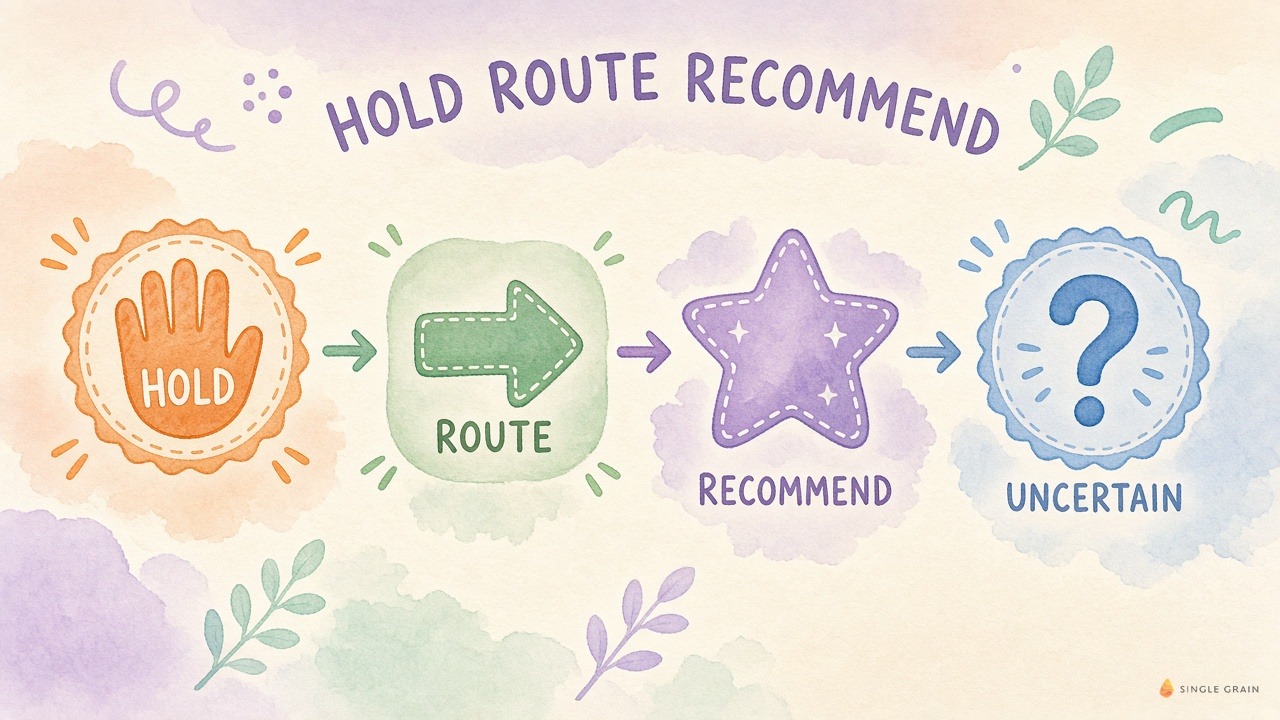
Labels only, as hold, route, recommend, or uncertain. Hold rows go to archive or nurture, route rows go to the SDR queue, recommend rows get a manager glance, and uncertain rows go to a person. Keeping one owner per label stops rows from bouncing between teams.
Those four labels look like this side by side.
4. Review the Uncertain Pile
A person opens each uncertain row, checks the sticky fields, and upgrades or kills the label.
5. Hand Route Rows to SDRs
Route rows enter sequences. Recommend rows may need a manager glance before a high-touch sequence.
| Starter prompt for AI lead qualification |
|---|
| Classify each lead against this ICP checklist: [paste criteria]. Return one label per row, hold, route, recommend, or uncertain, plus the fields that drove it. Use uncertain whenever a required field is blank. Never fill in missing firmographics. |
That loop handles clean rows quickly. Your middle band is where the work is.
The Uncertain Pile Is Where Humans Earn Their Keep
Clear misses are easy. Slowdowns come from rows that look senior at companies outside your band, or domains that match industry keywords while the product motion doesn’t.
Jev flags those in seconds. A person still opens three fields and decides, and that desk time is the cost of honesty. Skipping it moves the cost into wasted dials.
On my X post about this sorter, one reader put it plainly: the human review step does more work than the classifier, so uncertain leads should stay in a small queue and get measured for false positives before any bot acts. That’s exactly how I run it.
Jev Doesn’t Stop at Lead Lists
Inside my own setup, Jev doesn’t stop at lead lists. The same gates check website leads for ICP, size, and signal before outreach, and the speed-to-lead gate screens for spam, existing customers, and ICP before anyone dials.
A growing uncertain pile usually means thin enrichment rather than a weak model. Fix enrichment or narrow the criteria until the pass is auditable.
A few things stay manual for now.
- Changing ICP criteria without a named owner and a version note.
- Sending outreach from the recommend or uncertain buckets without a person.
- Letting a model invent firmographic fields that were blank in the source row.
| What You Should Do |
|---|
| Name one person who owns the uncertain pile and give them a daily window to clear it before noon. |
A Weekly Cadence for AI Lead Qualification
Run the sorter on a fixed rhythm so SDRs stop living in export chaos.
- Monday morning: Freeze the ICP sheet and pull the raw export.
- Monday afternoon: Run the Jev classify pass on the full batch.
- Tuesday morning: Clear the uncertain pile.
- Tuesday afternoon: Route and recommend rows enter your SDR tools.
- Friday: Review false routes and false holds, then update the sheet in writing.
From there, always measure these three things:
Track the share of rows labeled uncertain, the share of routed rows that earn a conversation, and time from export to first dial. If uncertain stays high for two weeks, fix the criteria or the enrichment instead of the model.
Once it’s live, keep SLAs and kill switches for marketing agents next to the runbook, so anyone can pause the job in one step.
Should You Hire or Build the Agent That Owns This Job?
Sorting ICP leads is a pipeline job with a clear input, a clear output, and a kill switch. That makes it a good first job for an agent that owns work instead of demoing a chatbot.
For the ownership call, start with how to hire or build AI marketing agents that own pipeline jobs. As volume grows and cost per batch matters, how to price managed marketing agents helps you budget it.
| Action Step |
|---|
| Take last month’s export, write a five-field ICP checklist, and run a classify pass on 1,000 rows. Compare the route list with the rows your reps worked. |
Put AI Lead Qualification in Front of Your SDR Queue
AI lead qualification works when the criteria come first, the model labels cheaply, and people handle the uncertain calls. Jev gives you that order, and your SDRs get a list worth dialing.
Want help putting AI to work in your funnel? My team at Single Grain helps companies bring AI into their marketing through our AI transformation services. Let’s talk about where AI fits in your pipeline.
Frequently Asked Questions About AI Lead Qualification
-
What is AI lead qualification?
AI lead qualification uses a model to sort leads against written ideal customer profile criteria before outreach. Clear fits go to reps, clear misses are held, and uncertain rows go to a person for review.
-
How does Jev qualify leads?
Jev classifies each row as hold, route, recommend, or uncertain using the criteria you give it. Anything below its confidence threshold defaults to hold, and Jev never sends outreach or writes to the CRM on its own.
-
Does AI lead qualification replace SDRs?
No. It decides which leads deserve SDR time. Reps still run conversations, and a person still reviews uncertain rows before any outreach goes out.
-
What ICP criteria should you use?
Use fields you can find in the data, such as industry, employee band, tech stack signals, buying role, and an exclusion list. If a criterion can’t be checked in the row or enrichment, leave it out of the first pass.
-
How do you measure an AI lead sorter?
Track the share of rows labeled uncertain, the share of routed leads that turn into conversations, and the time from export to first dial. A high uncertain share usually points to thin enrichment or vague criteria.


