How to Scan Competitor Ads for Offer and Creative Gaps With Jev


Competitor ads can show you exactly what rivals pay to say. Many marketers find this extremely valuable! But, did you know that three free ad libraries put much of this data in public view? If you skip them before a launch, you can end up paying to learn what a competitor already tested. This is where a competitor ads analysis leveraging AI saves the day.
Here’s what I do: My team uses Jev with image input to scan these free ad libraries and report which offers competitors run, how many ads they have live, and where an ad’s promise doesn’t match its landing page. It also helps us spot creative gaps fast. My view is simple. A copied ad gets you a competitor’s positioning, while the gap between their ad and their page gives you room to win.
Two ideas carry this whole process. Ad libraries give you the raw evidence, and a strict line between what you saw and what you guessed keeps the evidence honest.
So, if you’re wondering “Which offers are my competitors pushing right now, and where do their pages let buyers down?” then you’ve come to the right place. Discover my process for scanning the big ad libraries, the report my team builds, and the evidence rules that keep guesses out of your test plan.
TL;DR
- Competitor ads analysis turns public ads into a test plan. You review what rivals run, how much they run, and where their pages break the ad’s promise.
- Three free libraries cover the biggest ad platforms. Meta, LinkedIn, and Google each publish searchable ad archives, with different rules on history and detail.
- Jev speeds up the first pass. My team asks it narrow true or false, choice, and score questions about each screenshot, then a person checks the answers.
- Keep what you saw apart from what you guessed. Every idea in your test queue should point back to a captured ad, with missing prices or terms marked as not observed.
TABLE OF CONTENTS:
- What Goes Into Competitor Ads Analysis
- Where to Find Competitor Ads: 3 Free Ad Libraries
- How I Scan Competitor Ads With Jev
- What My Competitor Ad Analysis Report Shows
- Seen or Guessed: Keep Evidence Apart From Ideas
- Turn Competitor Ad Gaps Into Creative Tests
- Find the Gaps in Competitor Ads Before You Spend
What Goes Into Competitor Ads Analysis
Competitor ads analysis is a structured review of your rivals’ ads and the landing pages behind them. The goal is a short list of offers, angles, and formats to test in your own account.
A useful review answers five questions about each competitor.
- What offers do they run? Free trials, demos, audits, discounts, and downloadable content all signal a different funnel.
- How many ads are live? Volume hints at where a competitor is putting budget and how hard they’re testing.
- What do the ads promise? Headlines, hooks, and calls to action show the pain point they’re betting on.
- Does the landing page keep the promise? A page that drops the ad’s offer is a gap you can win.
- What creative patterns repeat? Formats and angles showing up again and again have likely survived someone’s testing.
All of this comes from public transparency tools, so nothing here involves logging in to a rival’s account or scraping private data. The work is in reading carefully and writing down only what you can see. It all starts with knowing where to look.
Where to Find Competitor Ads: 3 Free Ad Libraries
Each major platform runs its own archive, and each one shows a different slice of detail. Here’s how they compare.
| Library | What it shows | How to search | Watch-out |
|---|---|---|---|
| Meta Ad Library | Active ads across Facebook, Instagram, and other Meta technologies | Advertiser name or keyword, filtered by country and ad category | Spend and reach ranges appear only for ads about social issues, elections, or politics |
| LinkedIn Ad Library | Ads that ran on LinkedIn after June 1, 2023 | Company name, keyword, country, and date range | Ads stay listed for one year after their last impression |
| Google Ads Transparency Center | Ads from verified advertisers across Google surfaces | Advertiser name or website, filtered by date, region, and format | Shows the last date an ad appeared, so check recency before you treat an ad as current |
I start with whichever library matches the channel I’m planning to spend in, then check the other two for cross-channel offers.
Meta Ad Library
Meta’s library at facebook.com/ads/library holds all active ads running across its apps, and anyone can search it. It’s the deepest source for consumer and mid-market creative, since so much testing happens on Facebook and Instagram. My older walkthrough on uncovering a competitor’s Facebook ad strategy covers the manual version of this review.
LinkedIn Ad Library
The LinkedIn Ad Library is the best window into business offers aimed at specific titles. You can see the ad copy, the advertiser, and the format, which makes it easy to spot who leans on webinars, demos, or gated reports.
Google Ads Transparency Center
Google’s Ads Transparency Center lets you search by advertiser or website and filter by date and region. It covers formats such as text, image, and video, so one search can show a competitor’s search ads beside their display and YouTube creative.
Collection is the easy half. The hard half is reading hundreds of ads quickly, and an artificial intelligence (AI) model saves my team hours of manual review there.
How I Scan Competitor Ads With Jev
Jev is a model from TypeSafe AI built for structured classification. Its 1.14 release added experimental image input, which TypeSafe says isn’t ready for production yet. So my team treats every image answer as a first pass a person confirms.
The trick is asking narrow questions. Jev supports true or false answers, multiple choice, and scores, and each type fits a different check on an ad screenshot.
| Starter prompt for a competitor ad scan |
|---|
| For this ad screenshot, answer three questions. 1) True or false: the ad names a specific price. 2) Choose the offer type: free trial, demo, audit, discount, content download, or none visible. 3) Score from 1 to 5 how closely the landing page headline matches the ad’s main promise, and quote the exact words you compared. |
The request for exact words does the most work. It gives the reviewer something to check against the screenshot in seconds.
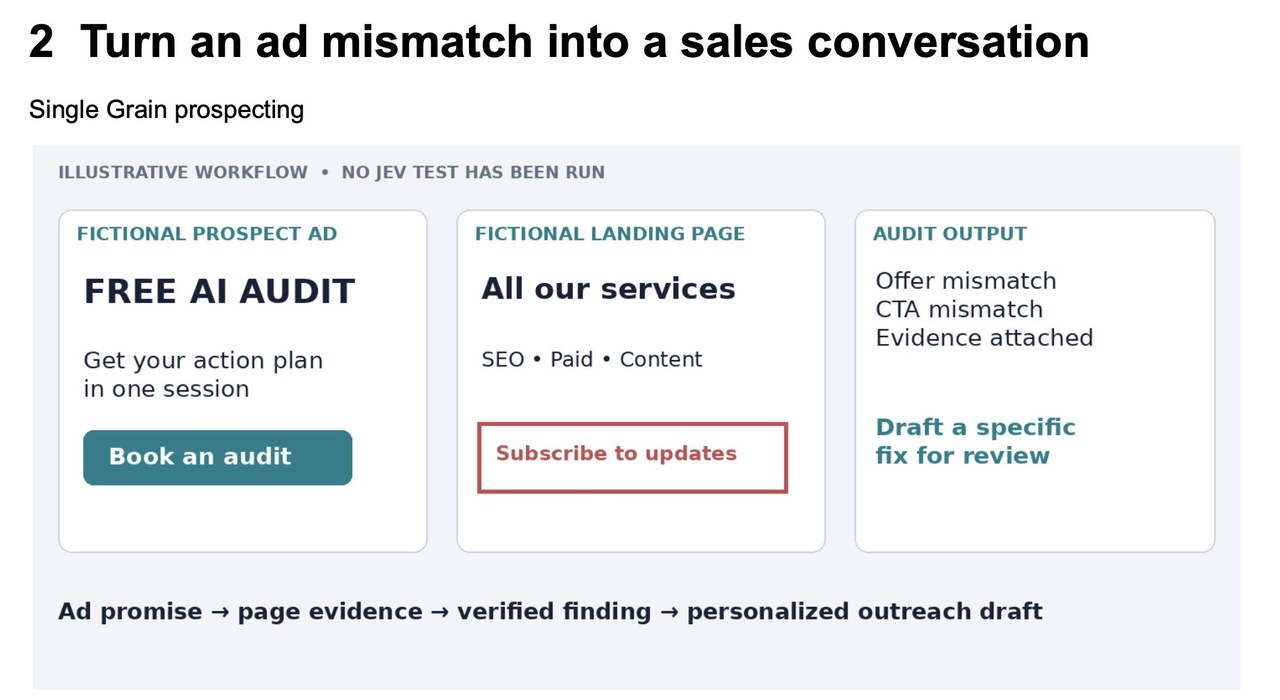
The example above is an illustrative workflow built on a fictional ad and page, and no Jev test was run on it. It shows the pattern I look for most. The ad promises a free audit, while the page lists every service and asks people to subscribe, so the click lands nowhere near the offer. Each answer like this rolls up into one report.
What My Competitor Ad Analysis Report Shows
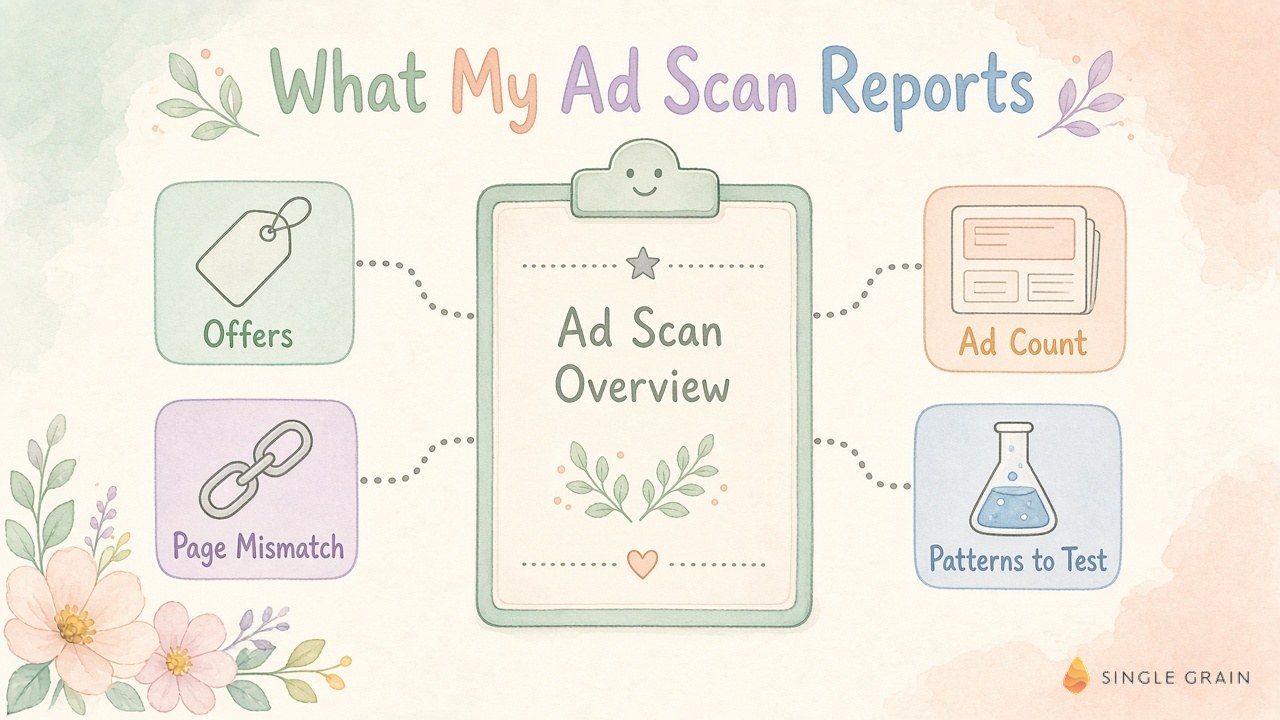
After a scan, my team rolls the answers into one report per competitor set. Here’s what goes into it.
- Offers in market. Every distinct offer spotted in the scan, with the ads carrying it.
- Ad count by advertiser. A rough read on who’s investing and who’s coasting.
- Ad to landing page mismatches. Cases where the page drops or changes the ad’s offer or call to action.
- Creative patterns to test. Hooks, formats, and angles repeated across several advertisers.
- Search gaps. Queries where competitors run search ads and your brand doesn’t appear.
- Page offer changes. Landing pages that swapped their offer since the last scan.
- Feedback consistency. Whether the same creative gets the same Jev answer on a second pass, a quick read on how far to trust the first one.
The mismatch list tends to pay off fastest. If a rival’s page breaks its own promise, you can run the same offer with a page that keeps it. The Google Ads Quality Score diagnostic I use shows why this alignment also helps your auction costs.
A report is only as good as its evidence, though. Here’s the rule my team follows before anything leaves it.
Seen or Guessed: Keep Evidence Apart From Ideas
The riskiest moment in competitor research is the summary. “Get your assessment” quietly becomes “free scorecard,” and suddenly your brief says a competitor runs an offer they never made.
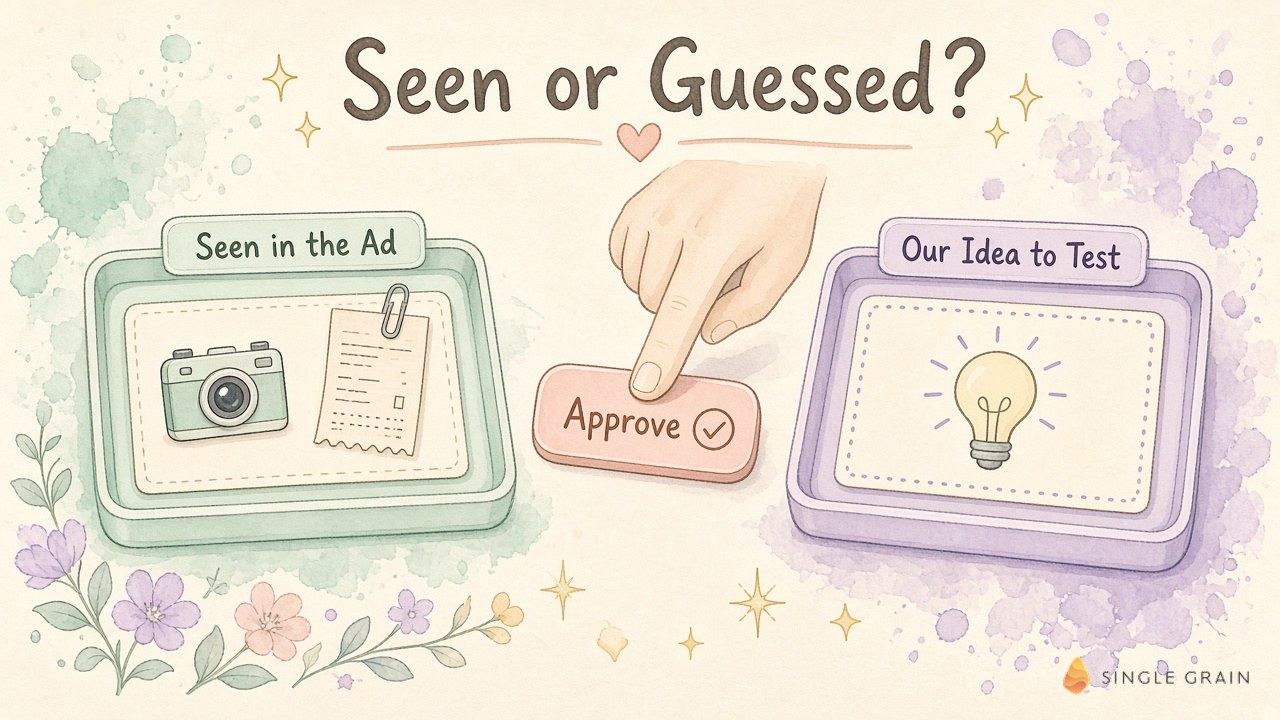
My team borrowed a fix from earlier work on competitor offers. Every line gets one of two labels.
- OBSERVED. The competitor visibly said it, in the ad or on the landing page, copied word for word with its qualifiers.
- HYPOTHESIZED. An idea your team generated from what it saw, such as a free tool or a paid pilot, clearly marked as yours.
Each observed claim also gets a receipt with these fields.
- Source details. The source link, advertiser name, capture date, and ad ID where the library shows one.
- Screenshot. The captured image, saved with the receipt.
- Verbatim offer line. The exact words, including qualifiers like “for qualified teams.”
- Price, eligibility, and duration. Filled in only when visible, and marked “not observed” when absent.
If an idea depends on a price or eligibility rule nobody saw, it waits until someone finds the evidence or rewrites the idea as your own. Approval happens only once each hypothesis points to a parent receipt.
That discipline makes the next stage faster, because nobody has to argue about what a competitor actually said.
Turn Competitor Ad Gaps Into Creative Tests
Each gap in the report becomes a test brief with one hypothesis, one audience, and one success metric. My cross-channel creative testing framework covers how to structure those briefs so results compare cleanly. I walk through spotting creative gaps fast in this X thread.
Volume helps once the briefs are solid. Some startups test thousands of ads a year, and tools like Meta Advantage+ can spread budget across many variants. For short-form video, my guide to finding Instagram hooks with Jev and Meta Muse shows a similar scan applied to the first seconds of a clip.
| Pro-Tip |
|---|
| Rerun the scan every two to four weeks. A competitor ad that keeps running across scans has likely earned its budget, while ads that vanish fast often lost their tests. |
Fresh scans also protect you from ad fatigue, since you’ll see when the whole category starts repeating the same hook. On the page side, a website lead leak audit and a conversion rate optimization (CRO) partner can make sure your own pages keep every promise your ads make.
Find the Gaps in Competitor Ads Before You Spend
Competitor ads give you a free look at what rivals believe will sell. Scan the three libraries, ask Jev narrow questions, keep observed claims apart from your own ideas, and turn each gap into a clean test.
My team at Single Grain runs this research inside our paid advertising agency work, then builds the ads through our creative strategy services. If Facebook and Instagram are your main channels, our Facebook advertising team can put your first competitor scan to work.
Competitor Ads Analysis FAQ
-
How can I see what ads my competitors are running?
Search the free public ad libraries. The Meta Ad Library shows active ads across Facebook, Instagram, and other Meta apps, the LinkedIn Ad Library shows ads that ran after June 1, 2023, and the Google Ads Transparency Center shows ads from verified advertisers across Google surfaces.
-
Can I see how much competitors spend on ads?
Usually not. Meta shows spend and reach ranges only for ads about social issues, elections, or politics. For most commercial ads, the number of live ads and how long they keep running are the best public hints about investment.
-
What should a competitor ad analysis report include?
My team’s report covers the offers in market, ad count by advertiser, ad to landing page mismatches, creative patterns to test, search gaps, landing page offer changes, and whether the same creative gets a consistent answer on a second review.
-
How does Jev help with competitor ads analysis?
Jev, a model from TypeSafe AI, answers narrow true or false, multiple choice, and score questions about each ad screenshot, such as whether the ad names a price or which offer type it runs. Its image input is still experimental, so a person should confirm every answer.
-
How do I avoid copying offers a competitor never made?
Label every line as observed or hypothesized. Observed claims get a receipt with the source link, advertiser, capture date, screenshot, and the exact offer wording, and any price or eligibility you didn’t see stays marked as not observed.

