

AI Outreach Agents and Cold Email: A Guide for Marketing Leaders


An AI outreach agent can draft a full day of cold email in minutes. While this kind of speed provides countless benefits for busy business owners and marketers, it is also exactly where the danger hides. One loose list or one lazy prompt, and a sending domain built up over years can start landing in spam folders.
Here’s my view: An approval gate plus a daily cap is what turns an AI outreach agent from a risk into an asset.
This is why my own Outreach Agent has never sent an email out on its own. I use it every day to build a small queue of warm prospects. It keeps only the drafts it trusts and attaches the evidence behind each one. But then, it waits for the owner (me or someone on my team) to approve the exact batch.
Below, I’ll walk you through what an AI outreach agent is, how AI cold email works inside one, why it matters for marketing leaders, where it fails, and the checklist my team uses before any tool gets near a send button.
TL;DR
- An AI outreach agent researches, drafts and queues outreach for you. The best ones also decide who belongs in today’s batch and show their evidence for every email.
- The approval gate is the most important feature. My agent drafts every day, and a person approves the exact batch before anything goes out.
- A daily cap protects your domain and your brand. When the agent can’t find enough qualified people, it sends fewer emails instead of lowering the bar.
- Judge tools on control first and copy second. Look for evidence on each draft, batch approval, caps, deliverability limits, CRM logging and a fast way to stop sending.
TABLE OF CONTENTS:
- What Is an AI Outreach Agent?
- How AI Cold Email Works Inside an Outreach Agent
- Why Marketing Leaders Should Care About AI Email Outreach
- Where AI Outreach Agents Fail
- How to Build an Approval Gate for Your AI Outreach Agent
- What to Look for in an AI Email Agent or Outreach Tool
- How My Team Uses AI Outreach Agents at Single Grain
- Start With a Small Queue You Approve Yourself
What Is an AI Outreach Agent?
An AI outreach agent is software that takes a goal (or prompt) like “start conversations with qualified accounts” and runs the outreach work toward it. It finds or receives prospects, researches each one, writes a personalized email, decides who makes today’s queue, and either sends within its rules or hands the batch to a person.
Lots of tools get lumped into this bucket, but they do very different jobs. Here’s how I separate them.
- AI writing tool. You paste in context, it writes an email, and you copy it into your inbox yourself.
- Sequencer. It sends a fixed series of emails on a schedule to a list you upload, with little judgment about who should get them.
- AI outreach agent. It researches, drafts, scores its own confidence, builds the daily queue and logs what it did, with a person approving sends.
You’ll also hear the term AI SDR, which usually means a tool built to run the whole top of outbound with as little human input as possible. My team learned the hard way what breaks when an AI SDR runs unchecked, so my agent is built around the opposite instinct. It does the research and the writing, and a human keeps the send.
Outreach agents are one slice of a bigger family of AI revenue agents that touch pipeline. This is where the stakes show up fastest, because every email carries your brand and your domain.
So how does one actually work day to day?
How AI Cold Email Works Inside an Outreach Agent
Four stages make my agent work. First it researches the account, next it drafts with evidence, then it holds the batch for approval, and finally it sends inside its caps.
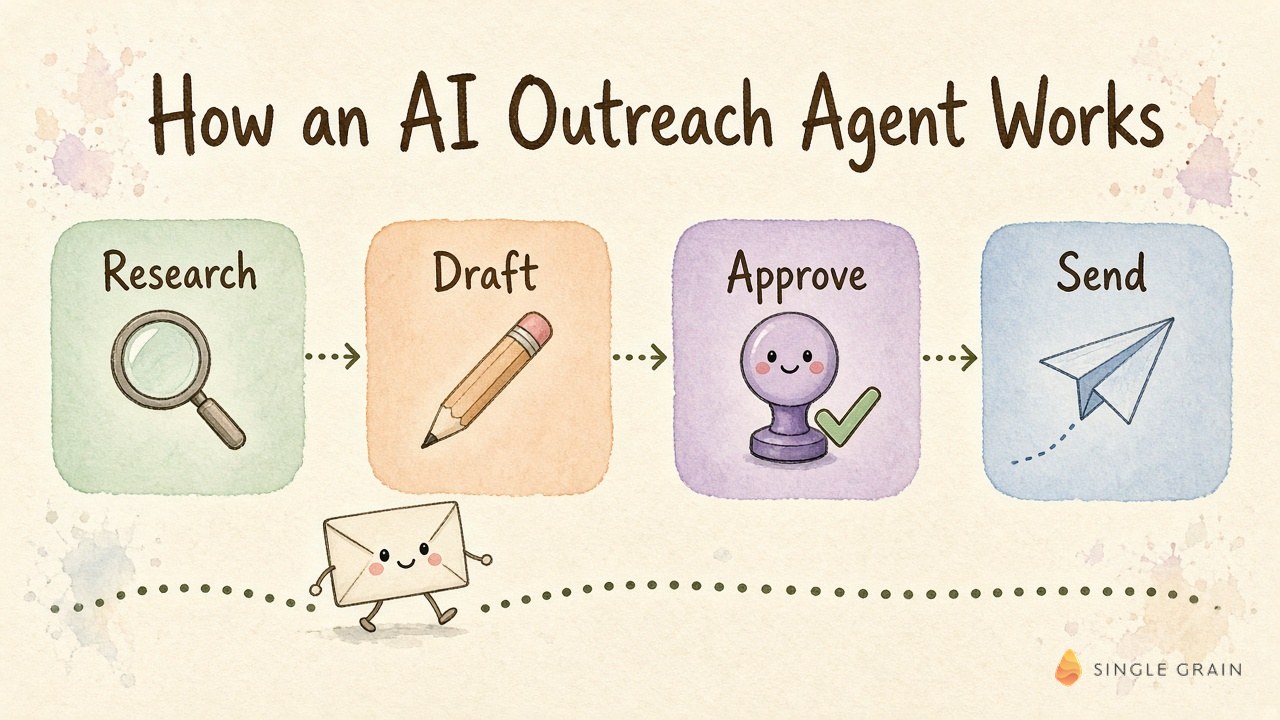
Each stage hands its output straight to the next, so a weak first stage poisons everything after it. Here’s what happens in each one.
1. Research the Account
The agent starts with accounts that already have a reason to hear from you. Think recent engagement, a warm intro path, a hiring signal or a topic they care about. My team pairs this with company intelligence and buyer intent signals so the agent spends its effort on people worth contacting.
Good research produces facts the agent can point to later. A guess about someone’s priorities doesn’t count.
2. Draft the Email With Evidence
Next, the agent writes the email and attaches the evidence behind it. Every claim about the prospect links back to where it came from, so the approver can check a draft in seconds.
This is the part most AI cold email tools skip. They give you polished copy with no receipts, and you have no fast way to tell a sharp insight from a confident hallucination.
| Starter prompt for an outreach agent |
|---|
| For each prospect in today’s list, write one short email under 120 words. Attach the two facts you used, each with its source link. Score your confidence from 1 to 5, and drop any draft below 4 instead of rewriting it. |
Once the drafts are written, the agent does something a sequencer never does. It stops.
3. Hold the Batch for Approval
My agent queues the high-confidence drafts and waits. The owner reviews the exact batch, including who is on it and what each email says, and approves it as a set.
Batch approval keeps review fast. Instead of clicking through a hundred individual emails, the approver reads a short queue, spot-checks the evidence and says yes or sends it back.
4. Send Within Caps
After approval, the batch goes out inside hard limits. My Outreach Agent has a daily cap on how many people it can queue, and when it can’t find enough qualified prospects, it sends fewer emails rather than loosening its criteria to hit a number.
That cap is the quiet hero of the whole setup. It means a slow week produces a smaller batch instead of a sloppier one.
With the mechanics clear, the bigger question is why this deserves a marketing leader’s attention.
Why Marketing Leaders Should Care About AI Email Outreach
Outbound email often sits with sales, but the damage from bad AI email outreach lands on marketing. Your domain reputation, your brand voice and the quality of pipeline you report on all ride on every message an agent sends.
Recently, I spoke about how I use AI to protect the bar more than to produce more. Someone on my team decides the standard up front, and the bot holds it without drifting. Outreach is the clearest example of why the standard comes first.
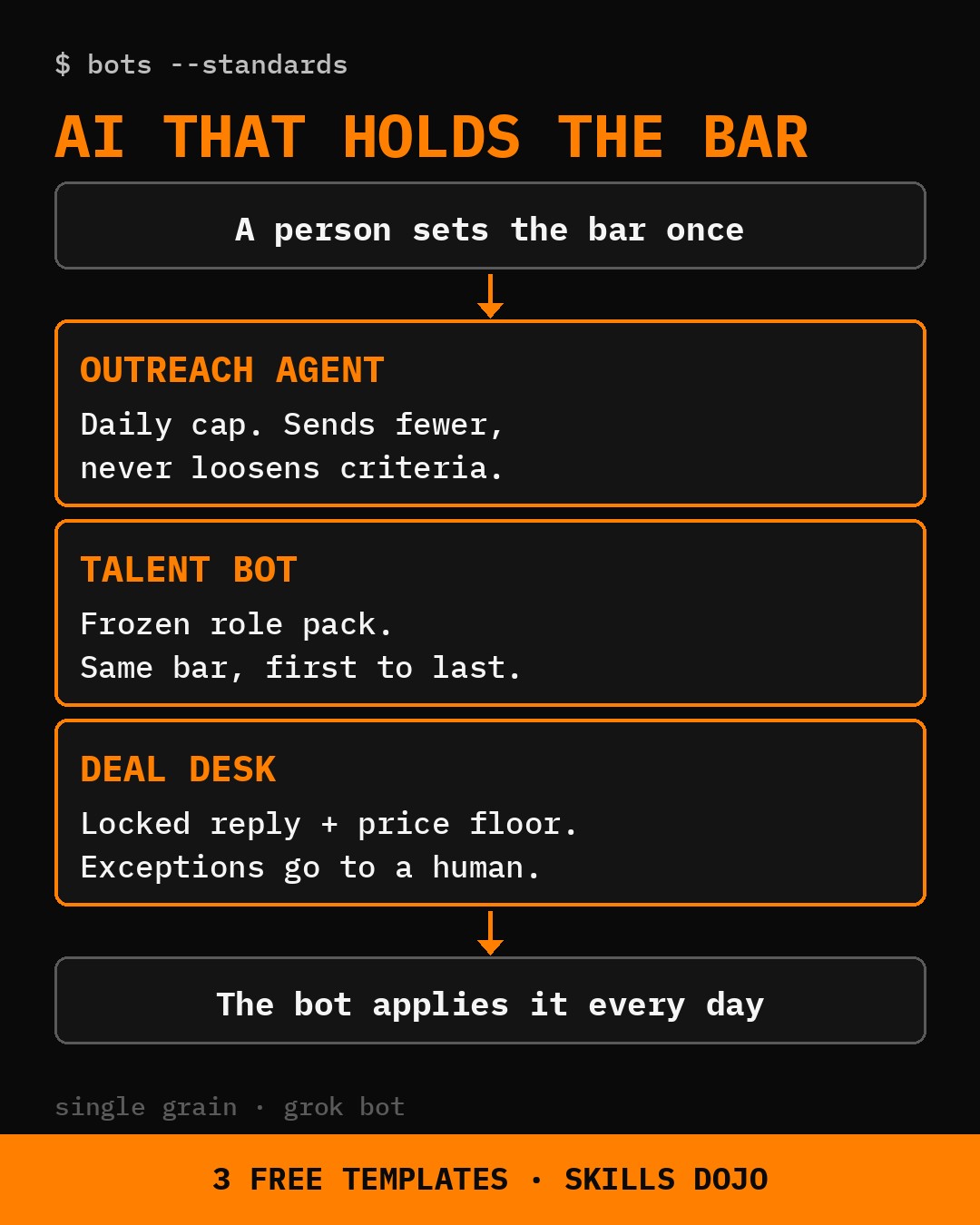
Here’s what’s actually at stake for your team.
- Domain reputation. Gmail asks senders to keep spam rates under 0.10% and never reach 0.30%, and a burned domain hurts your newsletters and product emails too.
- Brand voice. Every AI email is a first impression of your company, often for someone already on your target account list.
- Pipeline quality. More sends can inflate activity numbers while the meetings that show up get worse.
- Team time. A good agent removes hours of research per rep, which is the real win.
If you already run ABM for SaaS companies or a named-account program, an outreach agent can help a lot. It just has to work inside the same standards your team already holds.
So where do these agents go wrong?
Where AI Outreach Agents Fail
Most failures trace back to one root cause. The agent scales whatever you feed it, good or bad.
- A weak offer, faster. If the message doesn’t land with people, an agent just spreads the miss across more inboxes.
- Loose lists. Unverified addresses and vague targeting produce bounces, complaints and replies from people who were never a fit.
- Made-up personalization. A confident line about a prospect’s “recent launch” with no source behind it can embarrass your brand.
- Volume creep. Teams raise the daily number to hit a target, and sudden spikes in volume can trigger rate limits or a reputation drop.
- No owner for edge cases. When the agent is unsure, those cases need a named person and an exception queue instead of a silent skip or a risky send.
Notice a pattern? Every one of these gets caught earlier when a person approves the batch and a cap limits the blast radius.
Low replies deserve their own note. If bounces and complaints look healthy but positive replies stay flat, freeze volume and fix the list or the offer before you send more.
How to Build an Approval Gate for Your AI Outreach Agent
An approval gate is a rule that holds every outbound batch until a named person says yes to the exact emails and recipients. On my ladder of bot permissions, my Outreach Agent sits on the Draft rung. It prepares the work, and no email goes out without a yes.
Here’s the order my team uses to set one up.
- Verify before upload. No address enters a sequence until it passes verification, and the result is logged with the lead.
- Cap per inbox and per domain. Set a starting daily cap for each inbox and a ceiling for each sending domain, and the agent can never exceed either.
- Define your health gates. Track hard bounces and deferrals, spam complaints in Postmaster Tools, and positive reply rate against your own baseline.
- Write the volume ladder. All gates green for a set number of days means a small step up, any yellow means hold, and any red means cut volume and pause the domain.
- Require batch approval. The agent shows the queue, the evidence and its confidence, and a person approves the exact batch.
- Isolate domains. Spread sending across separate domains so a problem on one stays contained.
- Review the rules weekly. The agent applies the ladder daily, and a person reviews it weekly and approves any change to the ceiling.
Two Gmail rules shape the hard edges. Avoid sudden volume spikes, since doubling volume overnight can cause rate limiting or reputation drops, and plan for the extra Gmail sender requirements once you pass 5,000 messages a day to Gmail accounts.
| Pay Attention |
|---|
| Volume is easy to raise and hard to undo. Keep your spam rate in Postmaster Tools below 0.10%, and pause a domain well before it ever reaches 0.30%. |
Once the gate is in place, you can judge tools on whether they support it.
What to Look for in an AI Email Agent or Outreach Tool
Most demos lead with copy quality. I’d rather see how a tool behaves when it’s unsure, when volume should drop and when someone needs to stop it.
These are the seven checks my team runs, in order of importance.
- Evidence on every draft. Each personalized claim should link to its source so a reviewer can verify it fast.
- Approval of the exact batch. You should approve the recipients and the final copy together, with no edits slipping in after the yes.
- A daily cap that sends fewer. The tool should shrink the batch when qualified prospects run short, rather than widen the criteria.
- Deliverability controls. Look for per-inbox limits, gradual ramp-up, bounce handling and support for one-click unsubscribe.
- CRM sync and logging. Every draft, approval and send should land in your CRM with who approved it.
- Exception routing. Low-confidence cases should go to a named owner with the evidence attached.
- A fast stop. Someone on your team should be able to pause all sending in one move, backed by clear kill switches for managed marketing agents.
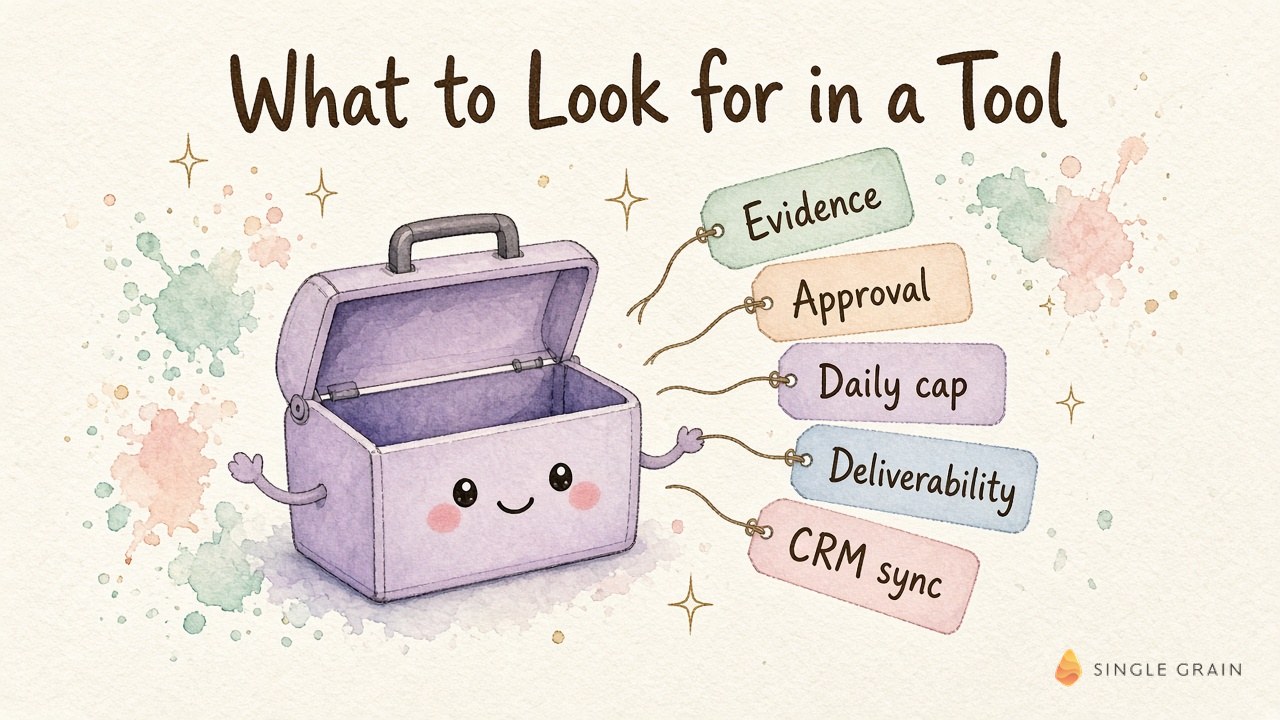
The first three checks matter most. A tool with brilliant copy and no approval gate is a liability, while a tool with average copy and strong controls gets better as you tune it.
During a demo, put these questions to the vendor.
- What happens when the agent can’t find enough qualified prospects today?
- Can I approve a batch and know nothing changes after I approve it?
- Where does the evidence for each personalized line come from?
- How do I pause every send across every inbox at once?
| Pro-Tip |
|---|
| Ask the vendor to show you a low-confidence draft live. How the tool handles its own doubt tells you more than its best email ever will. |
That’s the buying side. Here’s how this looks inside my own company.
How My Team Uses AI Outreach Agents at Single Grain
My Outreach Agent runs as a Grok Bot, and I shared it as a free Outreach Agent template on Skills Dojo. It’s built for founders and sales teams who want outbound help without handing a bot the send button.
The same pattern runs through the rest of my bots. My Grok Bot use cases show where each one stops for approval, and most of them never get send rights at all.
For clients, my team’s view at Single Grain is to fix the list and the offer before turning up any AI email volume. Older playbooks for cold emailing and outbound automation tools still apply, and the agent simply speeds up the research and drafting inside them.
Sometimes the fastest route is an embedded operator. A forward deployed marketer from my team can build the agent, the gates and the review rhythm right alongside your people.
Start With a Small Queue You Approve Yourself
An AI outreach agent is worth it when it makes your outreach sharper, and the approval gate and daily cap are what keep it that way. Start with a small daily queue, approve every batch yourself for a few weeks, and only then think about raising the cap.
If you want help building outbound and demand programs where AI agents do the research and drafting inside rules your team controls, my team at Single Grain can help! Explore Single Grain’s demand generation agency services or our AI transformation services to see where to start.
AI Outreach Agent FAQs
-
Is an AI outreach agent the same as an AI SDR?
They overlap, but an AI SDR usually aims to run the whole top of outbound with little human input. Meanwhile, an AI outreach agent can work with a person approving every batch, which is how I run mine.
-
Can an AI outreach agent send emails without approval?
Many tools can, but I don’t recommend starting there. My Outreach Agent drafts every day and sends only after the owner approves the exact batch.
-
How many cold emails should an AI outreach agent send per day?
Set the number from your own domain health and list quality, then raise it in small steps. Avoid sudden spikes, keep your spam rate in Postmaster Tools below 0.10%, and let the agent send fewer emails when qualified prospects run short.
-
Do AI cold emails hurt deliverability?
They can when volume jumps, lists go unverified or personalization gets sloppy. Verification before upload, per-inbox caps and health gates on bounces, complaints and replies keep AI cold email from damaging your domain.
-
What should I look for in an AI cold email tool?
Look for evidence on every draft, approval of the exact batch, a daily cap that sends fewer, deliverability controls, CRM logging, exception routing and a fast way to pause all sending.


