

How to Use Seedance 2.0 to Produce Ad Creative at Scale


Eleven thousand ads. In one month. That’s what Cody Schneider, co-founder of Graphed, told me his team ships, and a big piece of it runs on Seedance 2.0, ByteDance’s AI video model. I honestly assumed most of it was junk.
Then he opened up the pipeline, and every ad has to pass a brand-style gate before it ships. I got to watch it live. In minutes, his agent went from Reddit complaints to fifteen scripts, then to fifteen avatar ads rendering in Seedance, and I couldn’t wait to show you how.
Below, I’ll walk you through Cody’s six steps from a Reddit thread to a finished ad. You’ll learn how to use Seedance 2.0 to produce ad creative at scale, what testing costs, and how to keep winners from going stale.
TL;DR
- Seedance 2.0 is ByteDance’s AI video model. It turns text, images, audio, and video references into short clips with synced sound, which makes it a strong engine for avatar-style video ads.
- The model is only one step. Cody’s ads work because the scripts come from customer pain points pulled from Reddit, not from a blank prompt.
- Volume needs a feedback loop. His team starts around $100 a day, runs two to three creative rounds a week, and keeps roughly eighty percent of spend on proven ads.
- Start with one offer and one avatar set. Build a single batch of fifteen scripts this week, render them, and let conversion data pick your next round.
TABLE OF CONTENTS:
- What Is Seedance 2.0?
- Why Seedance AI Is Only One Part of a Winning Ad
- How to Use Seedance 2.0 for Ad Creative in 6 Steps
- Seedance Pricing and What a Test Budget Looks Like
- How to Keep Seedance 2.0 Ads From Going Stale
- Where Seedance 2.0 Still Falls Short
- Turn Seedance 2.0 Into a Pipeline That Books Demos
What Is Seedance 2.0?
Seedance 2.0 is a video model from the ByteDance Seed team. Per the official launch post, one request can take text, up to nine images, up to three video clips, and up to three audio clips.
That audio piece is what got me excited. Hand it a voiceover and an avatar image together, and you get back a talking clip that matches. It outputs multi-shot clips of up to fifteen seconds with stereo audio, and it can edit or extend an existing clip.
So is it just another text-to-video toy? Not quite. Reference control lets you keep the same face, framing, and voice across dozens of variations.
Here’s how those inputs stack into one ad, in four steps.
- Pull pain points from your customers’ own words.
- Turn them into short scripts.
- Pair a voiceover with an avatar image.
- Send both to Seedance 2.0 to render the finished clip.
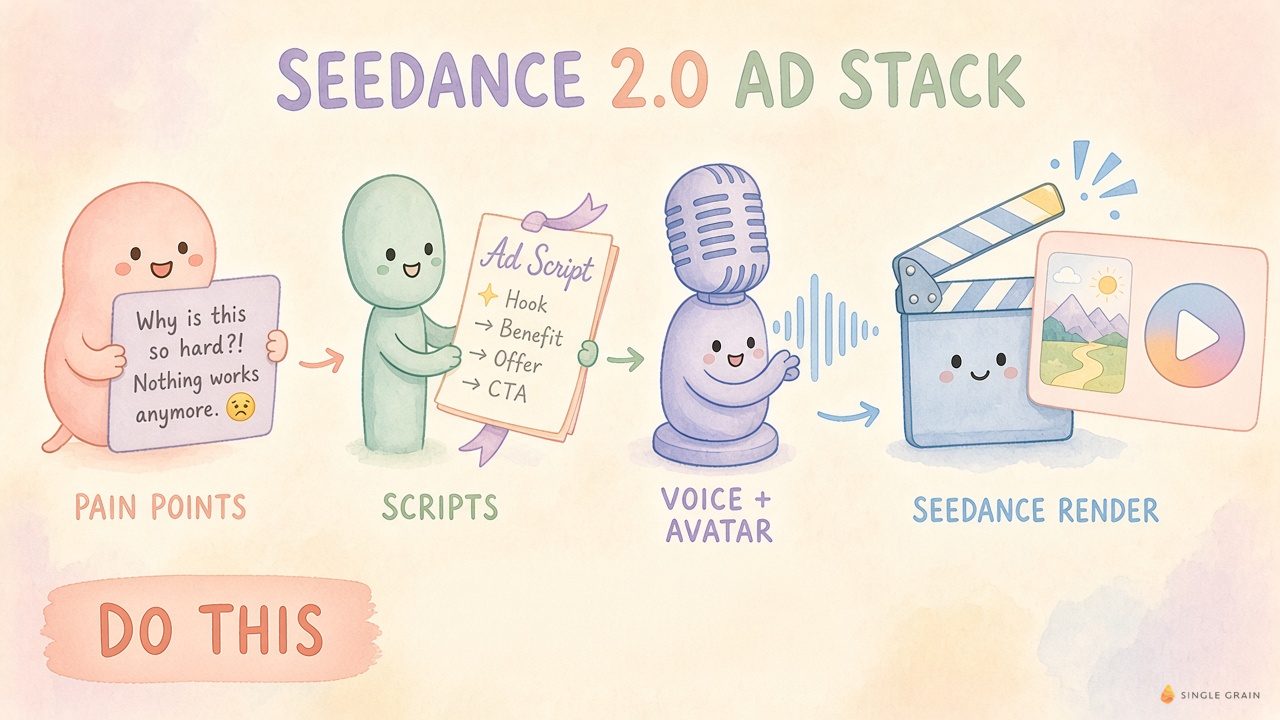
Notice that only the last step happens inside Seedance. The first three decide whether the ad works at all.
Why Seedance AI Is Only One Part of a Winning Ad
Lots of teams expect Seedance AI to fix their creative, and it won’t. The clip is rarely the bottleneck. Your message is.
Cody said something that flipped how I think about targeting. Outside account-based campaigns, his team targets all of Facebook and lets the creative do the positioning. Meta’s Andromeda system decides who sees an ad largely from the ad itself.
That’s why he runs five avatars of different ages and ethnicities. Each one pulls the ad toward a different audience. He even keeps the audio slightly rough, because studio-clean sound in a casual setting screams “ad.”
None of that is a Seedance feature. It’s strategy, and the model just makes it cheap to repeat hundreds of times. If you already run AI video personalization for ABM, Seedance slots in as the rendering layer.
| Pro-Tip |
|---|
| Write your targeting into the creative. Pair one avatar that looks like each buyer with one script naming their exact pain, then run them all in one broad campaign. |
How to Use Seedance 2.0 for Ad Creative in 6 Steps
This is the part you can copy. Cody demoed the whole flow live with me on Leveling Up, from scraping pain points to sending finished renders.
Here’s the exact order Cody runs, and each step hands its output straight to the next.
1. Pull Pain Points From Reddit
Cody’s coding agent searches Reddit through the Exa search API for problems people mention around his service. In the demo, it surfaced people furious that their agency checked their Google Ads once a month.
Those complaints become your hooks, already in the customer’s words.
2. Write 15 Script Variations
Next, the agent writes fifteen thirty-second scripts using a hook, outcome, and pain point structure. Cody tells it to keep the words lean, since an avatar reading a long script sounds stiff. His actual prompt asks for 15 ad script variations and supplies a bank of conversational hooks.
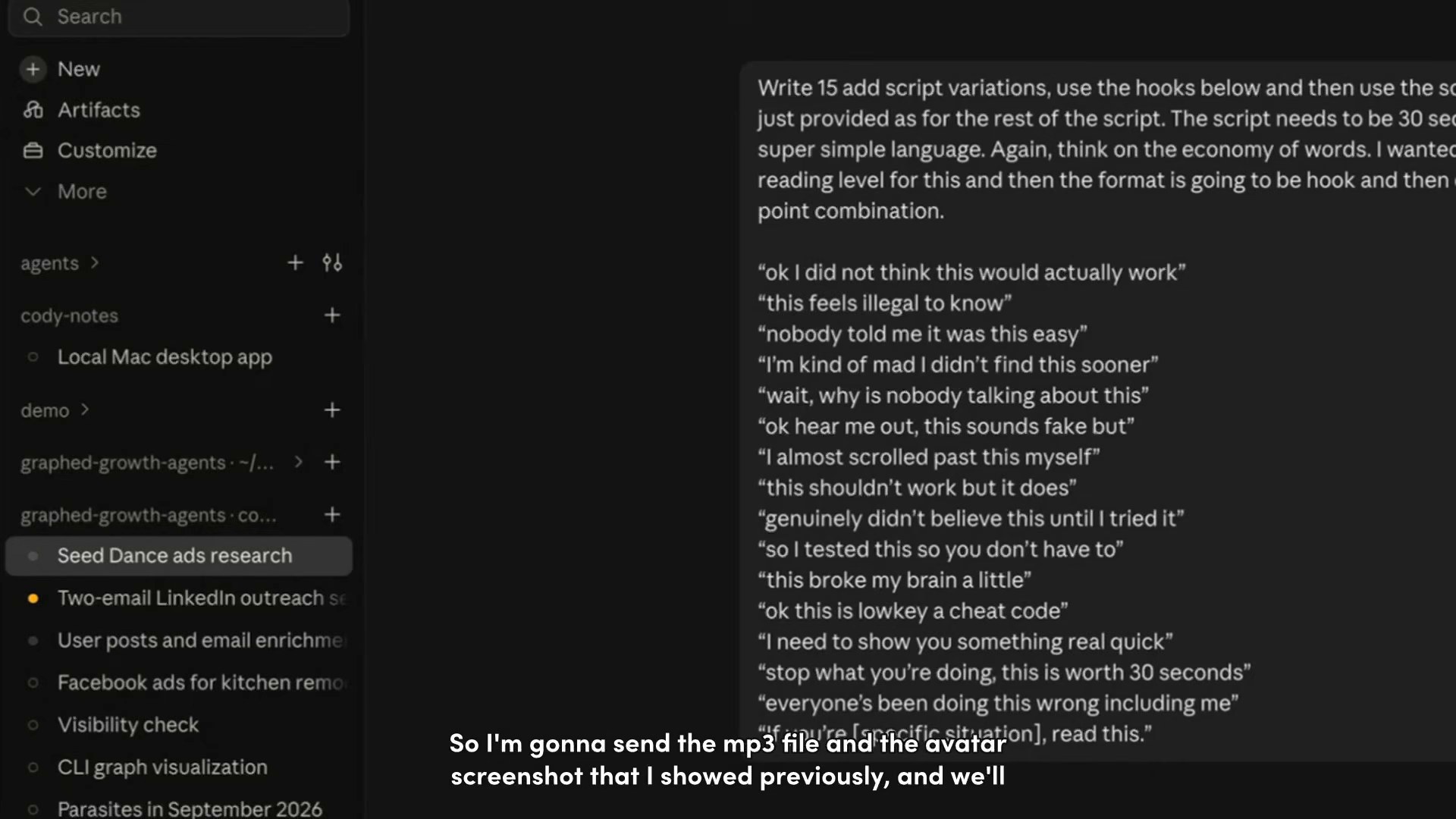
One script opened close to “I paid an agency to run my Google Ads, and they checked it once a month.” Cody gut-checks the batch and moves on. Speed beats polish here.
3. Turn Scripts Into Voice With ElevenLabs
The scripts go to ElevenLabs, which returns an MP3 for each one in a saved voice. A voice that sounds like someone recording on a phone tends to beat a polished narrator.
4. Render the Video With Seedance 2.0
Now Seedance does its job. Cody sends each MP3 plus an avatar image and gets back a talking-head video, through API resellers like Kie AI. He mentioned Higgsfield as another route his team has tried. In the demo, the agent rendered 15 Seedance videos on Kie AI and gave three scripts to each of five kitchen avatars.
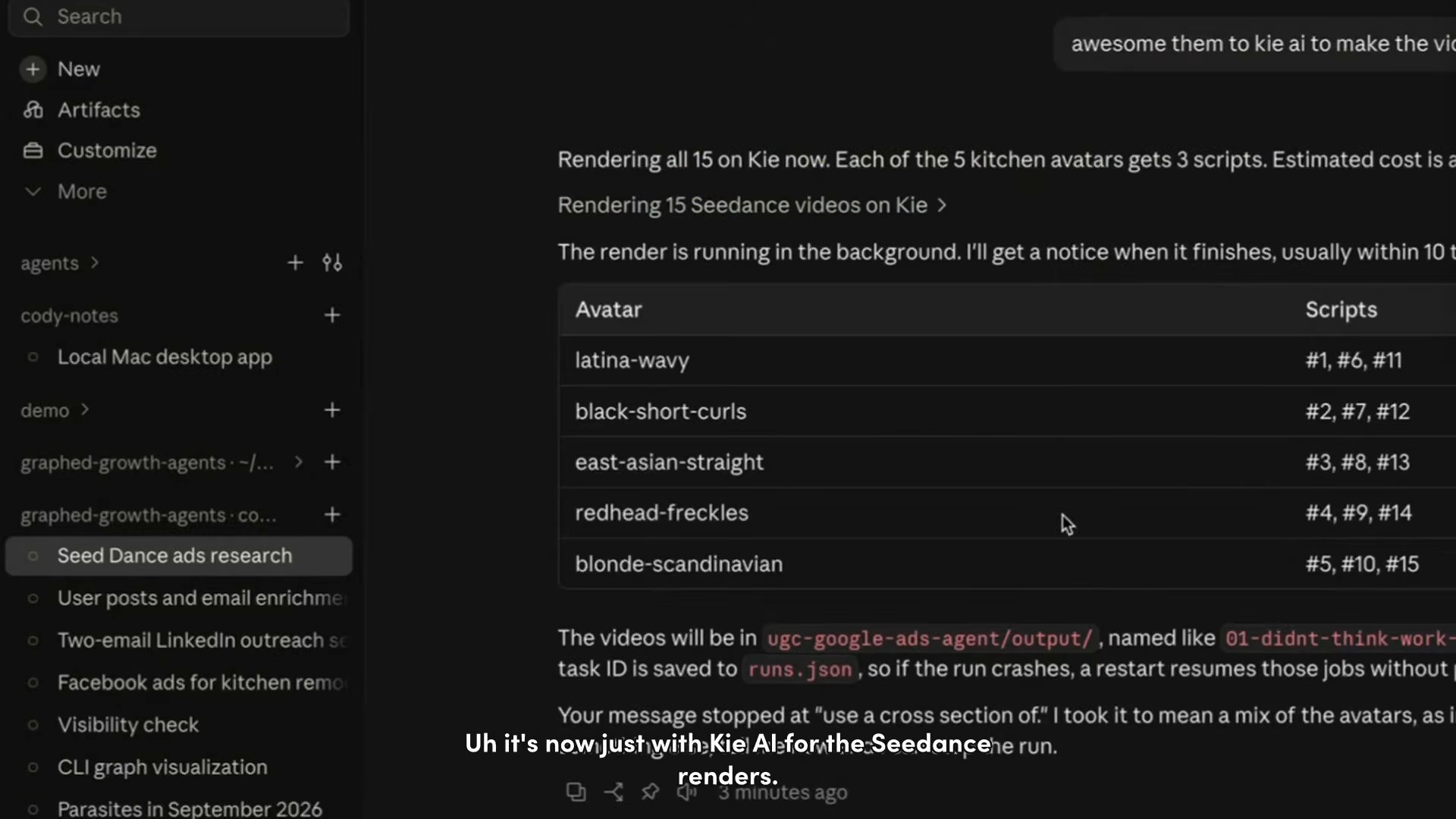
Why resellers? Cost. A thirty-second clip came in cheap enough that a full batch didn’t need sign-off.
5. Check Every Render Against Your Brand Rules
Volume without review burns budget. Cody has an AI model check each ad against the brand style guide, and a wrong font or color goes back for a fix. My team uses the same idea in our kill switches for marketing agents.
6. Launch and Feed Results Back Into the Next Batch
Finished ads go into Meta and Google campaigns. Cody stores every asset and its settings as structured data, so conversion results tell the agent which scripts to remix. Once it runs on a schedule, he gets ten new pieces of creative every day.
| Starter prompt for 15 ad scripts |
|---|
| Using these Reddit complaints, write 15 ad scripts of about 30 seconds each. Use a hook, outcome, and pain point structure, keep the words economical, and quote the customer’s own phrasing in the hook. |
So what does all this cost to run?
Seedance Pricing and What a Test Budget Looks Like
Plan for two costs. One is the model. The other is the ad spend you need to learn anything.
What You Pay for the Model
ByteDance sells API access through BytePlus, where Seedance pricing is usage-based and rises with resolution. Resellers like Kie AI and Higgsfield often sell credits per second. Check the current rate card first, because prices have moved several times this year.
What You Spend to Get Signal
Media is the bigger number. Cody’s team usually starts around $100 a day on a new account. Depending on the industry’s cost per demo, they often see winners by week six, and sometimes within a week.
Then he told me about a franchise client, and I couldn’t believe how fast it moved. Over about four weeks, cost per lead dropped from roughly $70 to around $35. That’s one account, not a guarantee, and my paid media creative testing framework shows how to read tests like that.
| What You Should Do |
|---|
| Start your first test at about $100 a day, Cody’s starting point. Hold it for at least a full week before you crown a winner. |
Budget sorted. Now, how do you keep winners winning?
How to Keep Seedance 2.0 Ads From Going Stale
Every ad decays. Cody calls it entropy, and it’s why a pipeline beats a one-time batch.
- Run two to three creative rounds a week. Remix what worked instead of inventing new angles every time.
- Keep about eighty percent on proven ads. The other twenty percent always tests something new.
- Pull fresh ideas from organic social. Posts that perform organically become new paid hooks.
- Go net new when CPA climbs. Rising cost per acquisition is your cue for completely new concepts.
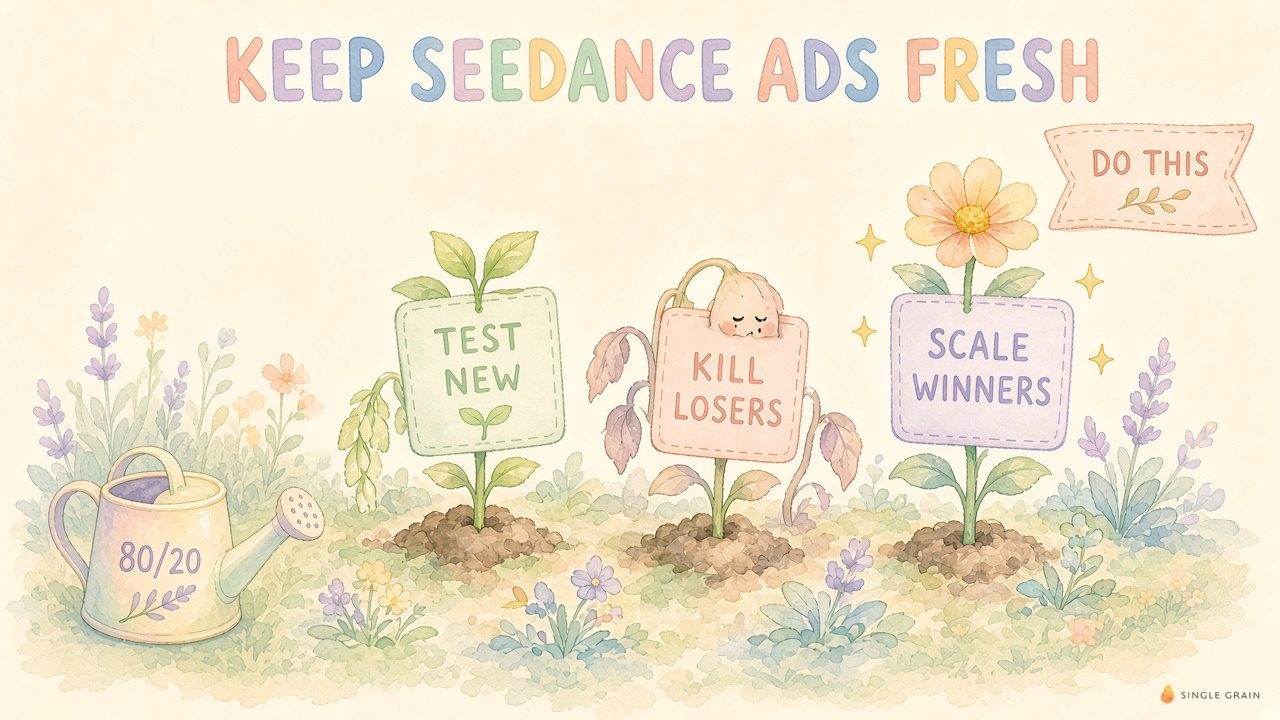
Put together, it’s one loop. Test new ads, kill the losers, and scale the winners, with about eighty percent of spend on proven ads and twenty percent on tests.
Already fighting tired ads? These ways to overcome ad fatigue pair well with a Seedance refresh cycle.
Where Seedance 2.0 Still Falls Short
I love this setup, but it isn’t effortless. Know these limits first.
- Fifteen-second cap. Clips max out at fifteen seconds per generation, so a thirty-second ad means stitching or extending. BytePlus now promotes Seedance 2.5 with thirty-second output, so check which version your provider runs.
- Avatar and audio fit. Cody calls this the hardest part, and it still takes trial and error.
- Fact-checking. AI review catches fonts and colors, not false claims. A person still reads every script.
- Disclosure rules. Rules for AI avatars vary by platform, so check Meta’s current policy before you scale.
AI creative scoring can rank variants before launch. It doesn’t replace that human check.
Before launch, ask three questions.
- Is every claim true?
- Do the voice and setting match?
- Does the ad follow the platform’s AI disclosure rules?
Turn Seedance 2.0 Into a Pipeline That Books Demos
Seedance 2.0 is a great engine, but it doesn’t drive itself. Cody’s wins come from customer language, fast review, and a feedback loop tied to leads and demos. My earlier breakdown on scaling AI creative with Seedance and Meta ads shows how that loop fits an AI-first team.
Would you rather have that pipeline built for you? That’s what my team does. A forward deployed marketer from Single Grain can set up the research, scripts, renders, and testing loop around your offer.
Let’s talk about your next creative sprint, and I’ll show you where Seedance fits.
| Action Step |
|---|
| This week, pick one offer and five avatars. Write fifteen scripts, render them, and launch at $100 a day. |
P.S. This guide grew out of my post asking Cody what he’s obsessed with in AI marketing. Seedance video pipelines feeding Meta ads topped his list.
Frequently Asked Questions About Seedance 2.0
-
What is Seedance 2.0?
Seedance 2.0 is ByteDance’s AI video generation model. It accepts text, images, audio, and video references together and produces multi-shot clips of up to fifteen seconds with synced stereo sound.
-
How do you use Seedance 2.0 for ads?
Write a short script from real customer pain points, turn it into a voiceover, then send the audio and an avatar image to Seedance 2.0 to render a talking-head clip. Check each render against your brand rules before launching it on Meta or Google.
-
How much does Seedance 2.0 cost?
Seedance pricing is usage-based through BytePlus and rises with output resolution. Resellers such as Kie AI and Higgsfield sell access in credits, so compare current rate cards before you plan a batch.
-
Is Seedance AI better than other AI video tools for marketing?
Seedance AI is strong at reference control, so you can keep the same face, voice, and framing across many variations. Results still depend more on your scripts and testing loop than on the model itself.
-
How long can a Seedance 2.0 video be?
Each generation tops out at fifteen seconds. Longer ads need extended or stitched shots.


